News
This constantly updated list features the latest and most important news articles, ranked in order of significance. The top stories highlight major developments, breaking news, and critical updates across various topics, ensuring you stay informed about the most pressing issues. As new articles are added, the list adapts to reflect the latest priorities, keeping the most impactful stories at the forefront. Whether it’s global events, technology breakthroughs, or industry trends, this dynamic list ensures you always have access to the most relevant and timely information.
-

Picture from static.independent.co.uk
Rank 77001 -

Picture from static.independent.co.uk
Rank 77002 -

Picture from static.independent.co.uk
Rank 77003 -

Picture from static.independent.co.uk
Rank 77004 -
Picture from o.aolcdn.com
Rank 77005Rebecca Kelly Slaughter, one of the Democratic FTC Commissioners President Trump had fired back in March, said she looks forward to getting back to work. US District Judge Loren AliKhan has just ruled that her removal from the agency was "unlawful and without legal effect" and that she was still a "rightful member" of the commission. The judge explained that the firings violated protections that prevent a president from unilaterally removing officials at independent agencies.
In her statement after the ruling was handed down, Slaughter said the "for-cause removal protections that apply to [her] colleagues and her at the FTC also protect other independent economic regulators like the SEC, the FDIC, and the Federal Reserve." Slaughter was one of the two Democratic members of the Federal Trade Commission that Trump had removed from their position, leaving only three Republican commissioners in charge.
Historically, the FTC had five members: Three from the same party as the president and two from the opposite party. At the moment, FTC's website only lists the three current Republican commissioners, including Chairman Andrew Ferguson. The chairman previously said that he had "no doubts about [Trump's] constitutional authority to remove Commissioners, which is necessary to ensure democratic accountability for [the] government." The other fired Democratic commissioner, Alvaro Bedoya, was originally part of the lawsuit. However, his claims had been dismissed since he resigned from the agency completely and took on a private-sector job since then, explaining that he couldn't afford to have no income while the case was in court.
White House spokesperson Kush Desai told The New York Times that the administration would appeal AliKhan's decision. "The Supreme Court has repeatedly upheld the president’s constitutional authority to fire and remove executive officers who exercise his authority,” he added. The judge expected as such and noted in her ruling that the case would likely reach the Supreme Court. As Politico has noted, the Supreme Court previously refused to reinstate the members of the National Labor Relations Board and the Merit Systems Protection Board that Trump had fired. Those personnel were also supposed to be protected by the federal law the restricts the president's ability to remove government agency officials. This article originally appeared on Engadget at https://www.engadget.com/big-tech/trumps-firing-of-democratic-ftc-commissioner-was-unlawful-judge-rules-120029367.html?src=rss
-

Picture from ichef.bbci.co.uk
Rank 77006 -

Picture from static.independent.co.uk
Rank 77007 -

Picture from static.independent.co.uk
Rank 77008 -

Picture from static.independent.co.uk
Rank 77009 -

Picture from static.independent.co.uk
Rank 77010 -

Picture from cdn.mos.cms.futurecdn.net
Rank 77011Departments often don't collaborate when buying new printers, risking buying flawed equipmentThey also don't patch on time or enough - leaving the doors wide openDecommissioning office hardware is also a problemHackers could be using your business printer as an easy backdoor into your corporate network and all of the devices connected to it, experts have warned.A new report from HP Wolf Security outlines how most enterprises neglect their printers throughout the device’s lifecycle, finding just a third (36%) of those surveyed apply firmware updates as soon as they’re available.Firmware updates are vital as they often address newly discovered vulnerabilities, and if they’re not applied, cybercriminals don’t have to blindly search for flaws - they know exactly where, and how to strike and move in.Four stages (of the printer apocalypse)But firmware update woes are just during the Ongoing Management stage, as the report notes a printer’s lifecycle has four stages, including Supplier Selection & Onboarding, Remediation, and Decommissioning & Second Life.During all of these stages, printers are exposed to different risks, including the lack of procurement collaboration, RFPs going unchecked, and the inability to verify the printer’s integrity.The report also found most firms see data security as a barrier to printer reuse, resale, or recycling, and just a third (35%) said they were uncertain whether printers can be fully and safely wiped.At the same time, a quarter believes it’s necessary to physically destroy printer storage drives, while a tenth insists on destroying both the device and its storage drives.“Printers are no longer just harmless office fixtures – they’re smart, connected devices storing sensitive data,” warns Steve Inch, Global Senior Print Security Strategist at HP Inc.“With multi-year refresh cycles, unsecured printers create long-term vulnerabilities. If compromised, attackers can harvest confidential information for extortion or sale. The wrong choice can leave organizations blind to firmware attacks, tampering or intrusions, effectively laying out the welcome mat for attackers to access the wider network.”You might also likeTech giants found destroying thousands of data storage devices every year - but why?Take a look at our guide to the best authenticator appWe've rounded up the best password managers
-

Picture from ichef.bbci.co.uk
Rank 77012 -

Picture from ichef.bbci.co.uk
Rank 77013 -

Picture from ichef.bbci.co.uk
Rank 77014 -

Picture from image.cnbcfm.com
Rank 77015 -

Picture from image.cnbcfm.com
Rank 77016 -

Picture from static.independent.co.uk
Rank 77017 -
Picture from techcrunch.com
Rank 77018 -

Picture from static.independent.co.uk
Rank 77019 -

Picture from static.independent.co.uk
Rank 77020 -
Picture from o.aolcdn.com
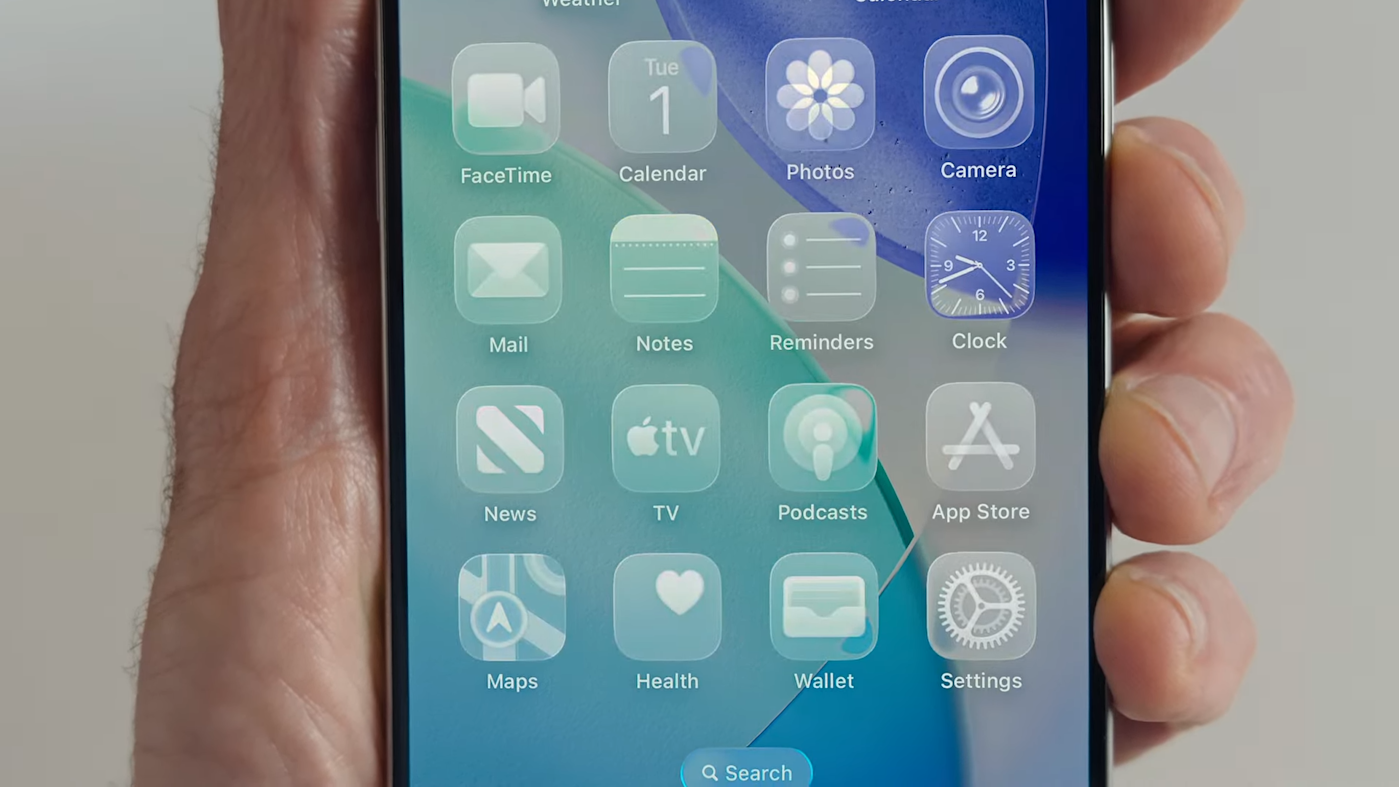
Rank 77021Apple is suing leaker Jon Prosser and a codefendant for misappropriation of trade secrets related to YouTube videos from earlier this year that depicted mockups of iOS 26 (which was, at the time, expected to be called iOS 19). In the suit, which Apple filed at a district court in the Northern District of California, the company claims Prosser and Michael Ramacciotti "conspired to break into an Apple employee’s development iPhone to take Apple’s trade secrets."
Per the filing, which was obtained by MacRumors, Prosser had promised to "find out a way for [Ramacciotti] to get payment" if his codefendant was able to access the development iPhone of his friend Ethan Lipnik, who worked on software designs at Apple. Apple claims Ramacciotti was staying with Lipnik and waited until he left for an extended period of time, using a location-tracking tool to make sure of that. Ramacciotti is said to have gained access to the iPhone and made a FaceTime call to Prosser to show features and designs from iOS 26.
Prosser allegedly used a screen capturing tool to record the video call and then shared the footage with others in order to create mockups he used in his videos (Prosser has said that Apple uses identifiers in in-development versions of its software to help it pinpoint leakers, and recreating the renders is intended to protect them). One of those people who saw the footage is said to have recognized Lipnik’s apartment and to have informed him of that.
In January, Prosser published a video on his Front Page Tech YouTube channel depicting a render of an iOS 26 Camera app redesign that looked relatively close to the real deal. He later showed off mockups of the redesigned Messages app and the Liquid Glass design language Apple is switching to this year.
Apple terminated Lipnik’s employment for failing to protect confidential information. Per the suit, Lipnik said that Ramacciotti "often spent time at his home, sometimes staying for the weekend, and observing his patterns and security protocols for his devices." Apple says it discovered the alleged trade secret theft from an anonymous tip and that it also has a voice note that Ramacciotti sent to Lipnik to apologize and claim that Prosser was behind the scheme.
The company claims the development iPhone in question hosted a "significant amount of additional Apple trade secret information that has not yet been publicly disclosed. It added that it does not know how much of this information Prosser and Ramacciotti obtained.
Apple is seeking an injunction directing Prosser and Ramacciotti "not to make use of or disclose Apple’s confidential, proprietary and trade secret information to third parties without its written consent" and to destroy any such material they possess. The company is also seeking damages and is requesting a jury trial.
Prosser responded to the lawsuit on X, claiming that "This is not how things went down on my end. Looking forward to being able to speak to Apple about it." Prosser followed up by saying, "For the record: I certainly did not 'plot' to access anyone’s phone and was unaware of the situation playing out."
For the record: I certainly did not “plot” to access anyone’s phone and was unaware of the situation playing out.— jon prosser (@jon_prosser) July 18, 2025
This article originally appeared on Engadget at https://www.engadget.com/big-tech/apple-sues-leaker-jon-prosser-for-allegedly-stealing-ios-26-info-from-an-employee-123019259.html?src=rss
-

Picture from image.cnbcfm.com
Rank 77022 -

Picture from image.cnbcfm.com
Rank 77023 -

Picture from ichef.bbci.co.uk
Rank 77024 -

Picture from static.independent.co.uk
Rank 77025 -

Picture from image.cnbcfm.com
Rank 77026 -

Picture from ichef.bbci.co.uk
Rank 77027 -

Picture from ichef.bbci.co.uk
Rank 77028 -

Picture from static.independent.co.uk
Rank 77029 -

Picture from static.independent.co.uk
Rank 77030 -

Picture from static.independent.co.uk
Rank 77031 -

Picture from static.independent.co.uk
Rank 77032 -

Picture from image.cnbcfm.com
Rank 77033 -
Picture from static.independent.co.uk
Rank 77034 -

Picture from cdn.mos.cms.futurecdn.net
Rank 77035It’s difficult to be shocked by entertainment news anymore, but waking up to Stephen Colbert’s announcement that his late night talk show was being canceled had me unable to go back to sleep in the middle of the night. The Paramount and CBS show has been on the air for 33 years, and while CBS has cited “financial reasons” for the decision, the internet is convinced there are alleged political undertones that might have fuelled the final fire.Speculation aside, what we know for certain is that we’re about to lose one of the greatest TV shows of all time, due to be drawn to a close in May 2026. As more and more networks and streaming services are being impacted by production costs, AI and a general lack of profit, the cancelation is another sorry reminder that the industry feels like it’s on a downward spiral it can’t properly control. But does it all have to be bad news? The more I had time to think about it, the more I remembered what Netflix said in the last few weeks about its plans to expand unscripted content. If The Late Show with Stephen Colbert is leaving a gap in the talk show market that audiences don’t want it to, the time is perfect for Netflix to fill up the space it already wants to.Could Netflix take the ultimate unscripted inspiration The Late Show with Stephen Colbert?Stephen Colbert on The Late Show with Stephen Colbert. (Image credit: CBS)In my mind, there’s two moves Netflix could potentially make in the aftermath of the cancelation news. The first is the likeliest scenario: the streamer creates its own ‘rival’ show that exists on a permanently weekly basis. It’s already experimented with Everybody’s Live With John Mulaney, though it was pre-recorded on a 12-week order. Reviews were generally favourable, and the TV show supposedly had a two-season order before its debut, so surely the best way to upscale what you’ve already started is to go the whole hog with a weekly live late show.According to a report from The Wall Street Journal, we know this is exactly the direction Netflix wants to head in. An increase in celebrity interviews seems likely, while a pilot with The Daily Beast is reportedly being developed, leaning into “buzzy, non-political” events rather than fully-fledged news programming. It’s probable that a Netflix late night talk show would shy away from the political content that network shows typically branch out into, and that’s got equal chance of being a help or a hindrance.The second move Netflix could make is to offer Colbert a brand-new show of his own on the platform. It’s a slum dunk choice in many respects, with audience demand and sympathy for Colbert now sky high. Netflix would quite literally be the hero of the hour, generating positive PR, natural intrigue and potentially a few new subscribers for good measure. The traditional structure for a TV talk show could also be ditched, meaning something much more creative could open us up to new ways of being entertained. Who doesn’t want that?No decisions have been made as of yet, but if Netflix makes any announcements about their unscripted plans in the not-too distant future, I won’t be surprised. Late night talk shows are in desperate need of a comeback (or at the very least, a refresh), and Colbert could now be an unexpected vehicle for change.You might also likeNetflix confirms Assassin's Creed live-action TV show is in the works, and I'm praying it doesn't silently kill the popular video game seriesStranger Things season 5: everything we know so far about the hit Netflix show's final entrySquid Game: The Challenge season 3 is a win for Netflix, but one unhinged game from the K-drama can’t be replicated
-

Picture from static.independent.co.uk
Rank 77036 -

Picture from static.independent.co.uk
Rank 77037 -

Picture from assets3.cbsnewsstatic.com
Rank 77038 -

Picture from image.cnbcfm.com
Rank 77039 -

Picture from cdn.mos.cms.futurecdn.net
Rank 77040Ensuring that your network and your computer are safe from cybercriminals is of paramount importance. To do this, the two most often used tools are the best antivirus software and a firewall.While they work great in combination, both have different roles and functionalities, often leading users to ponder which one is more important or whether both are needed. There are numerous technical definitions for both terms, but in a nutshell, a firewall represents a software and hardware-based system that tracks incoming and outgoing network activity on a machine.Conversely, an antivirus is a software product that removes threats from our system or recovers it from viruses.Looking for even more protection? Grab the best VPNWe've rounded up the best password managersSee why we rate Bitdefender so highly in our testingWhat is a firewall?Think of a firewall as a security barrier that stands between your computer (or network) and the wide expanses of the internet. It keeps an eye on all incoming and outgoing traffic, blocks unwanted traffic, as well as malicious attacks.Average users usually see a firewall in the form of a software program, however, there are hardware-based firewalls, which are more often seen in corporate surroundings and less among average home users.Firewalls operate on a set of rules that help them determine which packets (traffic) are allowed to pass through and which will be blocked. Here is a quick list of features you should look for in a good firewall:Packet filtering - Traffic is filtered based on IP addresses, protocols, and portsIntrusion prevention system (IPS) - Offers real-time protectionDeep packet inspection (DPI) - Each packet is analyzed for potential threatsVPN supportURL filteringEase of useCloud integrationReputationFirewall: the types of firewallThere are numerous types of firewalls, all used to protect networks. While for most users, a software firewall is usually enough, there are more complex variants that are usually found in enterprises or small businesses that need higher levels of protection.Packet filtering - each packet (in and out) is checked against a predetermined set of rules; if a packet meets the rules, it is allowed to pass through, otherwise it is blockedStateful - all connections that pass through it are loggedApplication-level gateway - an intermediary between a client and a server, inspecting traffic based on application-specific rulesHardware - a physical device installed between a network and the internetSoftware - installed on the user’s machine, the most common form of firewall, used both in the home and businessFirewall: LimitationsFirewalls are not perfect solutions and can only do a few things, so here is a quick list of their limitations:Cannot prevent internal attacksCannot identify authorized attacksCan slow down a system significantly if not optimized properlyCannot defend a system if you download a virusWhat is antivirus?Antivirus is a software solution that focuses on preventing malicious software (malware) from being executed on your PC.When talking about what an antivirus protects against, you will usually hear these terms: viruses, worms, trojans, ransomware, and spyware. An antivirus usually detects viruses via scans, either real-time ones or ones triggered by the user.When detected, viruses are either deleted or quarantined. Real-time protection ensures that threats are quarantined before they can do any real damage.Here is a quick list of features you should look for in a good antivirus:Strong threat detection validated by independent testing labsReal-time protectionPerformance - doesn’t slow down your PC and has minimal effect on your laptop battery durationConstant updatesEase of useReputationPackaged features - newer variants come packaged with a VPN, password managers, etc.Antivirus: Types of antivirusSimilar to firewalls, there are different types of antivirus’ as well. While most users just one an antivirus installed on their PC to stay protected, it is important to distinguish which types are out there, to be able to choose the best one for your needs.Malware signature - the antivirus compares patterns in programs that match those in malware; if found, programs are flagged and quarantinedHeuristic - monitors unusual behavior in apps, and if noticed, the apps are scanned for malwareMonitoring - the system is monitored for malware, any change in file size, or unusual file creation triggers the removal of potentially infected filesMachine learning (ML) - a newer type of antivirus, using AI to learn patterns used by malware and virus programsAntivirus: LimitationLike firewalls, antivirus solutions are not perfect, no matter how reputable or advertised it is. Here is a quick list of its limitations:Antivirus cannot be run on read-only filesSupports only the Common Interface File System (CIFS)No new virus or malware will be spotted unless updatedFiles that are being read and written simultaneously cannot be protected by an antivirus softwareNote that cybercriminals are constantly developing new malware and viruses.Cybersecurity experts are trying to keep up, so there are times when new viruses are causing havoc and no new virus definitions are available, so you need to rely on common sense and other methods of staying safe.Antivirus vs firewall: how do they differ?FirewallAntivirusCan be implemented as both a software and hardware solutionImplemented as a software-only solutionFirewall deals with external threatsAntivirus deals with external and internal threatsFirewalls allow for counterattacks (IP spoofing, routing attacks, etc.) There are no counterattacks via an antivirus (not counting virus removal)Firewalls monitor and filterAntivirus scans files and softwareFirewalls check incoming packets for threatsAntivirus checks threats from software and executables Firewalls, in theory, protect you from any type of threatAntivirus protects you from virusesA firewall's source code is more complex compared to an antivirus An antivirus's source code is more complex compared to a firewall'sIn essence, the differences between the two focus on three main areas:Focus - antivirus focuses on internal threats (virus, malware); firewall focuses on external threats through traffic managementLocation - an antivirus is installed locally on a PC; a firewall can be installed on a PC or at the network levelMethod - an antivirus scans for malicious code; a firewall creates a barrier to block accessFirewall vs antivirus: SimilaritiesWhile there are differences between the two, due to constant evolution of both of these tools, they’re increasingly becoming similar since companies now bundle their antivirus solutions with a firewall, VPN, password manager, etc. Here is a quick list of the similarities between the two:Goal - both have the goal of protecting you from threats, filtering malicious agents, and protecting dataAdaptation - firewalls can be adapted via the help of rules, while antiviruses can be customized with the help of lists, alerts, and scheduled activityCloud native - with the recent evolution of both tools, we can safely say that both are equally cloud nativeIntegral - they work well together, and both are considered essential tools for a proper cybersecurity strategyExample: Windows Defender AntivirusA larger portion of users are on Windows machines, and by default, they get a firewall and virus protection included in their OS called Windows Defender Antivirus (WDA). Since it's “free” and comes included, they may rightfully ask if WDA is enough to stay protected in 2025. If you’re a more advanced user who can spot phishing sites and emails easily, then we would say, yes, WDA is more than enough for your needs.Independent antivirus testing laboratories gave WDA the highest grades across all of their tests that focus on protection, performance, and usability. The tests used over 11,000 malware files, and WDA flagged each one correctly, and overall did not throw out any false positives. European Institute for Computer Antivirus Research (EICAR) also tested WDA and gave it a 2 out of 3, failing it in the area of phishing protection.(Image credit: Future / Sead Fadilpašić)WDA also comes with a built-in firewall, which is among the better options that you have on Windows machines. From the Firewall & network protection page, you can perform simple actions pertaining to your built-in firewall, but you can also access the advanced firewall configuration settings.It comes well-adjusted out of the box, and in conjunction with the SmartScreen filter, it will prevent you from venturing too far into the dangerous waters of the internet. If you understand exploit prevention technologies that are abbreviated under CFG, DEP, and ASLR, you can configure them under the advanced settings; if you don’t know what these mean, then we would recommend leaving everything at default and not touching anything.Finally, WDA comes with parental controls, and if you pay for a Microsoft 365 subscription, you get access to additional security features from Microsoft. It’s by no means perfect, but for the average user, it offers a great starting point.Firewall vs antivirus: Do I need both?The answer to this question will, first of all, depend on the machine you’re using. If you’re on a Mac, the answer would be no; if you’re running a Linux machine, the answer is a bit more complicated. Finally, if you’re on Windows, then the answer is probably yes.As you can see from the short overview of WDA, even Microsoft thinks you need both, as it comes built into the Windows OS itself.We would recommend getting a robust antivirus solution to complement WDA’s firewall component, as for most users, the firewall from Microsoft is good enough to keep most, if not all, threats at bay.If you’re considering what to get for a small or medium-sized business, then a recommendation would go more towards a bundled solution from one of the premium providers in the market. Such bundled solutions usually come with both antivirus and firewall, but also add a VPN, a password manager, and much more.Firewall vs antivirus: Best practicesConsidering that most users could fall under the umbrella term of “average users”, fine-tuning your firewall and antivirus settings can help you stay protected in more challenging situations. Here is a quick list of what you should do to keep your system running smoothly.Firewall best practices:Default settings - if you’re relying on WDA, leave everything at default; it's a great starting pointUpdate - regularly update your systemSift through the logs - watch for any suspicious activityAdvanced settings - block specific traffic (advertising, malicious links, etc.), but be cautious since adding your own rules can break featuresAntivirus best practices:Update - keep your antivirus software updated at all times, new threats are emerging by the hour, so never turn off automatic updates for your antivirusRegular scans - run or schedule regular scans to ensure no malware is residing on your systemBe mindful - watch your actions, check links, and don’t open suspicious emailsTo all of these, we would also add that you should use strong passwords that will be unique for all of your accounts. Education about safe computing practices and potential threats is always welcome, and if you’re worried or using your home PC for gig work, a hybrid approach of software and hardware firewalls should be considered to stay on the safe side.Firewall vs antivirus: ConclusionWhether a firewall or an antivirus is right for you is typically no longer a decision that needs to be pondered, mostly because they have distinct roles.Firewalls act as barriers, shielding networks from external threats. They check data, enforce rules, and prevent access. On the other hand, an antivirus detects and removes malicious content from a system. It is worth also noting that firewalls have now evolved to a stage (next generation firewalls) where they often have antivirus functionalities. Though this does not mean that it replaces dedicated antivirus functionality.Ideally, you would use both for a layered approach, but the notion of choosing between the two is becoming less plausible due to the complementary nature of security architecture and modern offerings targeting the security niche.So, which is right for you? Both would be the answer, since they serve different functions.If you’re on a Windows machine, you can save some money by using WDA and layering a free or paid antivirus that fits your budget and needs.For a more comprehensive approach, layering a hardware firewall and a bundled antivirus premium offering would ensure you stay safe while performing almost any activity on your computer.
-
Picture from o.aolcdn.com
Rank 77041Subaru just screwed up our SEO with the launch of the Uncharted, an electric crossover with up to 300 miles of range that probably has nothing to do with the video game. It uses the same E-TNGA platform as Toyota's CH-R EV and strongly resembles that model.
Due to arrive next year, the 2026 Uncharted will come in two versions, both with 74.7kWh batteries. The first is a front-wheel drive version with 228 horsepower and 300 miles of range, while the second is a much grunt-ier dual-motor four wheel drive version with 338 horsepower and a sub-five-second 0-60mph time in either Sport or GT trims, but slightly less range (290 miles). The latter specs are identical to the CH-R EV, by the way.
Subaru
The Uncharted will come standard with a Tesla-style NACS charging port to give drivers Supercharger access. Fast charging speeds are limited to 150kW but Subaru claims it'll charge from 10-80 percent in under 30 minutes with the use of battery preconditioning.
It's definitely a spitting image of the CH-R EV right down to the side cladding, though it has slightly different headlights and a restyled front end. Even the interior has a substantially similar center console that can wirelessly charge two phones plus the same 14-inch infotainment screen with Android Auto/CarPlay support. It has a generous complement of manual controls, unlike Tesla's EVs.
Subaru
Subaru hasn't released pricing yet for the 2026 Uncharted, but it might be similar to the CH-R EV which starts at $35,000. It's just the company's third electric vehicle, following the three-year-old Solterra and Outback-like Trailseeker, also set to arrive next year. This article originally appeared on Engadget at https://www.engadget.com/transportation/evs/subarus-third-ev-is-the-uncharted-yep-with-300-miles-of-range-and-338-horsepower-130015496.html?src=rss
-

Picture from ichef.bbci.co.uk
Rank 77042 -

Picture from ichef.bbci.co.uk
Rank 77043 -

Picture from static.independent.co.uk
Rank 77044 -

Picture from static.independent.co.uk
Rank 77045 -

Picture from cdn.mos.cms.futurecdn.net
Rank 77046Exchange Server and Skype for Business support extended on October 14, 2025One final ESU will then be available for just six monthsCustomers are being urged to upgrade ASAP to stay safeMicrosoft has confirmed a series of welcome updates which will see older versions of its Exchange Server and Skype for Business retain support for a little longer, to give customers time to continue to migrate to newer options.Exchange Server 2016 and 2019, and Skype for Business 2015 and 2019, will both lose support on October 14, 2025 – the same day that Windows 10 also loses support – but a new Extended Security Update (ESU) will be offered in its place.Unlike operating system ESUs, Exchange and Skype will only be available with a one-time, six-month ESU program covering critical and important rated security updates, but it's still a welcome move for those in need of some extra time.Microsoft offers a six-month ESU on Exchange and SkypeThe ESU period will run from October 14, 2025, to April 14, 2026, with no further extensions possible.Customers can contact Microsoft from August 1 to get pricing and purchase details, as ESUs will not be available via Windows Update or public downloads – just to those who have enrolled in the program."This ESU is not an 'extension of the support lifecycle'," Microsoft added. "This ESU is a way for customers who might not be able to finalize their migrations to Exchange SE before October 14, 2025." Redmond made the same comments for Skype in another post.As such, the company is urging customers to complete migrations to Exchange Subscription Edition (SE) or Skype for Business SE ahead of the end of support.It's unclear how many users remain on older, soon-to-be-unsupported versions of Exchange of Skype, but if the Windows 11 migration is anything to go by, it could be a lot. It was only in June 2025 that the number of Windows 10 and Windows 11 installations reached near-parity – before then, the number of people running Windows 10 was far higher.You might also likeNeed to be more cost-aware? Check out the best free office softwareWe've listed the best productivity tools and best online collaboration softwareWindows 10 might be at death’s door, but Microsoft hasn’t finished trying to force Bing and Edge on its users
-

Picture from static.independent.co.uk
Rank 77047 -

Picture from static.independent.co.uk
Rank 77048 -

Picture from static.independent.co.uk
Rank 77049 -
Picture from assets3.cbsnewsstatic.com
Rank 77050