News
This constantly updated list features the latest and most important news articles, ranked in order of significance. The top stories highlight major developments, breaking news, and critical updates across various topics, ensuring you stay informed about the most pressing issues. As new articles are added, the list adapts to reflect the latest priorities, keeping the most impactful stories at the forefront. Whether it’s global events, technology breakthroughs, or industry trends, this dynamic list ensures you always have access to the most relevant and timely information.
-

Picture from image.cnbcfm.com
Rank 43801 -

Picture from cdn.mos.cms.futurecdn.net
Rank 43802Security researchers Aim Labs discovered an LLM Scope Violation flaw in Microsoft 365 CopilotThe critical-severity bug allows threat actors to exfiltrate sensitive corporate data by sending an emailMicrosoft says it has fixed the issue server-side, but users should be on guardMicrosoft has fixed a dangerous zero-click attack in its Generative Artificial Intelligence (GenAI) model which could have allowed threat actors to silently exfiltrate sensitive corporate data without (almost) any user interaction.Cybersecurity researchers Aim Labs, who found the flaw, known as an “LLM Scope Violation”, and dubbed it EchoLeak.Here is how it works: A threat actor sends a seemingly innocuous email message to the target, which contains a hidden prompt that instructs Copilot to exfiltrate sensitive data to an attacker-controlled server. Since Copilot is integrated into Microsoft 365, that data can include anything from intellectual property files, to business contracts and legal documents, or from internal communications, to financial data.Critical vulnerabilityThe researchers note the prompt needs to be phrased like speaking to a human, so that it bypasses Microsoft’s XPIA (cross-prompt injection attack) defenses.Later, when the victim interacts with Copilot and asks a business-related question, the LLM will pull all of the relevant data (including the attackers’ email message) and will end up executing it. The files are stored in a crafted link or an image.The bug was assigned the CVE-2025-32711 identifier, and was given a severity score of 9.3/10 (critical). It was fixed server-side in May, meaning users don’t need to do anything. Microsoft also said that there is no evidence that the flaw had been exploited in the past, and none of its customers were impacted.Microsoft 365 is one of the most popular cloud-based communications and online collaboration tools, combining office apps (Word, Excel, and others), cloud storage (OneDrive and SharePoint), email and calendar (Outlook, Exchange), and communications tools (Teams).Recently, Microsoft integrated its Generative AI model, Copilot, into Microsoft 365, allowing users to draft and summarize emails, generate and edit documents, create data visualizations and analyze trends, and more.Via BleepingComputerYou might also likeClaude AI and other systems could be vulnerable to worrying command prompt injection attacksTake a look at our guide to the best authenticator appWe've rounded up the best password managers
-

Picture from cdn.mos.cms.futurecdn.net
Rank 43803Figma unveils new AI tools for developers and designersFigma Make finally rolls out to all users with Full SeatCode layers comes to Figma SitesOver the past week, Figma has made good on its many promises revealed at its Config 2025 event.After announcing the release of four new products - Figma Make, Figma Sites, Figma Buzz, and Figma Draw - the company has now launched a few new updates for developers and designers, alongside the full rollout of its big content ideation tool Figma Make.According to Figma, these updates are all about “bridging the gap between design and code” with the help of new AI tools. So, what can users expect now?What’s new in Figma?For me, the most exciting new release is Figma Make. Finally out of beta, it’s available now to those with a Full Seat.Figma Make is effectively an overarching design tool that spans the entire platform, and a massive leap for content ideation, where users can start with a blank canvas or copy and paste from Figma Designs, collaborate on new ideas, and then bring those designs over to other Figma tools like Sites to refine the concepts.According to the company, Figma Make is fully capable of helping users create “an agentic AI interface, a business newsletter, and even games.”When I attended a press briefing at Config London, I was struck by how Yuhki Yamashita, Figma’s Chief Product Officer, repeatedly mentioned how the premise here is being able to quickly conjure up ideas, throw them out if they don’t work, then start anew.At the time, he said, “Our thought experiment was, how can we make it so easy for you to go from the idea into your head to something that is actually you can put in front of users and validate really quickly. And if it doesn't work, that's great. You can then move on to the next idea, or you can keep iterating from there.”But it’s not the only big rollout users can now try. Figma has also released a new Dev Mode MCP Server, which is currently in beta.Eagle-eyed Figma-watchers will have clocked an early demo of this during Microsoft Build’s opening keynote.The company describes the MCP Server as a way to deliver design context from Figma - think variables and styles, that sort of thing - into their preferred LLM, IDE, or agentic coding tool, making sure that AI-generated code aligns with the users’ codebase.And finally, code layers are now rolling out across Figma Sites, the AI-powered website builder. Here, users with pretty much any technical ability can customize websites and build site interactions and animations using AI prompts, presets, or raw code.I was pretty impressed when I saw Figma Sites in action at Config, where AI prompts were used to transform static text into animated text that reacted to cursor movements. It’s designed in such a way that even a non-designer can easily edit content.At Config, Yamashita promised bigger things were afoot, saying, “we wanted to make sure that we could support scaled use cases, too. With these kinds of content, it's much easier if we have a CMS, so that a non-designer can come in and comfortably edit that content in a way that's familiar to them. And this is something that's coming soon.” Looks like it’s finally arrived.You can check out the newest tools from Figma by clicking here and navigating to the Products section. You might also likeWe've rounded up the best AI website builders aroundAdobe launches new Express tool for small businesses - and I spoke exclusively to its chief to find out the top 5 things you need to knowFreepik launches new enterprise AI plan - but is it enough to tackle Adobe’s dominance in the field?
-
Picture from o.aolcdn.com
Rank 43804Apple's WWDC 2025 keynote gave fans a good look into what their iPhones, iPads and Mac computers will look like come this fall when the new software updates come out. Key to the changes is Apple's new Liquid Glass design language, which will bring UI tweaks to all of its operating systems later this year. The redesign focuses on streamlining things and boosting productivity while giving most elements a semi-translucent look. As to be expected Apple Intelligence features are baked into all of the forthcoming software updates, and users can expect to see updated widgets, a few overhauled apps and more. Here's everything Apple announced at WWDC 2025 this year.
Liquid Glass design and new software names
Apple
As was expected, Apple revealed a new visual design language coming to all of its operating systems dubbed Liquid Glass. It called this new system its "broadest" design update yet, and it features semi-translucent features like redesigned widgets, notifications and more. Apple is billing it as more dynamic than the previous design language, and a way to bring even more consistency across all operating systems including iOS, iPadOS and macOS.
In addition to the redesign, Apple is revamping the names of all of its operating systems. Instead of iOS 19, for example, we’ll have iOS 26 coming out this fall. iPadOS 26, watchOS 26 and others will follow suit, marking the first time Apple has given its software updates year identifiers instead of arbitrary generation numbers.
iOS 26
Apple
The changes coming to iOS 26 are subtle, but they give it a clean look and feel, with lots of overlapping elements, rounded corners and more. Apple said the design is inspired by visionOS, the operating system that powers Vision Pro headsets. App icons have a slightly different look, while toolbars and text inputs have see-through appearances. Folks will be happy to know that things are largely the same — you shouldn't have an issue identifying key apps like the Phone, Messages or FaceTime.
Phone app
Speaking of the Phone app, it's getting the biggest redesign since its launch with the original iPhone all those years ago. It puts scrolling front and center, allowing you to scroll through key contacts, recent calls and voicemail messages all on one screen. A translucent bar at the bottom of the screen gives you quick access to additional contacts and the keypad. Hold Assist, a new feature, will mute hold music but keep you on a call until someone picks up on the other line.
Apple
Messages
Messages is getting a few new features as well, including the ability to change the entire message background color for group messages and polls among group chat members. New screening features includes "unknown senders," which sequesters those pesky spam messages to a separate space in Messages, so you can keep your most important conversations in the forefront and ignore those that don't matter.
Apple Intelligence features are spread throughout all of the software updates, and in Messages, there are some related to Genmoji. In iOS 26, you'll be able to combine two existing emoji to create an entirely new, custom Genmoji, and you can even use ChatGPT to create Genmoji as well.
Live translate is coming to Messages, too, automatically translating messages as you type and delivering them to the receiver in their preferred language. Similarly functioning live captions will be available in FaceTime, and Apple Music will get live translation and live pronunciation features to help listeners enjoy music in other languages. The Call Translation API will be available to third-party developers to use in their communication apps as well.
Maps and Wallet
Apple Maps will gain the ability to learn your routine and suggest alternative routes based on traffic. It will also log your "visited places": cities, landmarks and business that you've been to, making it easier for you to find places you want to revisit again.
Separately, the Wallet app will support Digital ID, which lets you create a digital ID that's different from your driver's license and passport and can be used to verify your identity in some locations. You'll also be able to add updated boarding passes to Wallet when you're flying.
Games app
iOS 26 will feature a dedicated Games app as well. It will feature a Library tab, where you can find all of the games you've ever downloaded for iOS, and a dedicated Apple Arcade tab for all of the titles included in that service. Challenges is a new feature will let you compete against friends in supported games, including supported single-player games that developers.
Visual Intelligence
Visual Intelligence is getting baked into iOS 26's interface a bit more, allowing you to visually search for anything that pops up on your iPhone screen. For example, if there's an image of a jacket you like on your social media feed, you can take a screenshot and use the new Visual Intelligence image search feature to search for similar jackets across the web and other apps. You can highlight certain areas of your screenshot to refine the search further.
watchOS 26
Apple
In addition to the Liquid-Glass visual overhaul, watchOS 26 will bring Workout Buddy to your wrist. The new feature will analyze your fitness history and identify insights in real time as you're working out. It takes shape as a sort of audio coach that can inform you of things like the distance you've run, average pacing and those compares to previous runs you've completed. New Apple Music integration can choose playlists for you as well, based on the type of workout you're doing.
Smart Stack on Apple Watch is getting an update as well, prioritizing the information that matters most to you depending on your routine. For example, when you walk into your gym, a Smart Stack hint will appear on your watch that will quickly take you to the workout app so you can dive right into your training session.
macOS Tahoe
Apple
The next version of Apple's desktop operating system is dubbed macOS Tahoe, keeping the classic California naming scheme the company has been using for a long time. Liquid Glass design language is at the forefront here, but long-time Mac users will find most things look quite familiar, just with a semi-translucent, rounded edge now. Users will have the option to make custom backgrounds, change the color of their desktop folders and even add emoji to them.
iOS' Phone app will be available on macOS Tahoe, improving the calling capabilities of Mac computers. With it, you can more easily access your contacts and voicemail messages, and it will support all of the new features the new Phone app in iOS 26 will, including things like Hold Assist.
Intelligent actions are coming to the Shortcuts app, which integrates Apple Intelligence into the existing Shortcuts program. This lets you access Apple Intelligence models on-device, creating your own Shortcuts with AI capabilities. In a similar vein, Spotlight will be more powerful in macOS Tahoe, allowing you to call upon and execute multi-step Shortcuts and actions directly from Spotlight search, without navigating to other apps. You can also use Spotlight to access your clipboard history in the latest software update, too.
iPadOS 26
iPadOS 26 will feature a Liquid Glass redesign along with most of the new features detailed for iOS 26, including the revamped Phone and Games apps. Unique for the iPad, though, is a new menu bar and windowing feature that makes the tablet's UI look and feel a lot more like macOS. That means it should improve multitasking, something iPad power-users have wanted for a long time. You can resize windows, snap them to different corners or swipe them away temporarily to get a glimpse of your home screen. Apple claims the window system is designed to work just as well with touch input (either via fingers or a stylus) or trackpads on compatible accessories.
The Files app on iPad will feature an updated list view and the same custom color options you'll find on the new macOS Tahoe. You'll also be able to choose which programs or apps you want to open certain files, so for example, you can opt to open an image in Photoshop rather than the default option. Speaking of, a new Preview app is coming to iPads in the new software update. A mainstay on macOS, this app will bring native PDF management, annotation and editing to Apple's tablets.
iPadOS 26 will bring a number of new features for podcasters and the like, including the ability to record "studio quality" vocals with AirPods. Users will also be able to press and hold their AirPods to start and stop the recordings they're making on their iPads. In addition, a new local capture feature will integrate with video conferencing apps to let users record their video on iPads for things like remote group podcasts.
visionOS 26
Apple
The next software update coming to Vision Pro systems will include new Apple Intelligence features, spatial experiences and more. Spatial widgets are coming to visionOS 26, allowing you to put, say, a calendar widget somewhere in your Vision Pro field of view and it will stay in that place even as you move around. Native and third-party apps can support spatial widgets, and they'll all be available in the new Widgets visionOS app.
Spatial scenes is a new feature that uses AI to bring your photos to life in front of your eyes while using Vision Pro. Spatial scenes also extend to photos you'll see while browsing, so for example, those travel photos you see while researching your next vacation will look even more lifelike using spatial scenes.
Arguably the most exciting visionOS news is that it will allow the Vision Pro headset to be used with PlayStation VR2 Sense controllers. This will make Vision Pro more of a contender in the gaming space, since lack of compatible controllers was a big factor holding it back. In addition, the new software update will bring eye-scrolling to the Vision Pro, which will allow users to scroll documents, apps, webpages and more just by using their eyes.
tvOS 26
Apple
The new Liquid Glass design language brings more cinematic film and TV art to the Apple TV app in tvOS 26. A new Profiles feature in Apple TV+ lets you customize your viewing experience with your own tastes, and each member of your household can have their own profile. Elsewhere, Apple Music on Apple TV is getting a karaoke-esque feature that lets you sing along to your favorite songs using your iPhone as the microphone.This article originally appeared on Engadget at https://www.engadget.com/big-tech/wwdc-2025-ios-26-new-liquid-glass-design-and-everything-else-apple-announced-171718769.html?src=rss
-
Picture from o.aolcdn.com
Rank 43805Microsoft has begun rolling out a major update for Copilot. Starting today, Windows 10 and 11 users in the US can try out the assistant's Vision feature. The tool allows you to share up to two apps with Copilot, so that you can then chat about what it sees. "[Copilot Vision] acts as your second set of eyes, able to analyze content, help when you’re lost, provide insights, and answer your questions as you go," Microsoft says.
Additionally, with its new Highlights functionality, Copilot can even show you how to complete a specific task within an app. To try out Copilot Vision, open the Copilot app on your computer, click the glasses icon in the composer window and then select the browser or apps you want to share. You can stop sharing at any time by pressing "Stop" or "X" within the prompt dialogue. Microsoft says Windows users in non-European countries can look forward to the feature rolling out to their computers soon.
Microsoft began testing Copilot Vision with Copilot Pro subscribers in October. Following the contentious launch of Copilot's Recall feature, the company took a more careful approach with Vision by making it something testers had to manually activate and limited to a select list of websites. Now the company is expanding the available functionality before rolling it out to other markets. This article originally appeared on Engadget at https://www.engadget.com/ai/microsofts-copilot-vision-ai-helper-is-now-available-on-windows-in-the-us-160034369.html?src=rss
-
Picture from o.aolcdn.com
Rank 43806You don't have to make a huge effort planning Instagram posts anymore so that your profile takes on a certain aesthetic or so that your grid reads or looks a certain way. Instagram will soon (and finally) let you re-order the posts already on your grid. Alessandro Paluzzi, who reverse engineered apps and posted upcoming features online, found an "edit grid" option within Instagram way back in 2022. Instagram didn't say when exactly the feature will be available, but when you do get the edit grid option, tapping it will take you to a screen where you can rearrange your posts in the way you want them to appear on your profile.
In the post announcement from Instagram head Adam Mosseri, he also revealed that Instagram is "exploring a way" that will allow you to post to your account without broadcasting it to your followers' feeds. The idea is to make posting less intimidating and to allow you to keep your account active without the pressure. Mosseri also didn't say when the feature is rolling out, but take note that his post is about Instagram's investments in creativity for this year.
Finally, the Instagram head announced that trial Reels are now available to everyone. Trial Reels will allow you to publish Reels that bypass your followers' feeds. Those Reels are then recommended to non-followers instead, since the feature's original purpose was to give creators a way to experiment with new types of content that could alienate their current audience. Mosseri said that the hope is for trial Reels to "give everyone greater freedom to explore their creativity in a low-pressure way."This article originally appeared on Engadget at https://www.engadget.com/apps/instagram-will-soon-let-you-re-arrange-your-grid-160011925.html?src=rss
-

Picture from assets1.cbsnewsstatic.com
Rank 43807 -

Picture from assets1.cbsnewsstatic.com
Rank 43808 -

Picture from assets3.cbsnewsstatic.com
Rank 43809 -

Picture from assets3.cbsnewsstatic.com
Rank 43810 -

Picture from assets1.cbsnewsstatic.com
Rank 43811 -

Picture from assets1.cbsnewsstatic.com
Rank 43812 -

Picture from assets1.cbsnewsstatic.com
Rank 43813 -

Picture from assets3.cbsnewsstatic.com
Rank 43814 -

Picture from assets2.cbsnewsstatic.com
Rank 43815 -
Picture from o.aolcdn.com
Rank 43816A remake of the original Silent Hill is in development, it was revealed during Konami's Press Start stream on Thursday. An image announcing that another Silent Hill game from developer Bloober Team was in the works appeared during the stream. It was accompanied by music from the first game in the series. The official Japanese Silent Hill account on X later clarified that Bloober is modernizing the original 1999 entry.
Back in February, it emerged that Bloober is making a new title based on Konami's intellectual property. The two companies previously worked on a remake of Silent Hill 2, which was released in October and, by January, had sold more than 2 million copies. It was also one of our favorite games of 2024.
The Fear Of Blood Tends To Create Fear For The Flesh...#SILENTHILL #KonamiPressStart pic.twitter.com/wlKYdOnX79— Konami (@Konami) June 12, 2025
So, going back to the game that started it all makes a lot of sense. Konami and Bloober haven't revealed any other details about the remake yet, such as when it's likely to arrive.
There was plenty more on offer during Konami's showcase, including a behind-the-scenes developer diary for Silent Hill f. The first game in the series to be set in Japan will drop on September 25.
Before that, Metal Gear Solid Delta: Snake Eater (a remake of MGS 3) will hit PS5, PC and Xbox Series X/S on August 28. Konami revealed on the stream that the Xbox version will include gameplay from the Bomberman series — the PlayStation and Steam variants have an Ape Escape tie-in. It also emerged that Metal Gear Solid Delta will have a brand-new multiplayer mode called Fox Hunt. This is a camouflage-based hide and seek mode that builds on the stealth aspect of the series. You can expect more details on that soon.
Press Start included looks at some other games, such as Suikoden Star Leap (a new RPG adventure set in the world of Suikoden for PC and mobile). Suikoden I&II HD Remasters are getting upgrades on Nintendo Switch 2 as well. A demo for action RPG Edens Zero (based on a manga and anime of the same name) has dropped, while there was a peek at action-adventure platformer Darwin’s Paradox, in which you play as an octopus.This article originally appeared on Engadget at https://www.engadget.com/gaming/konami-and-bloober-team-are-remaking-the-original-silent-hill-160629432.html?src=rss
-

Picture from techcrunch.com
Rank 43817 -

Picture from ichef.bbci.co.uk
Rank 43818 -

Picture from static.independent.co.uk
Rank 43819 -

Picture from static.independent.co.uk
Rank 43820 -

Picture from assets1.cbsnewsstatic.com
Rank 43821 -

Picture from assets1.cbsnewsstatic.com
Rank 43822 -

Picture from assets2.cbsnewsstatic.com
Rank 43823 -

Picture from assets3.cbsnewsstatic.com
Rank 43824 -

Picture from assets1.cbsnewsstatic.com
Rank 43825 -

Picture from assets2.cbsnewsstatic.com
Rank 43826 -

Picture from assets3.cbsnewsstatic.com
Rank 43827 -

Picture from assets3.cbsnewsstatic.com
Rank 43828 -

Picture from assets1.cbsnewsstatic.com
Rank 43829 -

Picture from assets3.cbsnewsstatic.com
Rank 43830 -

Picture from assets3.cbsnewsstatic.com
Rank 43831 -
Picture from cdn.mos.cms.futurecdn.net
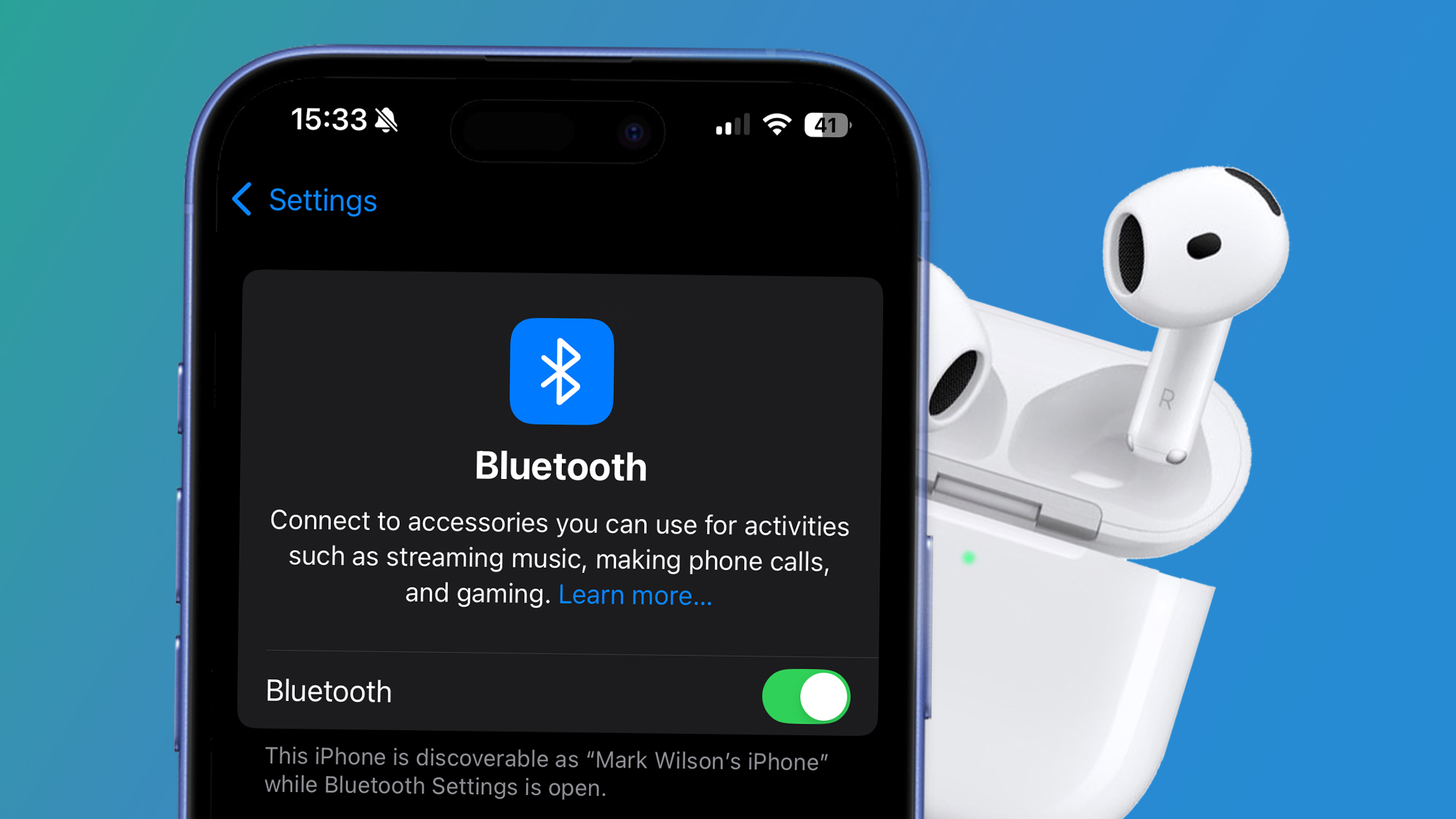
Rank 43832The first iOS 26 developer is out now ahead of its public beta launch in JulyOne of its upgrades is a new option called 'Keep Audio in Headphones'This should reduce auto-switching problems for wireless headphones If you're tired of your iPhone automatically switching to every other Bluetooth device other than your headphones, then iOS 26 has a treat for you – a new option to make the audio stay connected to your wireless headphones.As spotted by MacRumors, the new iOS 26 developer beta has a long-awaited new option called "Keep Audio in Headphones" in the iPhone's Settings. The new option will seemingly live in the Settings > General > AirPlay & Continuity section and is specifically designed to stop headphones from making unwanted connections to nearby devices.Apple's description of the feature says "when using AirPods or other connected headphones, keep audio in your headphones when other playback devices like cars and speakers connect to iPhone."This happens to me all the time, whether it's my audio automatically switching to in-car speakers or to my iPad when it's being used by someone else. Clearly, I'm not alone in finding this annoyance frustrating, so Apple's thankfully including this new option in iOS 26, and it'll hopefully make it to the software's final release in September.A bit old in the BluetoothThere are currently workarounds (like the option above) for controlling AirPods auto-switching, but this new iOS 26 one should work across a broad range of Bluetooth devices. (Image credit: Apple / Future)Bluetooth is now over 25 years old, so in some ways it's miraculous that the short-range wireless tech works as well as it does – yet it's also frequently frustrating.Without the option of prioritizing the order of your preferred Bluetooth devices, it can often feel like auto-switching has a mind of its own. So, this setting, while not exactly one of the biggest iOS 26 features, it's definitely a welcome quality-of-life tweak.Not that it's the only frustrating Bluetooth-related issue we have to grapple with. As our colleagues at What Hi Fi? recently noted, it's high time audio manufacturers started standardizing their Bluetooth pairing processes, too.Of course, these are very much first-world problems, but at least Bluetooth 6.0 is now rolling out to bring more refinements to the now-ancient tech. These include improved filtering and efficiency, which should bring battery life benefits, along with a feature called Channel Sounding to help improve the accuracy of 'find my device' services from the likes of Apple, Google and Samsung.You might also likeThe first Bluetooth 6.0 headphones are here, they're super-cheap, and they weigh less than 100g5 unsung iOS 26 features that look way more useful than Liquid GlassBluetooth 6.0 has officially launched – here's what the upgraded standard can do
-

Picture from ichef.bbci.co.uk
Rank 43833 -

Picture from static.independent.co.uk
Rank 43834 -

Picture from static.independent.co.uk
Rank 43835 -

Picture from static.independent.co.uk
Rank 43836 -

Picture from assets1.cbsnewsstatic.com
Rank 43837 -

Picture from assets1.cbsnewsstatic.com
Rank 43838 -

Picture from assets3.cbsnewsstatic.com
Rank 43839 -

Picture from assets2.cbsnewsstatic.com
Rank 43840 -

Picture from assets1.cbsnewsstatic.com
Rank 43841 -

Picture from assets3.cbsnewsstatic.com
Rank 43842 -

Picture from assets1.cbsnewsstatic.com
Rank 43843 -

Picture from assets2.cbsnewsstatic.com
Rank 43844 -

Picture from assets3.cbsnewsstatic.com
Rank 43845 -

Picture from assets2.cbsnewsstatic.com
Rank 43846 -

Picture from assets1.cbsnewsstatic.com
Rank 43847 -

Picture from assets1.cbsnewsstatic.com
Rank 43848 -

Picture from cdn.mos.cms.futurecdn.net
Rank 43849Metal Gear Solid Delta: Snake Eater is getting an online multiplayer mode called Fox HuntFox Hunt is a "completely original online battle mode"Director Yu Sahara said the mode is set in the same world as the main game, but "gameplay is completely different"Konami has announced that Metal Gear Solid Delta: Snake Eater will have an online multiplayer mode called Fox Hunt.Revealed during the Konami Press Start livestream today, the publisher said that Fox Hunt is a "completely original online battle mode" that will play differently from 2008's Metal Gear Online.Fox Hunt, which is being directed by series veteran Yu Sahara, takes place in the same world as the main game and will offer "hide and seek" mechanics, mixed with stealth and survival elements.Sahara explained that although the multiplayer shares the same world with the main campaign, "the gameplay is completely different"."When we say Metal Gear multiplayer, many fans will probably think of Metal Gear Online, but Fox Hunt will be its own new type of mode. We very much appreciate all the long-time fans of MGO who have always wanted to see it make a comeback, but the landscape of multiplayer games has changed a lot since MGO."It took a lot of careful consideration to think about what a new online mode should look like. Based on the iconic stealth and survival elements of the Metal Gear series, we are taking camouflage and hide and seek to the next level."We challenged ourselves to make something unique that is more than just a shootout. We’ve used that back-and-forth tension of staying hidden or searching out the enemy to create an online experience unique to Metal Gear."Sahara confirmed that more information about Fox Hunt will be revealed soon.Alongside Fox Hunt's reveal, Konami also shared a new gameplay trailer for the main game, the PC and PS5-exclusive Ape Escape mode, as well as the first look at the Bomb Snake battle. This Snake vs Bomberman mode is exclusive to Xbox Series X and Xbox Series S.Secret Theatre is also returning, but this version will task players with locating Secret Theatre videos as collectibles, which are carried by soldiers.Metal Gear Solid Delta: Snake Eater arrives on August 28 for PS5, Xbox Series X|S, and PC.You might also like...Best horror games: the scariest titles to play in 2025Xbox Games Showcase 2025: everything revealed from Call of Duty: Black Ops 7 and Persona 4 remake to a new handheldAfter seeing Resident Evil Requiem in action, I'm convinced it'll be another groundbreaking entry in the horror series
-

Picture from static.independent.co.uk
Rank 43850


