News
This constantly updated list features the latest and most important news articles, ranked in order of significance. The top stories highlight major developments, breaking news, and critical updates across various topics, ensuring you stay informed about the most pressing issues. As new articles are added, the list adapts to reflect the latest priorities, keeping the most impactful stories at the forefront. Whether it’s global events, technology breakthroughs, or industry trends, this dynamic list ensures you always have access to the most relevant and timely information.
-

Picture from techcrunch.com
Rank 15951 -

Picture from ichef.bbci.co.uk
Rank 15952 -

Picture from ichef.bbci.co.uk
Rank 15953 -
Picture from o.aolcdn.com
Rank 15954The FCC has announced its approval of the merger between communications giants Verizon and Frontier, after a deal was made last year. Verizon will acquire Frontier Communications for $9.6 billion in cash, in addition to absorbing $10 billion of debt.
Key to earning approval from the FCC was Verizon's commitment to ending all DEI-related practices, in line with the Trump administration’s aim to dismantle all diversity, equity, and inclusion initiatives from both public organizations and private companies.
The statement from the FCC said the approval "ensures that discriminatory DEI policies end," and that Verizon "has reaffirmed the merged entity’s commitment to equal opportunity and nondiscrimination."
"By approving this deal, the FCC ensures that Americans will benefit from a series of good and commonsense wins. The transaction will unleash billions of dollars in new infrastructure builds in communities across the country—including rural America. This investment will accelerate the transition away from old, copper line networks to modern, high-speed ones. And it delivers for America’s tower and telecom crews who do the hard, often gritty work needed to build high-speed networks," said Brendan Carr, FCC chairman.
Verizon plans to upgrade and expand Frontier's existing network across 25 states and expects to deploy fiber to more than one million American homes annually.This article originally appeared on Engadget at https://www.engadget.com/big-tech/fcc-approves-verizons-20-billion-merger-with-frontier-181434890.html?src=rss
-

Picture from ichef.bbci.co.uk
Rank 15955 -
Picture from ichef.bbci.co.uk
Rank 15956 -
Picture from o.aolcdn.com
Rank 15957More original Switch games are getting the Switch 2 treatment. Although their enhancements are subtler than the Switch 2 editions of Breath of the Wild and Tears of the Kingdom, at least these will be free updates.
On Friday, Nintendo detailed the legacy Switch titles that will receive upgrades for the Switch 2. They include some of the console's best games from the company's biggest franchises.
Most of the platform's big Mario games are included: Super Mario Odyssey, Super Mario 3D World + Bowser's Fury and New Super Mario Bros. U Deluxe. You'll also find the platform's top-down Zelda titles: Echoes of Wisdom and Link's Awakening. A pair of Pokémon games makes the cut: Pokémon Scarlet and Pokémon Violet. Even Captain Toad's Treasure Tracker gets in on the action.
The enhancements vary by title. They range from various visual upgrades to multiplayer GameShare functionality.
Here's the complete list:
ARMS – visual upgrades (resolution, frame rates and HDR)
Big Brain Academy: Brain vs. Brain – GameShare (up to four players, local / online GameChat sharing)
Captain Toad: Treasure Tracker – visual upgrades (resolution and HDR) and GameShare (two players in all courses, local / online GameChat sharing)
Clubhouse Games: 51 Worldwide Classics – GameShare (up to four players can play 34 games, local / online GameChat sharing)
Game Builder Garage – visual upgrades (resolution), Joy-Con 2 mouse control
New Super Mario Bros. U Deluxe – visual upgrades (resolution)
Pokémon Scarlet – visual upgrades (resolution, frame rates)
Pokémon Violet – visual upgrades (resolution, frame rates)
Super Mario 3D World + Bowser's Fury – visual upgrades (resolution, frame rates and HDR), GameShare (up to four players in Super Mario 3D World, two players in Bowser's Fury and local / online GameChat sharing)
Super Mario Odyssey – visual upgrades (resolution, frame rates), GameShare (two players, local / online GameChat sharing)
The Legend of Zelda: Echoes of Wisdom – visual upgrades (resolution, HDR)
The Legend of Zelda: Link's Awakening – visual upgrades (resolution, HDR)
All of the free updates will be available on the Switch 2's June 5 launch date. You'll first need to install a system update for the new console.This article originally appeared on Engadget at https://www.engadget.com/gaming/nintendo/more-switch-games-are-getting-switch-2-upgrades-182647659.html?src=rss
-
Picture from o.aolcdn.com
Rank 15958Iconic video game maker Hideo Kojima has left behind a USB stick filled with game ideas in the case of his death, as indicated in an interview with Edge Magazine that VGC reported on. Kojima says it's "kind of like a will" and that he hopes that his staff will continue to make games after he passes.
Don't worry. He isn't going anywhere anytime soon. This was spurred on by the pandemic. "Until then, I didn’t think I was old, you know? I just didn’t feel my age, and I assumed I would be able to create for as long as I live," he told the magazine. Kojima is 61 years old, which is a spring chicken when compared to luminaries like Shigeru Miyamoto (72) and Sid Meier (71.)
Death Stranding 2 covers the next issue of EDGE Magazine with exclusive artwork from Yoji Shinkawa.Releasing June 26th on PS5. pic.twitter.com/27bL9cZgHx— KAMI (@Okami13_) May 15, 2025
While Kojima isn't planning on leaving this mortal coil in the near future, he does say that he only has so much time left for active game development. He gives himself around ten years before he reaches an age in which his creative energy could be depleted.
So, the idea of a USB stick was born. He hopes it will allow Kojima Productions to carry on as an entity after he passes or retires. "This is a fear for me: what happens to Kojima Productions after I’m gone? I don’t want them to just manage our existing IP."
While we don't know what type of ideas are on the USB stick, Kojima did recently introduce a few off-the-wall game concepts regarding the passage of time. He discussed a concept involving memory, in which the main character gradually forgets important information and abilities if someone takes too long of a break from playing. Kojima also discussed a game that encompassed an entire life and another one that would involve the real-time creation of wine or cheese.
The designer also planned on a mechanic that made Sam's beard grow over time in the forthcoming Death Stranding 2. However, he scrapped it because "Norman Reedus is a big star" and he didn't "want to make him look uncool."This article originally appeared on Engadget at https://www.engadget.com/gaming/kojima-is-leaving-behind-a-usb-stick-with-game-ideas-for-after-he-dies-184029255.html?src=rss
-
Picture from o.aolcdn.com
Rank 15959Whether you're jamming out at the beach, setting up a backyard movie night or just want some tunes while you work, a great portable Bluetooth speaker is a must-have. The best options today go beyond just playing music — they deliver punchy bass, crisp vocals and even customizable sound modes to match whatever you're listening to. Some models even pack extras like a built-in LED light for a cool light show, making them perfect for parties or late-night hangs.The best portable Bluetooth speaker isn’t just about sound — it’s about convenience, too. Some speakers come in a tiny size that slips easily into a bag, while others have rugged, waterproof designs built for adventure. If you’re looking for a mini Bluetooth option for travel or a bigger speaker that fills a room with sound, there’s something out there for everyone.With so many choices, finding the best Bluetooth speaker for your needs can feel overwhelming. We’ve rounded up the top picks that balance great audio, portability and extra features to keep the music going wherever you are.
Table of contents
Best portable Bluetooth speakers: $50 to $200
Best portable Bluetooth speakers: $200 to $450
Best portable Bluetooth speakers: $450 and higher
Factors to consider in a portable Bluetooth speaker
Other portable Bluetooth speakers we tested
Bluetooth speaker FAQs
Best portable Bluetooth speakers: $50 to $200
Best portable Bluetooth speakers: $200 to $450
Best portable Bluetooth speakers: $450 and higher
Factors to consider in a portable Bluetooth speaker
Weather-proofing
IP ratings (Ingress Protection) are the alphanumeric indicators you often see in a product’s spec sheet that define water and dust resistance. It’s usually a combo of two numbers with the first indicating solid object ingress and the second being water. The former goes from 0 (no protection) to 6 (dustproof). The water-resistance rating goes from 0 (no protection) to 9 (protected against immersion and high pressure jets). When an X is used instead of a number, that means the product wasn’t tested for resistance. If it’s a waterproof speaker, it may have some innate resistance to solids, but there’s no guarantee.
IP67 is a common rating these days indicating highly resistant and potentially rugged speakers often featured in audio products like outdoor speakers. These are safe for quick dunks in the pool or tub and should be more than OK in the rain or in the shower. They’re also good options for the beach, playground and other rough environs.
Additionally, speakers with ports and a high rating will often include a tight-fitting cover over the charging or auxiliary ports. If you plan on using the ports, that may limit the product's rated ability to fend off the elements.
When looking for the best portable Bluetooth speaker, consider the IP rating and also how you plan to use your Bluetooth speaker when making your decision. It may be worth splurging on a better sounding model with a lower IP rating if you’ll mostly be using it indoors, for instance.
Battery life
The focus of this guide is on the best. portable Bluetooth speakers, and while “portable” can be a relative term, these devices are generally for people who are likely to find themselves far from a power outlet. These days, around 12 hours of playtime seems to be the baseline but obviously, the more battery life you can get out of a speaker, the better, especially if you plan to listen to podcasts or music on the go.
That said, be careful when looking at battery specs, as they frequently list a maximum runtime (“up to” x amount of hours). This usually means they tested at a low to mid volume. If you like your tunes loud with punchy bass, it can often end up cutting the expected usage time in half or more. Luckily, some manufacturers also list the expected hours of battery life when used at full volume and that transparency is appreciated. Bear in mind, however, that not all of the best Bluetooth speakers use the same charging port. Some support USB-C charging, while others use micro-USB, and some may even come with an adapter for added convenience.
Additionally, if your audio system or mini Bluetooth speaker also happens to have Wi-Fi connectivity, they're usually designed for always-on functionality. Unlike normal Bluetooth speakers that go to sleep after a short period without use, these will usually stay awake (to listen for your commands) and slowly run down the battery. If you're out and about, you'll want to remember to turn these speakers off manually when not in use to maximize battery life.
Range
Bluetooth 5 offers better range and more reliable connectivity than its predecessors, making it a great feature to look for in the best Bluetooth speaker. That said, Bluetooth range can still be tricky. Some companies list their product’s longest possible range, usually outdoors and in an unobstructed line-of-sight test environment. Other companies stick with a 30-foot range on the spec sheet and leave it at that, even though they may be running Bluetooth 4.x or 5.x. That’s likely underselling the speaker's potential, but unpredictable environments can affect range and there’s little point in promising the moon only to get complaints.
I’ve seen signal drop issues when crouching down, with my phone in the front pocket of my jeans, and barely 30 feet away from a speaker inside my apartment. I ran into this issue across several devices regardless of their listed Bluetooth connectivity range.
If you’re hosting a patio party and duck inside, it’s wise to keep any wireless Bluetooth speakers relatively close by just in case. It’s hard to gauge what aspects of any environment may interfere with a Bluetooth signal. In general, take range specs around 100 feet or more as a perfect-world scenario.
Latency
This is a minor mention for those out there who use a speaker for their computer output, or as a mini Bluetooth soundbar solution for setups like a monitor and streaming box. It’s annoying to find that your speaker’s latency isn’t low enough to avoid lip sync issues. Luckily, it seems that most speakers these days don’t often have these problems. Only a handful of the few dozen speakers I tried had persistent, noticeable lip-sync issues. Aside from occasional blips, all of our picks worked well in this regard.
If you plan to frequently use a speaker for video playback, look for devices with the most recent Bluetooth 5 technology and lower latency codecs like aptX. Also make sure the speaker is close to the source device as distance can be a factor. To avoid the issue altogether, though, consider getting one with a wired auxiliary input.
Extra features
Some speakers don’t just play music — they bring the party to life with built-in LED light effects and a full-on light show that syncs to your music. If you love a bit of visual flair with your tunes, it’s worth checking out models that offer LED light customization options.
Sound quality also plays a huge role in picking the right speaker. The best Bluetooth speaker should deliver a balanced mix of punchy bass, clear highs and strong vocals. Many models also include customizable sound modes that let you tweak the EQ to better suit different genres — whether you’re blasting EDM, listening to a podcast, or just want a more immersive experience.
If aesthetics matter, many models come in a tiny size that makes them extra portable, with plenty of color options to match your personal style. Whether you want a sleek black speaker or a vibrant eye-catching design, there are plenty of choices to fit your vibe.
Other portable Bluetooth speakers we tested
Sonos Roam
While there's a lot to like about the Sonos Roam, there are plenty of other Bluetooth speakers with more features and better battery life. In our review, we gave the Roam a score of 87, praising it for its good sound quality, durable waterproof design and ability to work well within an existing Sonos speaker ecosystem. But the price is just fine at $180, and we found Bluetooth speakers that offer more at lower price points. Plus, the Roam taps out at 10 hours of battery life, and all of our top picks can run for longer than that on a single charge.
Monoprice Soundstage3
The Monoprice Soundstage3 offers relatively big sound at a midrange $250 price, with a variety of inputs rarely found on a portable Bluetooth speaker. The boxy, minimalist design is no nonsense, even if it's more of a less-rugged, bookshelf-styled homebody. While the speaker puts out crisp highs alongside booming lows, we found the bass can overpower the rest of the output, so it's not for everyone. And after using the speaker for many months, we also found the low-slung, poorly labeled button panel along the top can be a bit annoying to use. If you want a speaker for road trips, favor mids and highs, and plan on using physical buttons for volume control and input selections, there are better options out there.
JBL Boombox 3
Fans of JBL’s bluetooth speaker sound profile who want to crank up the volume, but also want a rugged and portable option, may enjoy the JBL Boombox 3. It’s a decent grab-and-go speaker with a very loud output, although it's not as good as some of the loud-speaker styled options for long-throw sound and big outdoor areas. However, the price for this speaker line remains prohibitively expensive compared to other options with big sound that cover a bit more ground. If the JBL brand is your thing and you like the rugged, portable form factor, we recommend looking for discounts, or shopping around and exploring the available options including the (less portable) JBL PartyBox series.
Soundcore Motion X500
Soundcore speakers have generally been good and often reasonably priced. The Motion X500 loosely falls into that category. It has a tall, metallic lunchbox vibe with a fixed handle and pumps out a respectable 40 watts of crisp, clear sound for its size. It can get pretty loud and serves up a good dose of bass, although its primarily a front-facing speaker.
There’s LDAC hi-res audio support for Android users, but the main selling point on this is spatial audio. This is done through an EQ change and the activation of a small, up-firing driver. There’s a slight benefit from this if you’re up close and directly in front of it, but it’s not a total game changer for your listening experience. The original pre-order price of $130 made it a decent option in terms of bang for your buck. But it went up to $170 at launch, making it less appealing even if it’s still a good middle-of-the-road option if you want small-ish, clear and loud. If you can find one on sale for the lower price, it’s definitely worth considering. There’s also the larger and louder X600 ($200) if the overall concept is working for you.
Portable Bluetooth speaker FAQs
How does a Bluetooth speaker work?
Bluetooth technology lets devices connect and exchange data over short distances using ultra high frequency (UHF) radio waves. It’s the frequency range that’s carved out for industrial, scientific and medical purposes, called the 2.4GHz ISM spectrum band. This range is available worldwide, making it easy for companies to use with devices for global markets.
Bluetooth speakers include this tech, which lets them communicate with source devices like smartphones, tablets or computers in order to exchange data. The two devices pair by sharing a unique code and will work within the proscribed range for the device and Bluetooth version.
Ever since Bluetooth 4.0 was released over a decade ago, new iterations usually improve on range, use less power and offer expanded connectivity with features like multipoint (allowing more than one device to be connected at the same time, for instance).
Who should buy a Portable Bluetooth speaker?
If you want to play music while you’re out-and-about on something other than headphones, a portable Bluetooth speaker is probably what you want. There’s a broad range of devices for all types of circumstances. Many adventurous people will want a relatively lightweight portable that’s rugged enough to handle the elements while also packing enough charge to play for hours on end. Others may simply need a speaker they can move around the house or use in the backyard. In this case, you can choose larger less rugged models that may offer better sound. This article originally appeared on Engadget at https://www.engadget.com/audio/speakers/best-portable-bluetooth-speakers-133004551.html?src=rss
-

Picture from techcrunch.com
Rank 15960 -

Picture from ichef.bbci.co.uk
Rank 15961 -

Picture from ichef.bbci.co.uk
Rank 15962 -
Picture from o.aolcdn.com
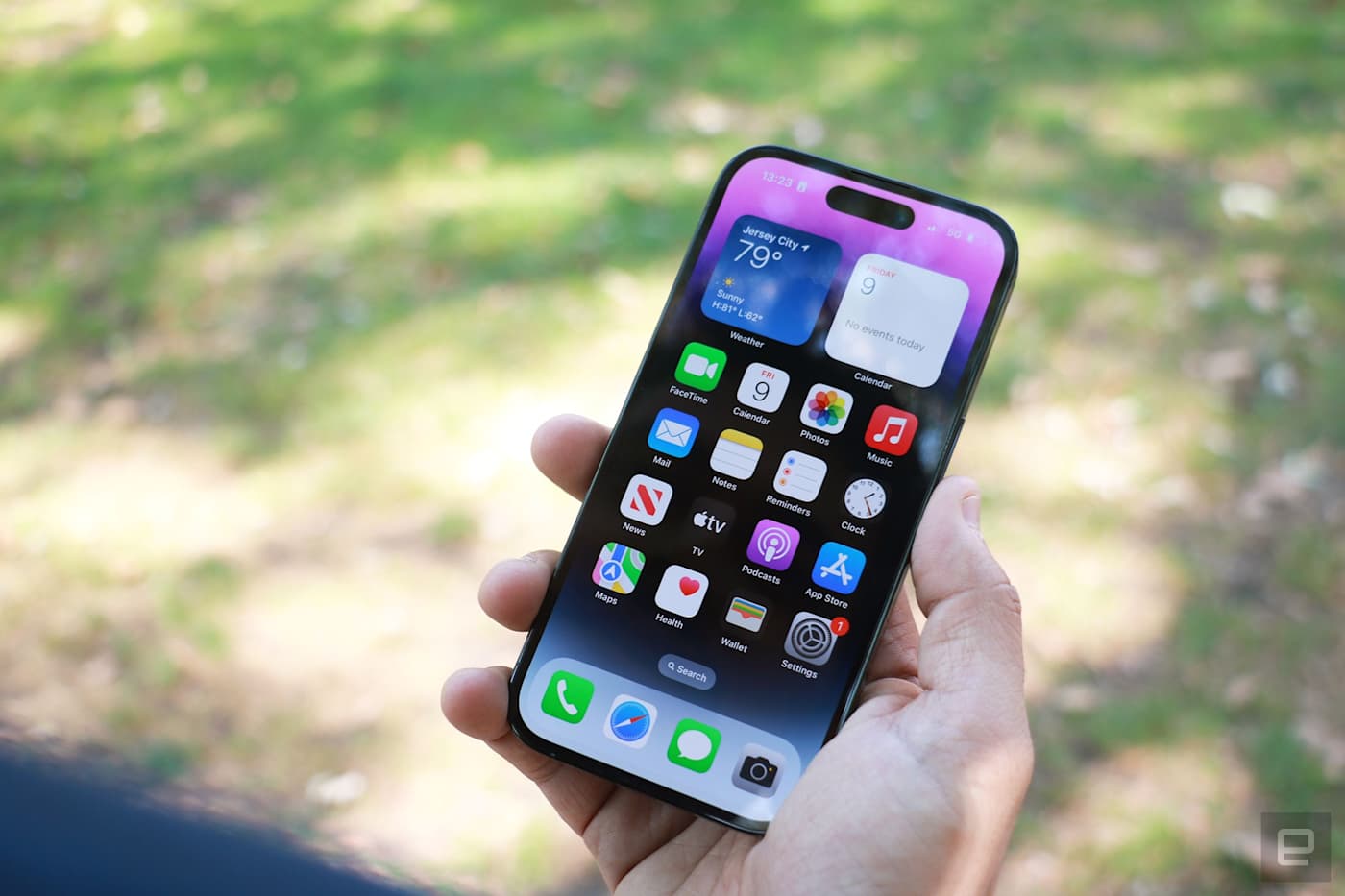
Rank 15963Last August, my best friend asked me how she could help her neighbor set her iPhone so she could answer it without picking it up. The neighbor had Multiple Sclerosis (MS), and had lost dexterity in both hands over time. Some Google searches revealed I was far from alone in my confusion. So I asked Apple for some advice. Here’s what I said:
Q: “My friend has advanced MS and has some (very little) control of one of her hands. She can't really swipe a screen or tap buttons. She wants it so that when she receives a call, she can just ask Siri or tell her iPhone to answer or reject it. But based on my research, the only way that's possible is if a user has AirPods or Apple Watch connected, so Siri can announce incoming calls and listen for commands like "Answer" or "Dismiss."
I also looked in the accessibility settings for Voice Control and there's a way to answer all incoming calls after a set amount of time. But due to privacy concerns and spam calls, that's not an ideal solution.
I was wondering if you knew any way for incoming calls to be answered with a voice command?”
A: Apple did respond, but unfortunately the solution is… complicated. I’ll lay out the steps on how to use your iPhone with Voice Control first, since that does provide a somewhat effective workaround. But you should read past the steps for some of the caveats.
How to use Voice Control on iPhone to answer calls
Before we get started, make sure your phone is running iOS 13 or later. You can also use Voice Control on iPads or iPod Touch (if you still have one). When setting up Voice Control, make sure you’re connected to the internet to download the necessary files, and Apple recommends you connect to Wi-Fi before you turn on Voice Control to use it for the first time. When all that is done, proceed with the following steps.
Open the Settings app and find the Accessibility settings. This is in the second group of options just below “General.” You can also just search for “Accessibility.”
Select “Voice Control,” which is listed in the “Physical and motion” section.
Turn on Voice Control by tapping or sliding the toggle next to it, and, in some cases, wait for the download to finish. If you’ve enabled Voice Control before, you can also just ask Siri to “Turn on voice control.”
Once the feature is on, you’ll see little numbers floating around your screen, next to key elements. Your microphone is now on and your iPhone is listening for your commands.
Read out the number next to what you want to trigger. If you’ve been following this guide, you can say “one” to go back to the Accessibility settings menu.
Say “Show me what to say” for a detailed list of things you can do. You can use commands like “Swipe down” or “Move down” to scroll through pages. Just remember that “Swipe up” will scroll down and “Swipe down” will scroll up. The system will continue to recognize your touch inputs, too.
When a call comes in, read out the number next to the answer option. From the lock screen, that was the number “five” in my experience. When my phone was unlocked, the number to accept the call was “six,” while “five” would decline it.
Voice Control isn't perfect
As you can see from that seventh step, Voice Control is complicated. You’ll need to be within view of your screen to see the labels, and saying the wrong number can cause you to hang up a call by accident. You can say "Show Names" to display words instead of numbers in the labels, but know that in this case you'll need to add "Tap" before each label to press it. That means when a call comes in, you can say "Tap Answer" or the label corresponding to the action you want.
I want to point out that the numerical labels don’t consistently appear in all apps (the search bar at the top of chats in WhatsApp, for example, doesn’t have a number attached to it in my experience). Occasionally, the names in the labels are also oddly chosen, like how the word attached to my widget for my self-care app was just "Image." It also takes time to build familiarity with Voice Control and learn all the available actions.
I also found the system to be sluggish, and it sometimes took a noticeable delay before a command like "Swipe left" was registered and carried out. On my first few attempts, I thought my iPhone didn't hear me and repeated the instruction, only for it to swipe through two pages instead. I'm using an iPhone 16 Pro, which is Apple's latest flagship, so it's not like I'm on an older, slower device, either.
While we were able to achieve a semi-effective approach with the Voice Control workaround, it didn’t really solve my friend’s neighbor’s problem.
How to answer or decline calls with Siri
In researching this guide, I've found that either there is now a way to answer calls with Siri or there was always one that I had missed in August of 2024. Regardless, I was able to test it today in a few different scenarios and while it's certainly more convenient, it's not without its limitations.
Go to Siri Settings in your phone. You can find this by searching for "Siri" in your Settings app or just scrolling till you see "Siri" or "Apple Intelligence & Siri."
Make sure the setting to allow your iPhone to listen for "Siri" or "Hey Siri" is on. If you're running the latest version of iOS on an iPhone 15 Pro, iPhone 16 or iPhone 16 Pro, this would be Talk & Type to Siri > "Hey Siri" or "Siri" or "Hey Siri" (whichever you prefer, as long as it's not "Off"). On older iPhones or versions of iOS, it would be Talk to Siri > "Hey Siri" or "Siri" or "Hey Siri"
Turn on "Call Hang Up" if you want to be able to end a call with a voice command during the conversation. Otherwise, you'll have to wait for the other party to hang up. Note: Call hang up only works on phone and FaceTime calls, not on those via third-party apps like WhatsApp or Telegram.
When a call comes in, say "Siri, answer" or "Hey Siri, answer" to accept. Say "Siri, decline the call" to reject it. In my testing, "Siri, decline" did not work, but "Siri, decline the call" did.
I was able to use this method to answer calls not only through phone or FaceTime, but via third-party apps too. I enabled "Announce calls," setting it to do so "Always" rather than only when headphones or CarPlay were connected. But I never saw or heard alerts when a call came, besides the actual ringing. When I asked my friend about using this method with their neighbor, they mentioned that her speech was so affected at that point that Siri wouldn't always recognize what she was saying.
Accessibility in tech has improved, but needs to get even better
Sadly, that neighbor had passed away before we were able to resolve the issue. Though I wasn't able to solve her problem, I'm putting the limited guidance I’ve been able to compile here in the hope that it might be useful to someone in a substantially similar situation.
I have yet to properly test the offerings on Android, but on that platform there are settings for Voice Access to be enabled for incoming calls and to remain active during calls, indicating there are options to use voice commands there.
My friend's neighbor's challenges are shared by countless people who are still struggling with consumer technology tools that rarely meet their full needs — whether they're temporary limitations from injuries or longterm issues resulting from disability or age. Voice-based interactions that are meant to help those with physical disabilities need to better recognize speech impediments at a wider level, and both Google and Apple, along with other major tech companies, have taken steps toward building better models in those respects.
The memory of our frustration with voice control felt all the more timely this week, which marked the 14th annual Global Accessibility Awareness Day (the third Thursday of each May). We saw Apple and Google announce new accessibility features, while companies like Amazon, Netflix and Microsoft reminded us of the assistive tools they recently released.
It’s heartening to see increased development in inclusively designed tech, but it’s also worth considering how complete and useful some of these "solutions" are. Many of us will either need some form of assistive technology at some point in our lives or know someone who does and would. In spite of the continued improvements, there’s still plenty to do to ensure tech is accessible to all.This article originally appeared on Engadget at https://www.engadget.com/mobile/smartphones/ask-engadget-how-do-i-answer-calls-on-my-iphone-with-only-my-voice-193707009.html?src=rss
-

Picture from techcrunch.com
Rank 15964 -
Picture from o.aolcdn.com
Rank 15965There's a new way to screen for early detection of Alzheimer's disease. On Friday, the Food and Drug Administration (FDA) cleared the first blood test for the disorder. Fujirebio Diagnostics' Lumipulse measures the ratio of two proteins that correlate with the presence or absence of Alzheimer's. Previously, patients being screened for Alzheimer's were limited to more invasive options: a PET Scan or spinal tap.
Lumipulse is intended for use in clinical settings with patients exhibiting signs of cognitive decline. At least in its current form, it isn't something the general population can ask for as a standard screening.
The test works by measuring two proteins: pTau217 and β-amyloid 1-42. The blood test calculates their ratio, which correlates with the buildup of amyloid plaques in the brain. People with Alzheimer's have elevated pTau217 and lower β-amyloid 1-42.
In a clinical study, the test performed better with negative results than positive ones. As such, Reuters reports that the test will likely be used initially to rule out Alzheimer's. Over 97 percent of negative results corresponded with a negative PET scan or CSF test result. Results for positives were a bit lower: a 91.7 percent correlation. So, positive results will need to be confirmed with more advanced diagnostic tests.This article originally appeared on Engadget at https://www.engadget.com/science/the-fda-clears-the-first-blood-test-for-diagnosing-alzheimers-disease-201209676.html?src=rss
-

Picture from cdn.mos.cms.futurecdn.net
Rank 15966Nothing is officially making its own pair of over-the-ear wireless Bluetooth headphones. The company confirmed the news in an almost four-minute video where the London-based design team discussed their goals for the still-unnamed audio gear.The news follows Nothing's announcement earlier this week that it will be partnering with British hi-fi institution KEF on new audio products, although there was no mention of this venture in the video.While the details were sparse, we did learn about a handful of key elements that may set the Nothing over-ear headphones apart from competitors like Apple and Sony.In fact, the video kicks off with the designers pondering what "XM6" means, possibly referring to the trio of characters in the rather unwieldy name of Sony's newest and, for the moment, industry-leading headphones, the Sony WH-1000XM6.Mostly, though, the team focuses on the choices they're making for Nothing's first over-ear headphones.
Price
Price is a huge consideration. Calling out the $549 AirPods Max from Apple, which cost about as much as two last-gen Nothing phones, the team said it wants to produce cheaper headphones, ones that cost far less than AirPods Max.As for how much less, well, one designer mentioned the price, but in that moment, his voice was muted and his mouth was covered with a little message saying that Nothing has to keep some secrets.Of course Nothing has form in this area. We awarded its budget earbuds the Nothing Ear (a) a five-star review and consider them to be among the best earbuds you can buy, and they cost a mere $99 / £99 / AU$169.Meanwhile, the Nothing Ear earbuds, now on their third generation, are slightly more expensive – but we still proclaimed them to be "punching well out of their price class."
Ease of use
The designers complain that with most headphones, the buttons all feel the same, and it is impossible to know if you're touching the volume, pause, or Bluetooth controls. Nothing will, it seems, do it differently, designing all buttons to be "completely distinct."The hope is that there will be "no doubt about which control you're about to touch, [so] you don't make mistakes and we get out of the way of that music listening experience."
Make it special
Nothing's designers say they can do things with headphones that the big companies cannot, because the big tech companies "just can't take risks; they've got to think about this whole global program...and millions and millions of users."Nothing, by contrast, contends it can just take an idea, build it, test it, and "put it out there." To be fair, that's certainly how it seems with Nothing's unusual and iconic smartphones.
Make the best audio
Nothing's already got a significant experience and a quite good track record in the audio space. Its wireless headphones currently sit near the top of our Best Wireless Earbuds of 2025.As for how good these over-the-ear headphones sound right now, one Nothing designer said, "I'm already impressed. They're not finished, but you know, I think these might be some of the best sounding on the market."Not just in their price range, either; Nothing believes these headphones will "punch above their weight."Nothing's confidence goes even further, as the team muses that these headphones are as good as those you might pay twice as much for, and then adds that they're "better than AirPods Max, and that was always the goal."
A clue
One interesting takeaway is that while Nothing isn't sharing the price, they appear to note that these headphones are as good as ones costing twice as much, and then mention the $549 AirPods Max. Does that mean the Nothing Headphones might list for $275?While no name was mentioned, we're willing to guess that "Ear" will be in the name and that the full name could be "Nothing Ear (Pros)".That's all the detail we gleaned from Nothing's unusual announcement video, with the only other tidbit being that these headphones will ship this summer.It's too early to say if they will truly beat AirPods Max or approach Sony's excellent audio quality. But considering Nothing's audio track record, this will surely be a launch to watch.
You might also like
Nothing teases new audio gear made with KEF coming in 2025, and I'm excited for this oneNothing Ear review: the third-generation wireless earbuds bring major upgradesWaiting for new Nothing cheap earbuds to go with the Phone 3a? It won’t be long – but audiophiles should skip 'em
-

Picture from techcrunch.com
Rank 15967 -
Picture from o.aolcdn.com
Rank 15968The FTC just rested its case following weeks of testimony in a landmark antitrust case against Meta. But before Meta can begin its defense, the company's lawyers have opted for another move: asking the judge to throw out the case entirely.
The company filed a motion on Thursday asking US District judge James Boasberg to toss out the FTC's case, arguing that the regulator has not proved that Meta acted anticompetitively. "Meta has made two promising mobile apps with uncertain prospect: two of the most successful apps in the world, enjoyed by approximately half of the planet's population (including hundreds of millions of U.S. consumers) on demand, in unlimited quantities, all for free," the filing says, "The FTC has not carried its burden to prove that Meta 'is currently violating the antitrust laws.'"
The company's reasoning is similar to past arguments it's made about the FTC's case. Meta has said that Instagram and WhatsApp were able to grow to one-billion-user services because of the company's investments. The company also takes issue with the FTC's claim that there is a lack of competition for "personal social networking services." (The FTC has argued that Meta's only competitors for social networking are Snapchat and MeWe, a small privacy-focused social app that runs on decentralized protocols.)
So far, the month-long trial has seen a number of prominent current and former Meta executives take the stand, including CEO Mark Zuckerberg, former COO Sheryl Sandberg and Instagram cofounder Kevin Systrom. Their testimony has revealed new details about the inner workings of the social media company and its tactics to stay ahead of potential competitors.This article originally appeared on Engadget at https://www.engadget.com/big-tech/meta-is-trying-to-get-its-antitrust-case-thrown-out-in-the-middle-of-the-trial-204656979.html?src=rss
-
Picture from o.aolcdn.com
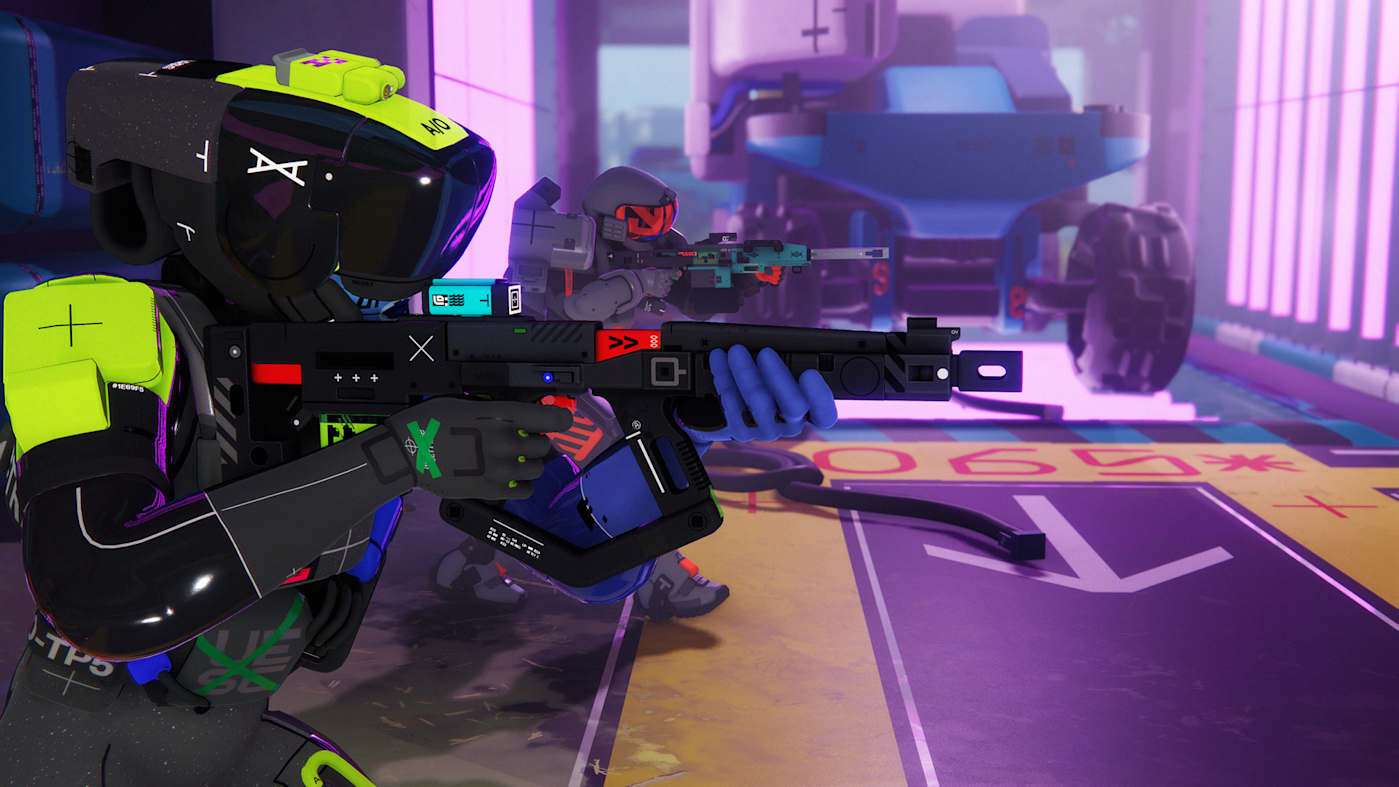
Rank 15969The bright, glitched-out, typography-forward look of Bungie's upcoming extraction shooter Marathon is one of its defining features. As it turns out, it's also partially plagiarized, according to posts shared on the official Marathon X account. The announcement comes after artist Fern Hook, who goes by @4nt1r34l on X, initially accused Bungie of using in-game textures that looked similar to her original artwork on May 15.
"Bungie is of course not obligated to hire me when making a game that draws overwhelmingly from the same design language I have refined for the last decade," Hook wrote on X, "but clearly my work was good enough to pillage for ideas and plaster all over their game without pay or attribution."
the Marathon alpha released recently and its environments are covered with assets lifted from poster designs i made in 2017.@Bungie @josephacross pic.twitter.com/0Csbo48Jgb— N² (@4nt1r34l) May 15, 2025
Hook's posts are fairly damning, identifying obvious areas in Marathon's alpha map that feature only lightly altered versions of her original work. She became aware of the issue when the alpha originally launched in April 2025, according to The Washington Post, but kept quiet until now because she was advised to seek legal action. Hook ultimately decided to post about the issue because she doesn't "have enough time or money to fly out to the US to pursue an unwinnable court case against Sony."
Bungie's statement claims that "a former Bungie artist" included Hook's art in a texture sheet without the rest of the art team's knowledge. The company is "conducting a thorough review of [its] in-game assets" and has also reached out to Hook to "discuss the issue" further.
As Eurogamer notes, this isn't the first time Bungie has been accused of lifting the work of other artists. The developer was accused of doing the same thing multiple times during the development of Destiny 2 and its various expansions.
Since the game is still in development, it's not clear how or if Bungie will change Marathon to address Hook's complaint, but the developer has until September 23 to do it. That's when Marathon is supposed to launch on PlayStation 5, PC and Xbox Series X/S.This article originally appeared on Engadget at https://www.engadget.com/gaming/playstation/bungie-admits-its-marathon-alpha-included-stolen-artwork-210006323.html?src=rss
-
Picture from ichef.bbci.co.uk
Rank 15970 -

Picture from ichef.bbci.co.uk
Rank 15971 -

Picture from ichef.bbci.co.uk
Rank 15972 -

Picture from ichef.bbci.co.uk
Rank 15973 -

Picture from ichef.bbci.co.uk
Rank 15974 -
Picture from o.aolcdn.com
Rank 15975It's still May, which means it's still Google time. After showing off Android's new look at The Android Show, the company still has its developer conference to check off the list. Google I/O 2025 is scheduled to start on May 20 at 1PM ET / 10AM PT, and Engadget will be covering it live, via a liveblog and on-the-ground reporting from our very own Karissa Bell.
Google included some Gemini news in The Android Show — the AI is coming to Wear OS, Android Auto and Google TV — but artificial intelligence should still be the focus of the company's upcoming keynote. too. Expect news about how Google is using AI in search to be featured prominently, along with some other surprises, like the possible debut of an AI-powered Pinterest alternative.
The company made it clear during its Android showcase that Android XR, its mixed reality platform, will also be featured during I/O. That could include the mixed reality headset Google and Samsung are collaborating on, or, as teased at the end of The Android Show, smart glasses with Google's Project Astra built-in.
To find out for yourself, you can watch Google's keynote in the embedded livestream above or on the company's YouTube channel. The event starts at 1PM ET on May 20 and the company plans to hold breakout sessions through May 21 on a variety of different topics relevant to developers. This article originally appeared on Engadget at https://www.engadget.com/big-tech/how-to-watch-google-io-2025-214622457.html?src=rss
-

Picture from ichef.bbci.co.uk
Rank 15976 -

Picture from ichef.bbci.co.uk
Rank 15977 -

Picture from ichef.bbci.co.uk
Rank 15978 -

Picture from techcrunch.com
Rank 15979 -

Picture from techcrunch.com
Rank 15980 -

Picture from techcrunch.com
Rank 15981 -

Picture from ichef.bbci.co.uk
Rank 15982 -

Picture from techcrunch.com
Rank 15983 -

Picture from ichef.bbci.co.uk
Rank 15984 -

Picture from cdn.mos.cms.futurecdn.net
Rank 15985Have you Googled something recently only to be met with a cute little diamond logo above some magically-appearing words? Google's AI Overview combines Google Gemini's language models (which generate the responses) with Retrieval-Augmented Generation, which pulls the relevant information.In theory, it's made an incredible product, Google's search engine, even easier and faster to use.However, because the creation of these summaries is a two-step process, issues can arise when there is a disconnect between the retrieval and the language generation.While the retrieved information might be accurate, the AI can make erroneous leaps and draw strange conclusions when generating the summary.
(Image credit: Google)
That’s led to some famous gaffs, such as when it became the laughing stock of the internet in mid-2024 for recommending glue as a way to make sure cheese wouldn't slide off your homemade pizza. And we loved the time it described running with scissors as "a cardio exercise that can improve your heart rate and require concentration and focus".These prompted Liz Reid, Head of Google Search, to publish an article titled About Last Week, stating these examples "highlighted some specific areas that we needed to improve". More than that, she diplomatically blamed "nonsensical queries" and "satirical content".She was at least partly right. Some of the problematic queries were purely highlighted in the interests of making AI look stupid. As you can see below, the query “How many rocks should I eat?” wasn't a common search before the introduction of AI Overviews, and it hasn't been since.
(Image credit: Google)
However, almost a year on from the pizza-glue fiasco, people are still tricking Google's AI Overviews into fabricating information or "hallucinating" – the euphemism for AI lies.Many misleading queries seem to be ignored as of writing, but just last month it was reported by Engadget that the AI Overviews would make up explanations for pretend idioms like "you can't marry pizza" or "never rub a basset hound's laptop".So, AI is often wrong when you intentionally trick it. Big deal. But, now that it's being used by billions and includes crowd-sourced medical advice, what happens when a genuine question causes it to hallucinate?While AI works wonderfully if everyone who uses it examines where it sourced its information from, many people – if not most people – aren't going to do that.And therein lies the key problem. As a writer, Overviews are already inherently a bit annoying because I want to read human-written content. But, even putting my pro-human bias aside, AI becomes seriously problematic if it's so easily untrustworthy. And it's become arguably downright dangerous now that it's basically ubiquitous when searching, and a certain portion of users are going to take its info at face value.I mean, years of searching has trained us all to trust the results at the top of the page.
Wait... is that's true?
(Image credit: Future)
Like many people, I can sometimes struggle with change. I didn't like it when LeBron went to the Lakers and I stuck with an MP3 player over an iPod for way too long.However, given it's now the first thing I see on Google most of the time, Google's AI Overviews are a little harder to ignore.I’ve tried using it like Wikipedia – potentially unreliable, but good for reminding me of forgotten info or for learning about the basics of a topic that won't cause me any agita if it's not 100% accurate.Yet, even on seemingly simple queries it can fail spectacularly. As an example, I was watching a movie the other week and this guy really looked like Lin-Manuel Miranda (creator of the musical Hamilton), so I Googled whether he had any brothers.The AI overview informed me that "Yes, Lin-Manuel Miranda has two younger brothers named Sebastián and Francisco."For a few minutes I thought I was a genius at recognising people… until a little bit of further research showed that Sebastián and Francisco are actually Miranda’s two children.Wanting to give it the benefit of the doubt, I figured that it would have no issue listing quotes from Star Wars to help me think of a headline.Fortunately, it gave me exactly what I needed. "Hello there!" and "It's a trap!", and it even quoted "No, I am your father" as opposed to the too-commonly-repeated "Luke, I am your father".Along with these legitimate quotes, however, it claimed Anakin had said "If I go, I go with a bang" before his transformation into Darth Vader.I was shocked at how it could be so wrong… and then I started second-guessing myself. I gaslit myself into thinking I must be mistaken. I was so unsure that I triple checked the quote's existence and shared it with the office – where it was quickly (and correctly) dismissed as another bout of AI lunacy.This little piece of self-doubt, about something as silly as Star Wars scared me. What if I had no knowledge about a topic I was asking about?This study by SE Ranking actually shows Google's AI Overviews avoids (or cautiously responds to) topics of finance, politics, health and law. This means Google knows that its AI isn't up to the task of more serious queries just yet.But what happens when Google thinks it's improved to the point that it can?
It's the tech... but also how we use it
(Image credit: Google)
If everyone using Google could be trusted to double check the AI results, or click into the source links provided by the overview, its inaccuracies wouldn't be an issue.But, as long as there is an easier option – a more frictionless path – people tend to take it.Despite having more information at our fingertips than at any previous time in human history, in many countries our literacy and numeracy skills are declining. Case in point, a 2022 study found that just 48.5% of Americans report having read at least one book in the previous 12 months.It's not the technology itself that's the issue. As is eloquently argued by Associate Professor Grant Blashki, how we use the technology (and indeed, how we’re steered towards using it) is where problems arise.For example, an observational study by researchers at Canada’s McGill University found that regular use of GPS can result in worsened spatial memory – and an inability to navigate on your own. I can't be the only one that's used Google Maps to get somewhere and had no idea how to get back.Neuroscience has clearly demonstrated that struggling is good for the brain. Cognitive Load Theory states that your brain needs to think about things to learn. It's hard to imagine struggling too much when you search a question, read the AI summary and then call it a day.
Make the choice to think
(Image credit: Shutterstock)
I'm not committing to never using GPS again, but given Google's AI Overviews are regularly untrustworthy, I would get rid of AI Overviews if I could. However, there's unfortunately no such method for now.Even hacks like adding a cuss word to your query no longer work. (And while using the F-word still seems to work most of the time, it also makes for weirder and more, uh, ‘adult-oriented’ search results that you're probably not looking for.)Of course, I'll still use Google – because it's Google. It's not going to reverse its AI ambitions anytime soon, and while I could wish for it to restore the option to opt-out of AI Overviews, maybe it's better the devil you know.Right now, the only true defence against AI misinformation is to make a concerted effort not to use it. Let it take notes of your work meetings or think up some pick-up lines, but when it comes to using it as a source of information, I’ll be scrolling past it and seeking a quality human-authored (or at least checked) article from the top results – as I’ve done for nearly my entire existence.I mentioned previously that one day these AI tools might genuinely become a reliable source of information. They might even be smart enough to take on politics. But today isn't that day.In fact, as reported on May 5 by the New York Times, as Google and ChatGPT's AI tools become more powerful, they're also becoming increasingly unreliable – so I'm not sure I'll ever be trusting them to summarise any political candidate's policies.When testing the hallucination rate of these 'reasoning systems', the highest recorded hallucination rate was a whopping 79%. Amr Awadalla, the chief executive of Vectara – an AI Agent and Assistant platform for enterprises – put it bluntly: “Despite our best efforts, they will always hallucinate."
You might also like...
I compared ChatGPT 4.1 to o3 and 4o to find the most logical AI model – the result seems almost irrationalMost job applicants use AI CV builder tools to get into work, and to my dismay, they say it is fair playAudible’s AI narration sounds impressive, but I'd rather hear the story told by a human
-
Picture from ichef.bbci.co.uk
Rank 15986 -

Picture from ichef.bbci.co.uk
Rank 15987 -

Picture from ichef.bbci.co.uk
Rank 15988 -

Picture from ichef.bbci.co.uk
Rank 15989 -

Picture from ichef.bbci.co.uk
Rank 15990 -

Picture from ichef.bbci.co.uk
Rank 15991 -

Picture from ichef.bbci.co.uk
Rank 15992 -

Picture from ichef.bbci.co.uk
Rank 15993 -

Picture from ichef.bbci.co.uk
Rank 15994 -

Picture from ichef.bbci.co.uk
Rank 15995 -

Picture from ichef.bbci.co.uk
Rank 15996 -

Picture from ichef.bbci.co.uk
Rank 15997 -
Picture from ichef.bbci.co.uk
Rank 15998 -
Picture from ichef.bbci.co.uk
Rank 15999 -

Picture from ichef.bbci.co.uk
Rank 16000