News
This constantly updated list features the latest and most important news articles, ranked in order of significance. The top stories highlight major developments, breaking news, and critical updates across various topics, ensuring you stay informed about the most pressing issues. As new articles are added, the list adapts to reflect the latest priorities, keeping the most impactful stories at the forefront. Whether it’s global events, technology breakthroughs, or industry trends, this dynamic list ensures you always have access to the most relevant and timely information.
-
Picture from cdn.mos.cms.futurecdn.net
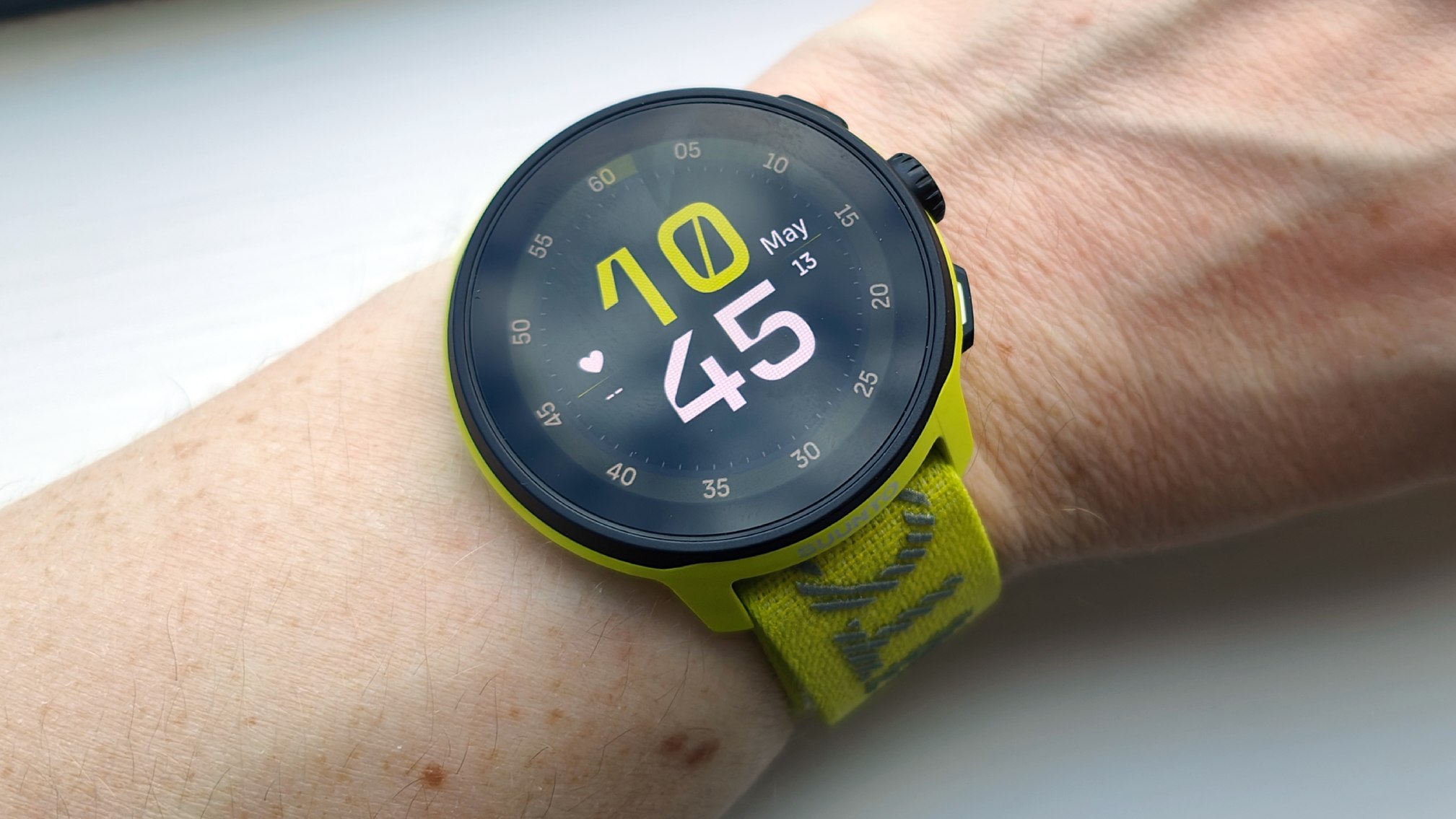
Rank 15051Suunto has unveiled a new running watch, fittingly called the Suunto RunIt's lightweight at just 35g, and costs just $249 / £199 / around AU$400Smart features include real-time predicted marathon pacing and a new 'Ghost Runner' mode
Finnish adventure gear maker Suunto has unveiled the Suunto Run, a lightweight, high-performance and – crucially, for these expensive times – cheap running watch, priced at $249 / £199 (around AU$400). Suunto seems to be gunning for top billing in 2025's best cheap running watches list, with AI-powered features and up to 12 days of battery life.At just 35g with textile straps, it's got a "brightest in class" (according to Suunto) 1.32-inch Gorilla Glass AMOLED display and is packing some innovative-sounding features, including a real-time marathon race prediction tool.Most sports watches now have virtual pacers that you can set in advance to keep you on track for your ideal race time, but you usually have to calculate the right pace yourself before you set it on the watch. The Suunto Run's marathon mode will reportedly do those calculations for you, clocking how fast you're running and producing a predictive time that changes during the course of your race. Clever stuff.A Ghost Runner mode allows you to virtually race your friends along the same route or segment, and the Suunto Run also sports a track mode optimized for speedwork.The 32 pre-loaded sports modes are customizable, and the Suunto app contains additional training and recovery insights that'll be familiar to you if you've used Coros, Polar or the best Garmin watches.
(Image credit: Suunto)
Hardware-wise, the Suunto Run is primarily plastic with a slim stainless steel bezel offering an iota of additional protection for the display. It sports two buttons and a central rotating crown. Unlike most chunky running watches, its light nature and inclusion of two strap sizes in the box makes it ideal for runners with smaller wrists. Having unboxed and tried it on, it's comfortable to wear.It packs a dual-frequency GNSS satellite connection for activity tracking and navigation, is swim-friendly (but not dive-friendly) with 5ATM waterproofing, and offers 12 days of battery life in smartwatch mode. In GPS mode, that shortens to around 20 hours of use with multi-band GNSS enabled, or 16 hours with its always-on display enabled as well.It's very much a sports- and health-specific tool first and foremost. While it does offer simple notification features, don't expect NFC payments, email management, third-party apps or any of the usual 'true' smartwatch features.At this price (cheaper than a GPS and cellular-enabled Apple Watch SE 2), that's totally fine; the Suunto Run isn't trying to replace an Apple Watch day-to-day. It does, however, seem to be a comprehensive budget running tool, and with gadgets getting ever more expensive (not to mention constantly trying to flog additional subscription fees for premium features) the Suunto Run will likely prove popular. Stay tuned for our full review.
You might also like...
Top 6 smartwatches still to launch in 2025AllTrails is the latest app with an AI-powered subscription tier – but it looks way more useful than the genAI from Garmin and StravaWhoop subscribers can now get a free upgrade to the latest devices – after a huge user backlash
-

Picture from techcrunch.com
Rank 15052 -

Picture from ichef.bbci.co.uk
Rank 15053 -

Picture from ichef.bbci.co.uk
Rank 15054 -

Picture from ichef.bbci.co.uk
Rank 15055 -

Picture from ichef.bbci.co.uk
Rank 15056 -

Picture from cdn.mos.cms.futurecdn.net
Rank 15057Last night was Amazon 2025 Upfront, a star-studded showcase for the streamer's best Prime Video shows.The event featured EDM from DJ Steve Aoki and appearances by Lizzo, Jason Momoa and Dave Bautista, Travis and Jason Kelce as well as a chorus line of showgirls to announce the renewal of Fallout season 3 alongside Walton Goggins, Ella Purnell and Aaron Moten. Other celebs lighting up the night included Michael B Jordan and Jamie Lee Curtism.But of course the shows are the real stars, and there were seven announcements in particular that I think are really interesting. From Nic Cage in a noir to hot people in hot pants, here are the Amazon Upfront announcements to be excited about.
1. A first look at Spider-Noir
(Image credit: Amazon)
It's just an image. But what an image it is. The image above is the first look at Spider-Noir, starring Nicolas Cage as the titular web-slinger. There's no premiere date as yet so this is the teasiest of teasers, but given its star and the people behind it this is enormously exciting.Here's the pitch: "Spider-Noir is a live-action series based on the Marvel comic Spider-Man Noir. The story follows an aging and down-on-his-luck private investigator in 1930s New York, played by Academy Award winner Cage, who is forced to grapple with his past life as the city’s one and only superhero."Rather brilliantly, the show will be available in both color and black and white when it debuts. And it's been developed in collaboration with the Academy Award-winning team behind Spider-Man: Into The Spider-Verse.
2. A premiere date for Reese Witherspoon's Legally Blonde prequel
(Image credit: Amazon)
Elle, the Legally Blonde prequel series, has got a premiere date: summer 2026, which is slightly later than we'd hoped. The original movie is one of the most-loved movies of the aughts.It comes from Reese Witherspoon's company, and of course she was the original Elle in the movie. Lexi Minetree is the star this time around and the show follows Elle during her high school days to show how she became the iconic character we loved in the movie.
3. More Creed is coming
(Image credit: Eli Ade/Warner Bros. Pictures)
Prime Video has ordered the new series Delphi, the very first live-action extension of the Creed universe. It'll focus on young boxers at the Delphi gym, and while there's no premiere date as yet the show has Michael B Jordan as executive producer and it's being made by Outlier Society, whose Creed III attracted stellar reviews and made tons of money in theaters.
4. Barbershop gets a series
The Barbershop movie franchise is coming to a slightly smaller screen: it's getting a series, and it'll feature Jermaine Fowler as Travis 'Trav' Porter. Travis wants to follow in the footsteps of his grandfather, who was a legendary barber at the iconic Chicago barbershop Calvin's.The show is being written and executive produced by Marshall Todd, who also wrote Barbershop.
5. Beast Games is coming back, and then it's coming back again
(Image credit: Beast Games)
The strangely smiling Mr Beast is coming back twice for more faintly disturbing game show action: Beast Games has been renewed for two more seasons where hundreds more contestants will compete for massive cash prizes.Despite Mr Beast's unsettling facial expressions and truly terrible reviews – the show is currently sitting at 20% from the critics on Rotten Tomatoes – Beast Games has been a hit with viewers, who've awarded it 88% on the RT popcornometer.Perhaps we should consider it less of a game show and more of a satire on consumerism: as The Age put it, the show is "a mostly unenjoyable and often disagreeable gamification of late-era capitalism" while The Guardian wrote that "It exists solely to show us the worst of the human condition, as obnoxiously as possible."
6. Oh. What. Fun. Gets. A. Date.
The Michelle Pfeiffer-starring Oh. What. Fun. is coming to screens on December 3, 2025. It's a star-studded affair that also features Denis Leary, Felicity Jones, Chloë Grace Moretz, Dominic Sessa, Devery Jacobs, Havana Rose Liu, Maude Apatow, Danielle Brooks, with Jason Schwartzman, Eva Longoria, and Joan Chen.
7. American Gladiators is coming back
(Image credit: FOUR POINTS ENTERTAINMENT / COURTESY EVERETT COLLECTION)
Sometimes all you need to make life better is to watch beautiful people in peak physical condition knocking lumps out of each other in a safe and respectful way – and if those beautiful people are in spandex, even better.No doubt inspired by the success of the rebooted UK version of Gladiators, American Gladiators is returning and rebooting with WWE superstar Mike "The Miz" Mizanin hosting. According to Amazon "The featured Gladiators on the upcoming series will range from professional bodybuilders, former D1 Athletes, Pro CrossFit Champions, and Pro Fitness Trainers from around the globe all ecstatic to put their abilities to the test."
You may also like
The 27 best Prime Video movies to stream in May 2025New Prime Video movies: every new film being released in May 2025This John Cena and Idris Elba Prime Video action flick looks completely wild going by the first trailer for Heads of State
-
Picture from cdn.mos.cms.futurecdn.net
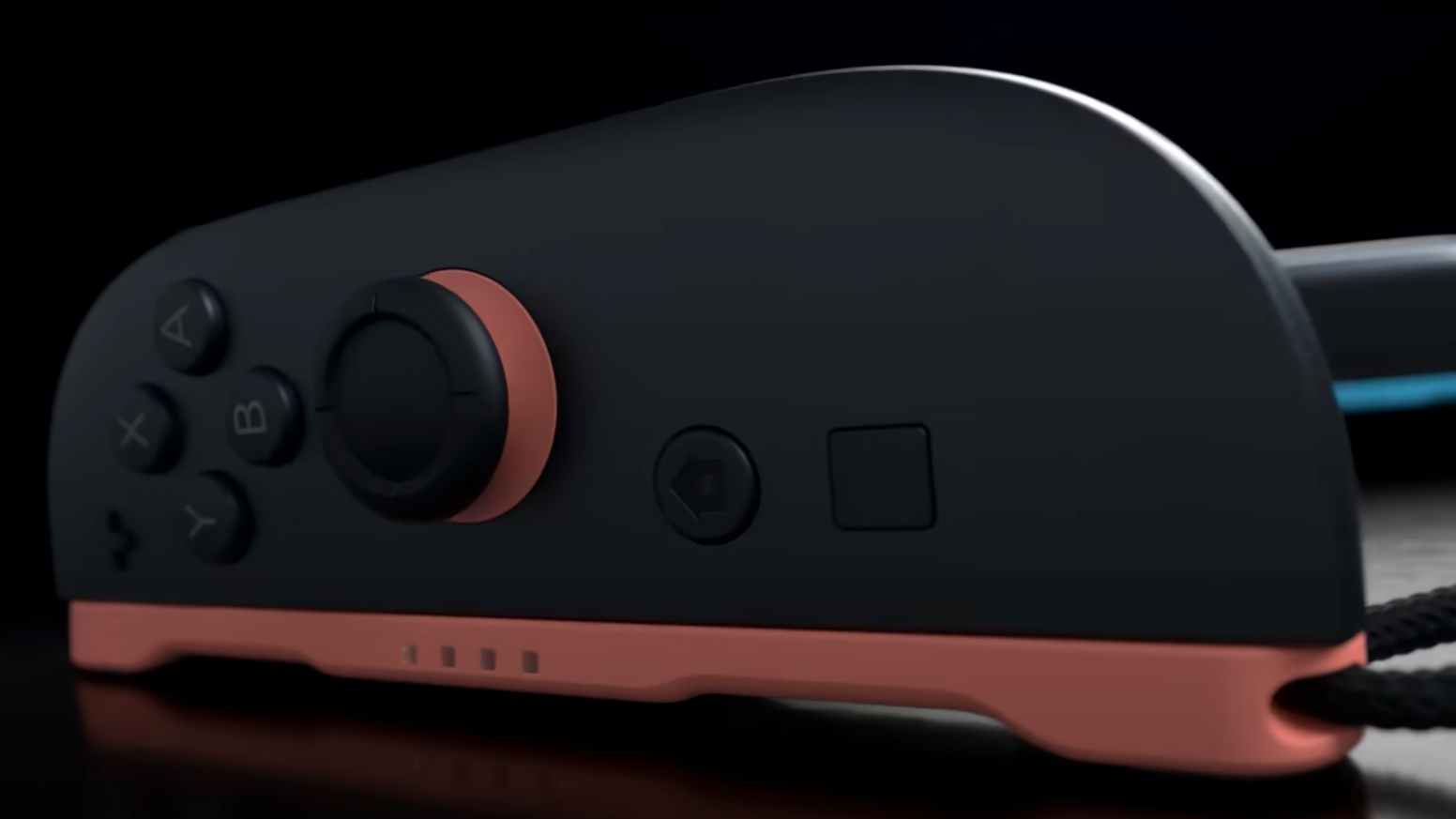
Rank 15058The Nintendo Switch 2 Home Menu can be navigated using Joy-Con 2 mouse controlsNintendo released a new demonstration video showing how it worksUsers can simply detach a Joy-Con 2 and place it on a flat surface to automatically bring up the mouse function
Nintendo has confirmed that the Nintendo Switch 2 Joy-Con 2 controllers can be used for Home Menu navigation.The new feature was revealed on the Nintendo Today app alongside a demonstration video that showed the Joy-Con 2's mouse controls being used on the handheld like a PC mouse.Users will be able to detach a Joy-Con 2, place it on a flat surface, and move it around like a wireless mouse.According to the on-screen instructions, the cursor will automatically appear when placed sideways with the attachment side facing down, and the analog sticks can be used to scroll through menus.To return to regular controls, users will only need to pick the Joy-Con 2 up again, as demonstrated in the video."To display the cursor, set the Joy-Con 2 on a table or flat surface and move it as shown," the post explained. "While using mouse controls, you can tilt the control stick to scroll through menus."It also states that players can "use mouse controls on the Home Menu and in compatible software", like Metroid Prime 4: Beyond.
Nintendo Today showed how the mouse controls will work on the Switch 2 home screen. pic.twitter.com/qpyCsxbGBMMay 11, 2025
A ton of third-party titles are coming to the Nintendo Switch 2, including Cyberpunk 2077. Last week, CD Projekt Red confirmed that the game will also offer mouse functionality, allowing players to detach a Joy-Con 2 to wield a katana to attack enemies and deflect incoming attacks.If you're not caught up, the Nintendo Switch 2 launches on June 5, 2025, for $449.99 / £395.99 or $499.99 / £429.99 for the Mario Kart World bundle.UK pre-orders and US pre-orders are now live.
You might also like...
Nintendo Switch 2 pre-orders live: latest UK stock updates as My Nintendo Store's pre-order date arrives, while US pre-orders remain delayedHere are the Nintendo Switch 2 launch games that you'll be able to pick up and play on June 5Rockstar confirms the latest Grand Theft Auto 6 trailer was all 'gameplay and cutscenes' captured 'entirely in-game' on the PS5
-

Picture from ichef.bbci.co.uk
Rank 15059 -
Picture from cdn.mos.cms.futurecdn.net
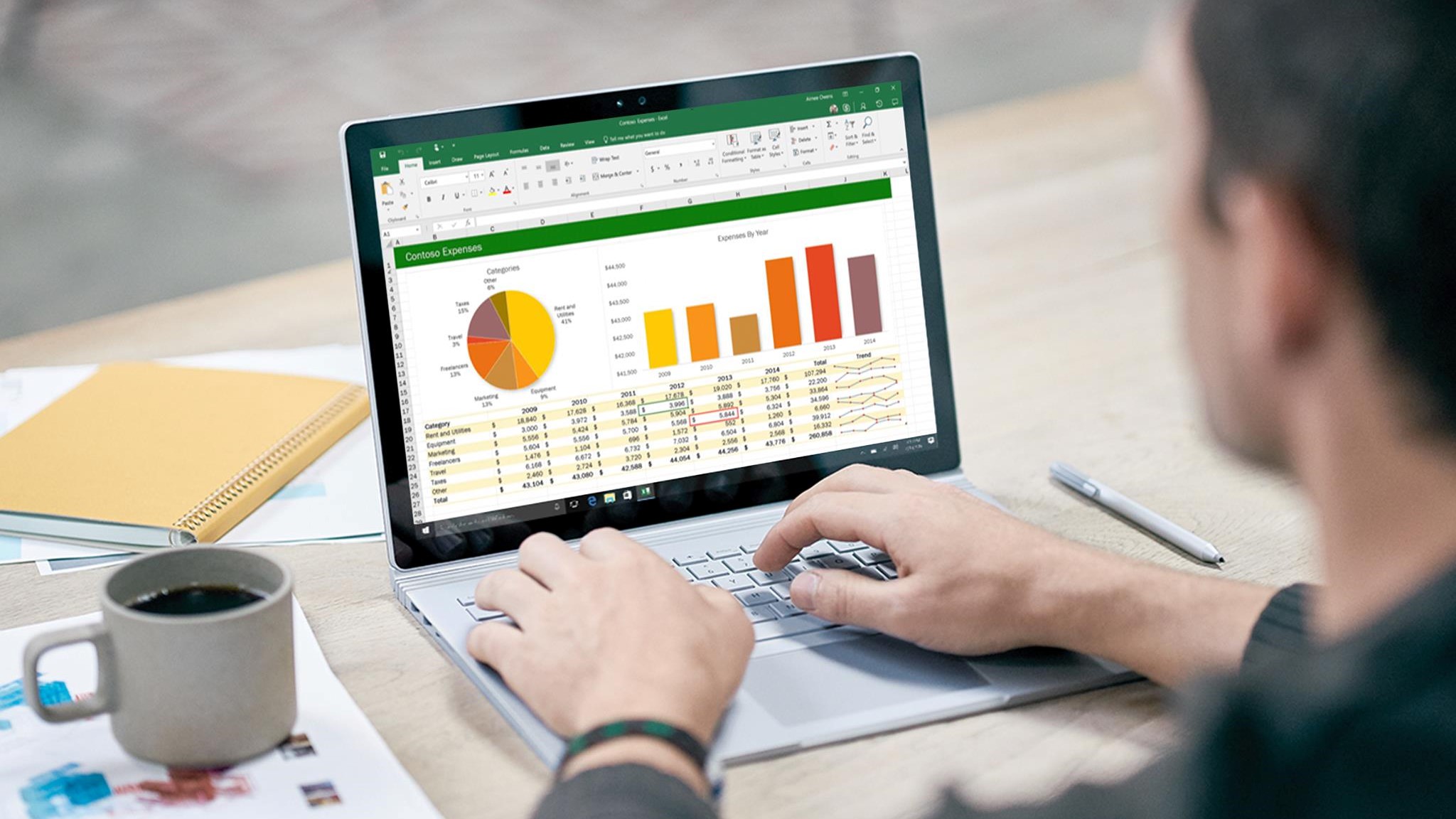
Rank 15060Windows 10 loses support, but M365 apps on Windows 10 don't... yetSupport is limited, and users may experience performance issuesWindows 11 adoption will soon surpass Windows 10
Although Windows 10 is set to lose support on October 14, 2025, Microsoft has confirmed it will carry on providing security updates for Microsoft 365 apps on Windows 10 for a further three years.However, even though the company will continue to support its productivity apps, it's warning users of potential performance and reliability issues if they insist on using the outgoing OS, urging them instead to consider upgrading.Moreover, no bug reports or feature requests will be accepted for issues exclusive to Windows 10, marking the demise of the OS.
Microsoft 365 apps on Windows 10 get three years of extra support
"To help maintain security while you transition to Windows 11, Microsoft will continue providing security updates for Microsoft 365 Apps on Windows 10 for three years after Windows 10 reaches end of support," Microsoft shared.Only customers will a valid M365 subscription will be able to open new cases, but three limitations will be in place once Microsoft pulls the plug on Windows 10 this October.Firstly, if the issue is exclusive to Windows 10, users will be asked to upgrade to Windows 11. Secondly, if the customer is unable to upgrade to Windows 11, maybe due to hardware restrictions, the technical assistance team may only be able to offer troubleshooting and workarounds. Finally, there will be no option to log a bug or other feature requests.Industry analysts from Canalys have already indicated that 2025 could be the year when remaining users end up upgrading their devices for support for Windows 11 and future operating systems, however trade war-induced tariffs could flip that idea on its head. "Subsequent quarters this year are likely to see a slowdown as inventory levels normalize and customers face higher prices," Principal Analyst Ishan Dutt stated.Despite a 9% year-over-year growth in PC shipments globally during the first three months of 2025, Canalys predicts just a 2% rise for 2025 as a whole for the US market.Although it took many months for Windows 11 to pick up widespread popularity, the OS now accounts for 43.7% of all Windows installs (via Statcounter). Windows 10 still leads, with a 52.9% market share.
You might also like
In need of an upgrade? Check out the best business laptopsFor something a bit more powerful, why not consider the best mobile workstations?Microsoft Teams to add 'Prevent Screen Capture' meeting mode to secure sensitive data
-

Picture from cdn.mos.cms.futurecdn.net
Rank 15061The LG B5 is available to order now in the UK and USUK retailers are listing the 55, 65 and 77-inch versionsUS options are just the 77 and 83-inch at the time of writing
The LG B5 is LG's most affordable 2025 OLED, and it's now available to buy – but some models are still to turn up on US retailers' virtual and actual shelves.In the UK, retailers are offering the LG B5 in 48-inch, 55-inch, 65-inch and 77-inch versions for £1,399, £1,699, £2,499 and £3,499 respectively.However in the US, LG US and Best Buy are only currently offering the 77-inch and 83-inch models. They're $2,999 and $4,499. LG has officially said that the 55-inch and 65-inch should also be available, but we're not seeing any sign of them so far in the US (though they're available in Canada).But we can probably assume the other sizes are coming imminently to the US – just not quite as imminently as the big sizes.
One of the key differences between the B5 and the C5 (pictured) is that the C5 has a better OLED panel. (Image credit: Future)
Is the LG B5 a good budget OLED to buy?
The LG B5 is the entry-level model in LG's 2025 OLED TV range, and there are some important differences between it and the mid-range LG C5 (which we gave five stars to in our LG C5 review).First of all, there are no 42-inch or 48-inch models in the US, though the UK gets a 48-inch model; if you want those sizes in the US, you'll need the C5 (or the 48-inch LG B4 is still around for now).The most important difference is in the panels. The C5 has LG's Evo panel, which is solidly bright for a mid-range OLED; the B5 makes do with a more basic which we'd expect to be less eye-popping. We're not expecting much of a brightness boost over the B4 (if any), and we measured as being nearly half as bright as the LG C5.Both the B5 and the C5 run webOS 25, with all the obligatory apps. But the C5 has a more powerful processor – the Alpha 9 Gen 8 – while the B5 has the Alpha 8 Gen 2.It runs at up to 120Hz compared to the C5's 144Hz, which will only make a difference if you're a PC gamer. Better news for gamers, though, is that the B5 has four HDMI 2.1 inputs all supporting 4K 120Hz with variable refresh rate.We'll be assessing the LG B5 for inclusion in our list of the best OLED TVs with a full review soon.
You might also like
Read our in-depth LG C5 review: is it worth paying extra over the LG B5?I tested the LG C5 OLED TV - here are 3 upgrades I'd like to see5 things I learned when I tested the LG C5 OLED TV
-

Picture from cdn.mos.cms.futurecdn.net
Rank 15062A new high-end Garmin watch has been spotted onlineIt could be the successor to the D2 Mach 1 from 2022Several upgrades could be borrowed from the Garmin Fenix 8
We could soon get a new contender for the premium entry in our best Garmin watches list: there are signs that a high-end Garmin smartwatch is now close to launching, which might be built on the improvements ushered in with the Garmin Fenix 8.As per the5krunner (via Notebookcheck), a mention of the D2 Mach 2 watch has appeared on Garmin's own website, as one of the models compatible with the Grade Adjusted Pace feature available in the Garmin app (a tool for more accurately measuring average pace).It's the first time we've heard the Garmin D2 Mach 2 mentioned anywhere, so it looks as though this particular support page has been edited before it should have been – and the premium-level wearable could be launching very soon.The Garmin D2 Mach 1 was unveiled back in March 2022, and was specifically designed for pilots (though of course you didn't have to be a pilot to use it). At the moment it's not clear exactly what upgrades the second-gen version might bring with it.
What we could get
The D2 Mach 2 could be based on the Fenix 8 (Image credit: Craig Hale)
According to the5krunner, we're looking at a watch that's a variant on the Fenix 8 that launched in August 2024 – a smartwatch that's so good we awarded it five stars out of five in our full Garmin Fenix 8 review.Features we can expect to see on the D2 Mach 2 include a built-in database of worldwide airports, an altimeter with adjustable barometric setting, a 3-axis compass, weather updates on a moving map, and flight plan syncing from Garmin Pilot.There's also talk that the watch may gain some diving features, which the D2 Mach 1 didn't have. Like the original version though, the D2 Mach 2 is thought to be missing out on features relating to golf and sailing, available in other models.In the meantime, we're patiently waiting for the arrival of the Garmin Forerunner 975 too. Back in March we saw a regulatory filing suggesting another Garmin wearable was on the way, but we're still not sure what it is.
You might also like
Garmin quietly confirms our worst fears about Garmin Connect+Our full review of the new Garmin Instinct 3I wish I was a better runner so I could use more Garmin features
-

Picture from ichef.bbci.co.uk
Rank 15063 -

Picture from ichef.bbci.co.uk
Rank 15064 -
Picture from cdn.mos.cms.futurecdn.net
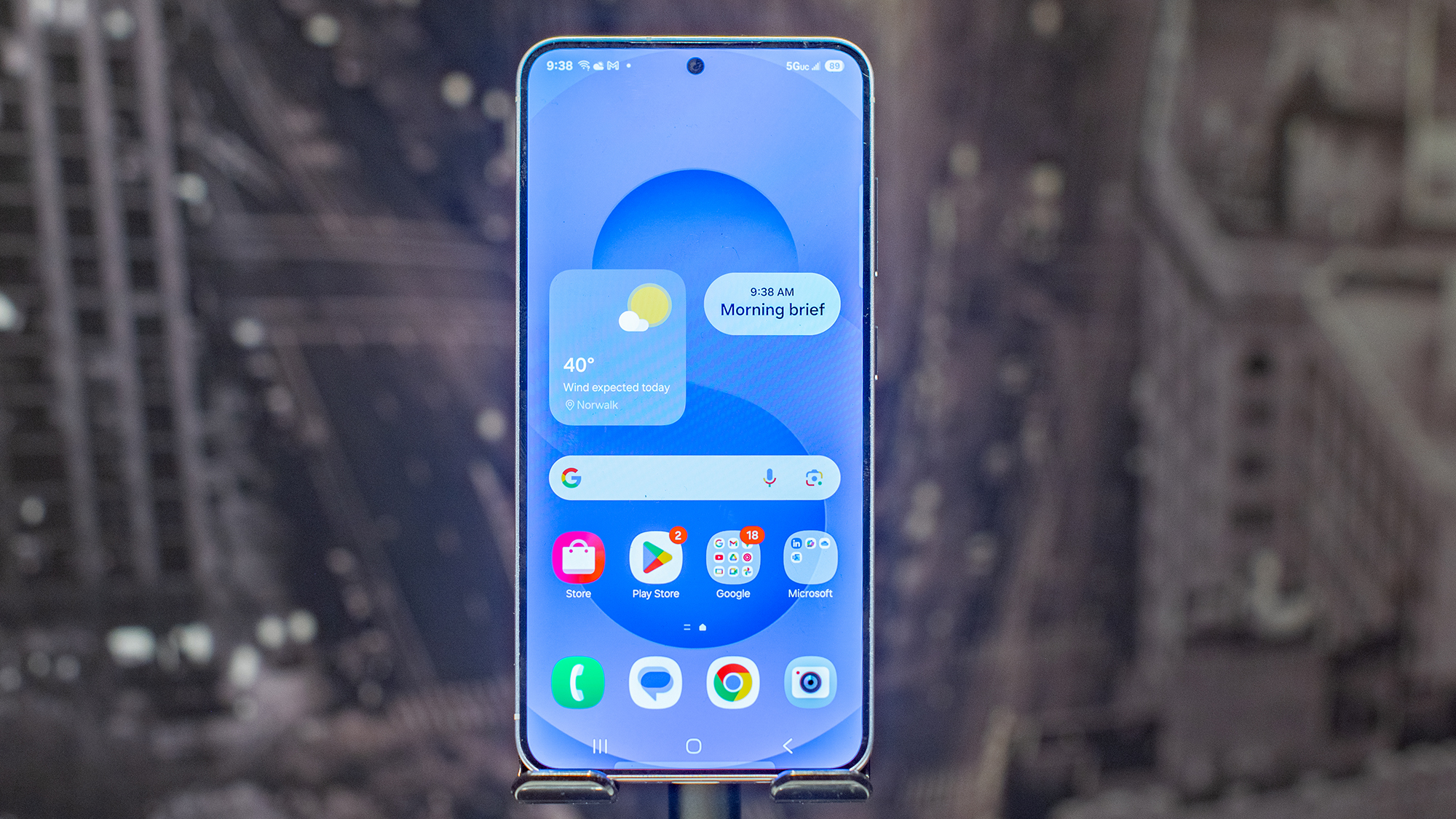
Rank 15065More updates are apparently on the way to Samsung MessagesPreviously, it looked like the app was on the way outGoogle Messages was the default messaging app on the Galaxy S25
We feared the worst for Samsung Messages when the Galaxy S25 series launched without the app on board – Google Messages was preinstalled instead – but it seems Samsung Messages isn't actually going away, as a major batch of new updates have been spotted.These updates haven't been officially announced or pushed out to users, but the team at Android Authority has seen them in the latest app code. The signs are that Samsung is keen to keep the rival to Google Messages alive after all.The features that have been discovered include birthday reminders for the people in your contacts list, live location sharing (also apparently on the way to Google Messages), and support for emoji and sticker reactions to messages.Another upcoming feature that's been spotted links Samsung Messages to Now Brief, the AI-powered update panel on the latest Samsung phones. It appears that Now Brief will soon be able to show alerts about suspicious, malicious, and blocked messages.
What happens next?
Samsung Messages lives on in the Galaxy Store (Image credit: Samsung)
That's quite the feature dump, including some big new upgrades, even if it's not live yet. It doesn't really fit with the idea of an app that's on the way out – and you might remember it got full support for RCS chats back in February as well.It's mixed messaging from Samsung, because there's no doubt that Samsung Messages was, genuinely, on the way out. Samsung even used the word "sunsetting" in a statement issued in January, as the app was removed from the Google Play Store.You can still get at Samsung Messages through the Galaxy Store, however, if you've got a Samsung phone. We'll have to wait and see whether these new features come with any fresh announcements from Samsung when they actually see the light of day.It's also going to be interesting to see if Samsung Messages appears on the Samsung Galaxy Z Fold 7 and Samsung Galaxy Flip 7, due in July. The 2024 versions of those phones were actually the first to come without Samsung Messages preloaded.
You might also like
Google Messages is getting another wave of updatesThe best Samsung phones you can buyOur full review of the Samsung Galaxy S25 flagship
-

Picture from cdn.mos.cms.futurecdn.net
Rank 15066OpenAI CEO Sam Altman says the way you use AI differs depending on your ageSpeaking at an AI event, Altman explained how different age demographics use ChatGPT in their own wayOlder people use ChatGPT as a Google replacement, while those in their 20s and 30s use it like a life advisor, according to Altman
OpenAI CEO Sam Altman says the way users interact with ChatGPT changes depending on the user's age.Whether that's "older people who use ChatGPT as a Google replacement," or "people in their 20s and 30s who use it like a life advisor," Altman says the interactions with AI differ depending on when you were born.Speaking at Sequoia Capital's AI Ascent event, Altman said that while it was a "gross oversimplification," real trends are appearing in terms of how individuals use ChatGPT. In the YouTube video, which you can watch below, Altman, most interestingly, says that "people in college use it as an operating system."He goes into more detail by explaining how younger individuals interact with ChatGPT and AI as a whole by using it "to connect it to a bunch of files, and they have fairly complex prompts memorized in their head or in something where they paste in and out."Altman adds, "There's this other thing where they don't really make life decisions without asking ChatGPT what they should do. It has the full context on every person in their life and what they've talked about."More and more users are indeed turning to ChatGPT for life discussions and therapy, and I've even noticed friends and family opting for genuine conversations with the chatbot about major decisions.
Should you use ChatGPT to make life decisions?
Reading the headline to this article, you might be ready to dismiss the whole idea of using AI and ChatGPT as a genuine 'life tool'. However, there are some real benefits to continuously talking to AI before making a decision. I find ChatGPT to be a good starting point for researching a topic when I'm thinking about smaller life decisions.For example, thanks to its memory features, ChatGPT can remember all of my discussions related to my hobbies, and give me tips when I need them. For example, I use ChatGPT to help motivate me with my Peloton use, and sometimes I need advice on what program or class to take next.ChatGPT knows what I've used in the past, and what types of Peloton classes I enjoy doing, and helps me to make a decision based on my preferences. This same functionality can be used across a broad range of topics.I'm a 30-year-old man who barely uses TikTok, so I can't even imagine how Gen Z interact with ChatGPT. However, I wouldn't be surprised if Altman is correct, and there are indeed many people out there who no longer make bigger life decisions without the input of AI, which to me sounds a little worrying.
You might also like
You now get ChatGPT’s best tool for free – with a catchChatGPT is getting smarter, but its hallucinations are spiralingHow to play Dungeons & Dragons with ChatGPT
-

Picture from ichef.bbci.co.uk
Rank 15067 -
Picture from cdn.mos.cms.futurecdn.net
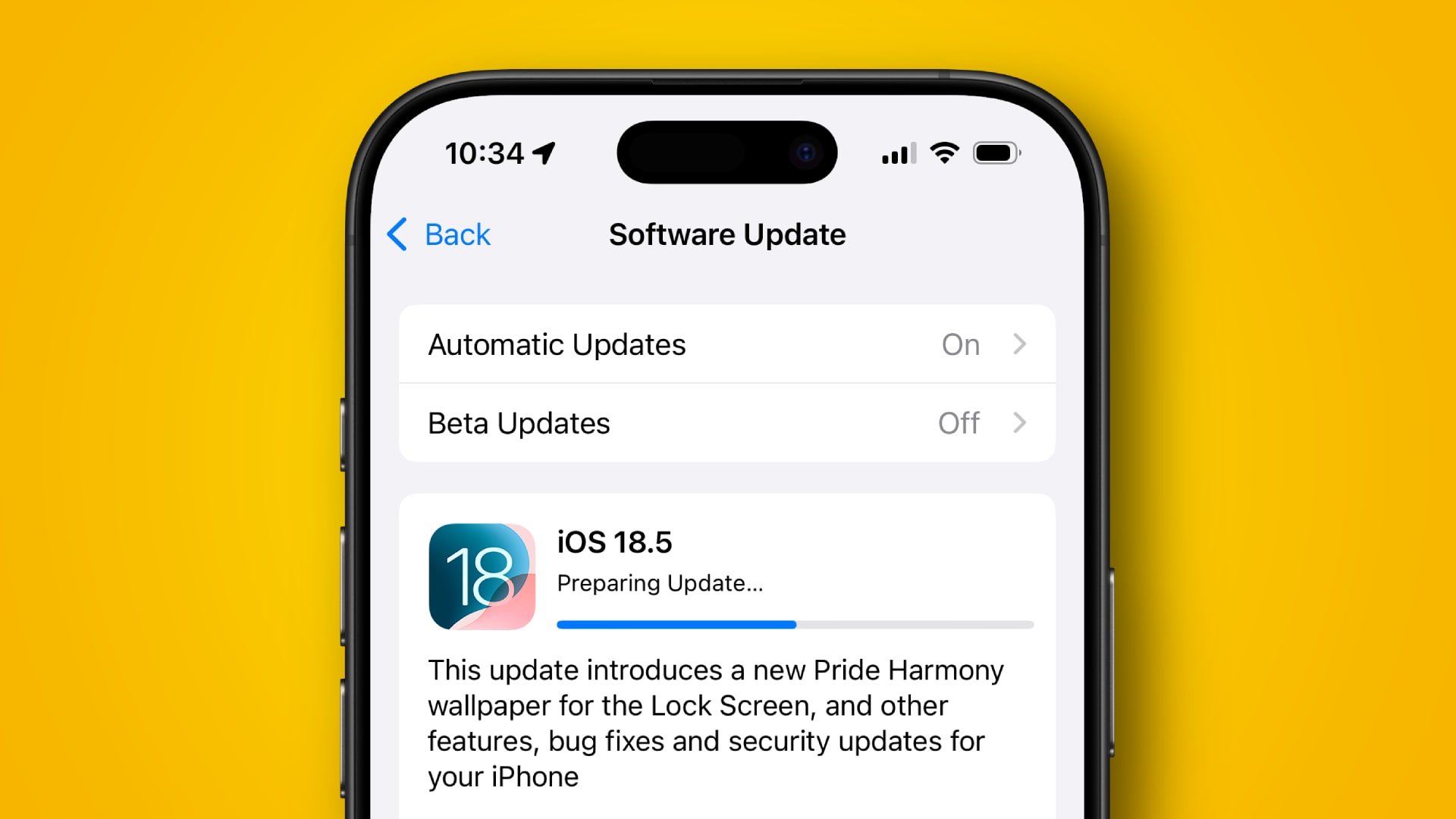
Rank 15068iOS 18.5 has just launched to iPhone usersThere are a few new features in the upgrade, including one for the iPhone 13iOS 18.5 also contains over 30 security fixes, so update your device now
Apple has just released iOS 18.5, and it comes with a raft of new features to improve all of the best iPhones that it’s compatible with. It’s not a huge update in terms of new additions, but it’s an important one to download, since it packs in over 30 vital security fixes.In terms of new features, one of the most notable is a change relating to the Screen Time function. This can be used by parents to control how their child uses an iPhone, and it lets you place limits on app access and more. Now, parents will be alerted if their child has successfully entered a passcode to remove Screen Time’s restrictions.Elsewhere, iOS 18.5 rolls out carrier-provided satellite services – such as T-Mobile’s collaboration with Starlink – to the iPhone 13, which wasn’t previously compatible with these features.Apple has also tweaked the Mail app to make a few common controls easier to find. The Settings app now displays your AppleCare+ information more prominently, while Apple also released a new Pride Harmony wallpaper for its devices.
Security updates galore
(Image credit: Shutterstock / nikkimeel)
It’s usually a good idea to update your iPhone to the latest version of iOS to get both new features and security fixes. But the iOS 18.5 update truly underscores the importance of getting your device on the newest software, as it packs in over 30 security patches that will help keep your Apple phone safe.Many of the fixes listed on Apple’s website are intended to stop hackers from accessing your private data. For example, one patch prevents attackers with physical access to your iPhone and the Notes app from viewing documents on the Lock Screen. Another fixes a flaw that would let bad actors listen to deleted call recordings.Elsewhere, iOS 18.5 addresses a bug that wouldn’t always mute FaceTime properly (which could reveal sensitive info on a call), while call history from deleted apps will no longer appear in Spotlight searches.Bluetooth security has also been strengthened, and iCloud Document Sharing has been tightened up to stop attackers sharing folders without authentication. There are also patches for WebKit, denial-of-service attacks, Core Graphics bugs, out-of-bounds vulnerabilities, and more.
Interestingly, iOS 18.5 also contains the first known fix for Apple’s new C1 modem chip, which is currently only available in the iPhone 16e. There, iOS 18.5 now stops hackers who have got inside your wireless carrier from accessing network traffic.Fortunately, it doesn’t appear that any of the bugs and vulnerabilities that Apple has patched have been actively exploited yet, unlike the fixes issued in iOS 18.3.2 and iOS 18.4.1. But that doesn’t lessen the importance of installing the iOS 18.5 update, as the more secure your device is, the less likely you are to suffer attacks from hackers and bad actors in the future.Aside from iOS 18.5, Apple has also released security updates for older Macs and iPads. The specific versions – macOS 13.7.6, macOS 14.7.6, and iPadOS 17.7.7 – are available for Apple products that have not been updated to the latest operating systems, whether that’s due to hardware limitations or enterprise policies. You can find out exactly what was patched in these updates by browsing Apple’s security releases page.Returning to iOS 18.5, there are many more security fixes than we have listed here on Apple’s website, so be sure to have a read if you’d like to know what the update patches in full. Combined with the new features that have also been added, it’s a notable update for your iPhone.
You might also like
How to download iOS 18 on your iPhone – and what to do if it won't installiOS 18.5 looks like a minor update, but the big changes are coming in iOS 19iOS 18.5 will soon deliver a handy Screen Time upgrade for parents – plus 4 other useful features
-

Picture from cdn.mos.cms.futurecdn.net
Rank 15069Nintendo has detailed a new Nintendo Switch 2 feature via the Nintendo Today appIt caps the battery's charging level at around 90%This should help extend the battery's lifespan
Nintendo has revealed that the Nintendo Switch 2 will have new charging settings intended to extend the battery's lifespan.As detailed in the company's latest post to the Nintendo Today app, the 'Stop Charging Around 90%' feature will let you slow down the Nintendo Switch 2's charging speed when it hits about 90%.This stops the battery from reaching its full capacity as often, which cuts down on the time that you can use the system unplugged, but helps extend the battery's longevity.Generally, repeatedly charging a battery to full capacity before depleting leads to degradation and quicker loss of charge.If you own a Nintendo Switch that you bought within the first few years of its release, then you're probably already familiar with this effect.My first Nintendo Switch can now only last around an hour unplugged - significantly less than the around seven hours that it used to be able to achieve.Similar settings to limit charging in this way are already available on most modern smartphones, tablets, and laptops, as it's becoming increasingly popular to help gadgets hold up better in the long term.Nintendo has stated that the Nintendo Switch 2 battery will last between two and six and a half hours - though this figure likely does not account for potential wear over time.The upcoming console is set to launch on June 5, 2025. It costs $449.99 / £395.99 or $499.99 / £429.99 for a bundle that includes a digital copy of Mario Kart World.UK pre-orders and US pre-orders are now live.
You might also like...
Nintendo Switch 2 pre-orders live: latest UK stock updates as My Nintendo Store's pre-order date arrives, while US pre-orders remain delayedHere are the Nintendo Switch 2 launch games that you'll be able to pick up and play on June 5The Nintendo Switch 2 version of Cyberpunk 2077 will address PS4 and Xbox One launch issues like texture pop-in
-

Picture from ichef.bbci.co.uk
Rank 15070 -
Picture from o.aolcdn.com
Rank 15071Samsung’s long-teased Galaxy S25 Edge has arrived, way ahead of the rumored iPhone Air. It’s a very S25-looking device, but the company is pitching it as a design-centric addition to its, let’s admit, bulging S25 family. The S25 Edge’s body is 5.8 millimeters (0.22 inches) thick if we ignore the camera bump like everyone else does. Granted, it’s not a huge bump.
Samsung says it engineered the lenses to be substantially thinner than those on the S25 Ultra while keeping the same 200-megapixel camera sensor. And there are only two cameras on the back this time. Gasp! Unfortunately, Samsung has gone for an ultrawide secondary shooter rather than a telephoto, likely due to the handset's size constraints.
Image by Mat Smith for Engadget
This makes the S25 Edge the latest addition to the trend of fewer cameras, joining the Pixel 9a, but for a very different $1,100. You can check out my first impressions and all the crucial specs in my hands-on. Are you willing to handle possible battery life decreases and less zoom on your smartphone camera?
— Mat Smith
Get Engadget's newsletter delivered direct to your inbox. Subscribe right here!
Even more Switch 2 stuff
Ticketmaster proudly announces it will follow the law and show prices up-front
Jamie Lee Curtis publicly shamed Mark Zuckerberg to remove a deepfaked ad
How to pre-order the Samsung Galaxy S25 Edge
Philips Fixables will let you 3D print replacement parts for your electric razors and trimmers
iOS 18.5 arrives with a new wallpaper for Pride Month
And not much else.
Apple pushed iOS 18.5 to devices on Monday, and the biggest visual change is a new rainbow-shaded wallpaper in honor of Pride Month. I’m honored. Otherwise, it’s a few minor tweaks and bug fixes.
Continue reading.
You can actually turn lead into gold
All you need is a Large Hadron Collider.
Bones
Scientists with the European Organization for Nuclear Research, better known as CERN, have converted lead into gold using the Large Hadron Collider (LHC). Unlike the examples of transmutation we see in anime pop culture, scientists smashed subatomic particles together at ridiculously high speeds to manipulate lead’s physical properties to become gold. Briefly. Lead atoms only have three more protons than gold atoms. The LHC causes the lead atoms to drop just enough protons to become a gold atom for a fraction of a second — before immediately fragmenting into a bunch of particles.
Continue reading.
The only thing I want from Apple’s big 2025 redesign is a
That’s a, not α.
Apple
This is where Deputy Editor Nathan Ingraham decries one of Apple’s latest design quirks. For over 600 words. Apple’s decision to use α instead of a in its Note App has got him mad.
We’ve reached out to check if he’s OK.
Continue reading.This article originally appeared on Engadget at https://www.engadget.com/general/the-morning-after-engadget-newsletter-111526456.html?src=rss
-

Picture from cdn.mos.cms.futurecdn.net
Rank 15072Windows 11 has a redesign of the Start menu incomingMicrosoft has shared info on the process of that revamp and how it took in a wide range of feedbackWe also get to see some of the abandoned designs for the Start menu
Windows 11 is getting a major revamp for the Start menu and in an interesting move, Microsoft has shared the feedback which drove that redesign, as well as some of the concepts that fell by the wayside.In case you overlooked the emergence of that Start menu overhaul, Microsoft gave us a first look at it recently. Essentially, it changes the menu into a single scrollable panel (rather than two separate efforts) and applies some other useful tweaks.Broadly speaking, I’m a fan and I think it’s a clear step forward (more so now that a point of doubt has apparently been clarified, and I’ll come back to that momentarily).Windows Central picked up on the blog post Microsoft published about the process of redesigning the Start menu, explaining why the new layout was chosen, and also looking at other treatments that were discarded based on user feedback.Indeed, Microsoft says it combed through a whole lot of notes on the Feedback Hub (where testers and enthusiasts give their opinions on Windows 11) as well as conducting “thousands of remote interviews” in order to get the redesign of this part of the interface right. On top of that, we’re told: “Over 300 Windows 11 fans joined unmoderated studies and dozens more hopped into live co-creation calls.”Apparently, from all this, a key message repeatedly came through from those people: “Help me find my apps faster. Let me bend Start to fit the way I work. And please – keep the magic, don’t lose the soul.”Yes, I’m guessing the final part of that quote was never something Microsoft heard – it sounds more like something Freddie Mercury sang in a Queen song back in the eighties – but the first two points fully make sense. Windows 11 users want the Start menu to be, most of all, the place where they find and fire up their apps, and a part of the interface that they can customize.I think the latter is a particularly crucial factor, and elsewhere in the post, Microsoft talks about the Start menu providing: “Recommendations made just for you that learn in real time and a way to hide them if you don’t find them helpful.”Regarding the second half of that sentence, I take this as confirmation that Microsoft is indeed incorporating a switch to remove the recommendations panel from the Start menu entirely, for those who don’t want it.I don’t, and I know I’m not alone in that, and this option was spotted in testing with the Start menu revamp. So, this comment about giving users a ‘way to hide’ recommendations surely refers to turning them off. For me, this represents indirect confirmation that a key part of the redesign is indeed coming.
Analysis: What about the Start menu concepts that didn’t make the cut?
It’s also good to see Microsoft becoming more transparent here, and showing off the discarded Start menu concepts, too. Are any of them any good? Obviously, this is a subjective matter to an extent, but for me, some of them definitely deserved to be chucked in the bin, while others seem sensible enough.Let’s take a look at the candidates which stand out from the efforts that ended up being dumped.
(Image credit: Microsoft)
This is a more tablet-focused take on the Start menu (where the background is blurred out), although that’s not going to be ideal for traditional desktop PCs (obviously). I don’t like that it takes a step back in terms of still having the ‘All apps’ list as an entirely separate panel. It’s quite a clean layout to be fair, but there is some suggestion-related stuff here that I’m not so keen on. Pass.
(Image credit: Microsoft)
Essentially, this is the Start menu from Windows 10 ported to Windows 11, although the design elements kind of clash for me (the category lists for apps, bottom-left, feel particularly out of place). Despite it all feeling shoehorned into Windows 11, I don’t mind the idea of just having the Windows 10 Start menu back in some ways. I’m surprised Microsoft even considered the idea, though.
(Image credit: Microsoft)
Erk, what is this? It looks like someone’s lobbed a hand grenade into the guts of Windows 11’s Start menu, and this is the aftermath of the almighty explosion – bits of interface all over the place. It’s too busy, suggestion-heavy, and again like the first concept above, it grows limbs and splits off other sections into separate panels. No thanks.
(Image credit: Microsoft)
This one I quite like – it keeps things simple, and it’s mainly focused on the apps, with some recommendations and reminders in the left panel. Note that Copilot has crept into the reminders, bottom-left, but overall, I think this is my favorite of the abandoned designs.However, the Start menu redesign Microsoft has chosen is the winner for me, although you may well have a different opinion (Windows Central certainly does). Why? Because it keeps things simple, with everything on one panel, and the new category view for the full list of apps ensures that’s more tamed – plus you can (hopefully) drop the recommendations panel to make more space, too. (Worries about Phone Link have been swerved as well, with a simple button to retract the panel, for those who use this app).Is Microsoft’s chosen revamp too boring? Well, yeah, maybe. I guess it is the safe, not overly adventurous option, but it works for me. I don’t want a fancied-up Start menu. I want a functional one, a streamlined system, and yes, that crucial ability to customize and further trim anything I don’t need (while those who like recommendations can have them).
You might also like...
Been hiding from Windows 11 24H2 due to the fuss about all the bugs? There’s nowhere to run now as Microsoft’s made the update compulsoryMicrosoft could be working on the next update for Windows 11 – but 25H2 could end up being a disappointmentWindows 11 fully streamlined in just two clicks? Talon utility promises to rip all the bloatware out of Microsoft’s OS in a hassle-free way
-

Picture from ichef.bbci.co.uk
Rank 15073 -
Picture from cdn.mos.cms.futurecdn.net
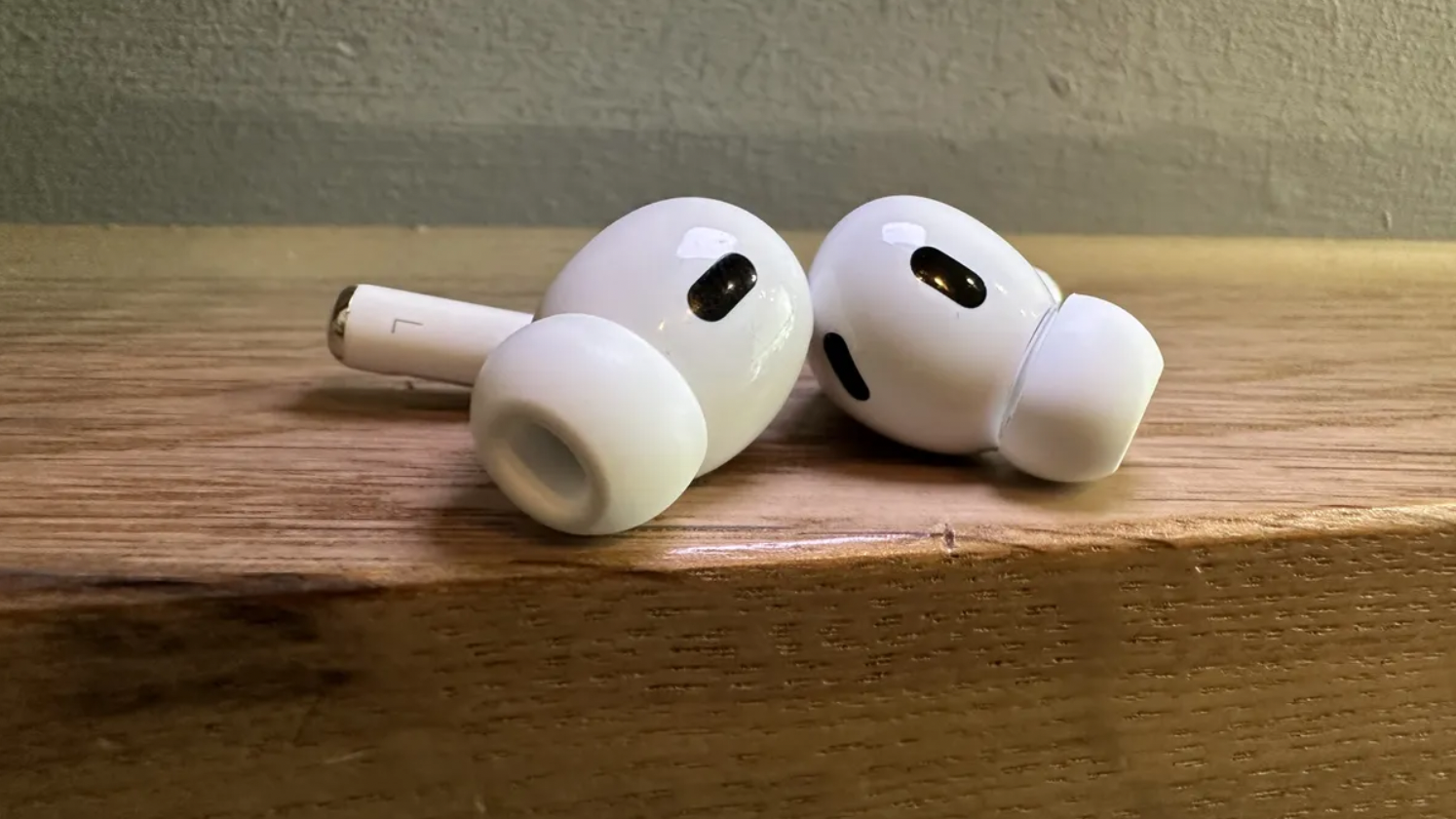
Rank 15074We had strong indicators for a while that Apple is experimenting with in-ear cameras as inputs for Apple Intelligence. And according to a new report, Apple plans to have cameras in AirPods as soon as 2027. It'll also be adding a tiny camera to the Apple Watch in 2027, and launching its first camera-equipped smart glasses.That's according to Bloomberg's Mark Gurman, but another report suggests that the cameras might not be cameras as you might imagine them: last year, respected analyst Ming-Chi Kuo said that Apple was aiming to put infrared cameras in AirPods by the end of 2026.Those cameras would be able to see gestures, which could then be used to control app or system features. It’s possible that Gurman and Kuo are describing the same buds.
Which AirPods are going to come with cameras?
Here's a puzzle: if Apple's on track to release AirPods Pro 3 this year, which is what we're expecting and has long been rumored, then 2027 seems too early for another iteration of AirPods Pro: the first-gen ran from 2019 to 2022, and the second generation is expected to have run from 2022 to 2025.So on that basis, AirPods Pro 4 aren't due until late 2028 – quite some time after Gurman's reported camera timeline.It's highly unlikely that Apple's going to put a premium new feature like this in less-than-premium AirPods, so if we assume AirPods Pro 4 won't come earlier than usual. that leaves us with two options: AirPods Max 2, or an even more premium kind of AirPods Pro – AirPods Ultra, anyone?I'm betting against the cameras coming in AirPods Max, because all the reporting on cameras so far has been about camera-equipped earbuds, and they sell way better than AirPods Max.But adding yet another tier to the AirPods range would set the late Steve Jobs spinning: rather than his preferred lineup of three – good, better, best – it could mean five different flavors of AirPod: standard AirPods, standard AirPods with ANC, AirPods Pro 3, AirPods Max and AirPods Ultra. That doesn't seem very Apple.But perhaps the 2027 date is off, or there's some other twist coming. In any case, we'll have a while to wait and find out.
You might also like
See our picks of the best earbuds of all kindsRead our AirPods Pro 2 reviewRead our AirPods 4 with ANC review
-

Picture from ichef.bbci.co.uk
Rank 15075 -

Picture from cdn.mos.cms.futurecdn.net
Rank 15076Just two days before United Airlines is set to offer its first Starlink-equipped flight, which will deliver internet speeds up to 50 times faster and offer a ‘living room in the sky’ experience, the airline is making more waves by unveiling its next-generation cabin experience.United Airlines' Polaris seat offering is already impressive, with a large, bright screen, plenty of ports, and a full lie-flat seat. But the airline has put years of work into its next product, stretching beyond the flagship seat.Arriving first on the new Boeing 787-9, which United expects to land before the end of 2025, is the next-generation of Polaris seat and the entirely new Polaris Studio, along with upgrades to Premium Plus, Economy Plus, and even Economy – yes, those who travel in standard extra legroom will also get some significant enhancements.
Polaris gets more ways to recharge, a larger screen, and a door for privacy
(Image credit: United Airlines)
Leading the enhancements with United’s core Polaris Business class seat are four ways to recharge your device, likely your phone, within your pod. You’ll still get a standard outlet, but United is promising three others, including a wireless charging pad supporting the Qi-standard baked into your counter space, meaning you could just lay your iPhone 16 or Galaxy S25 Edge on the surface and let it recharge without bringing out a wire.In addition to the standard outlet, you also get USB-C and USB-A ports. Basically, it affords you plenty of power, which is handy if you’re hoping to work while at 35,000 feet.The entertainment screen is again touch-enabled, and gives you access to a wide array of movies and TV shows, as well as a flight map if you’re an aviation geek like myself, but it’s now stretching to a full 19 inches diagonally and is a 4K OLED panel. This should mean that if you’re by a window the screen can get bright enough to compete with the sun, and it can also be angled or pulled out.Bluetooth is of course supported, so you can connect your favorite Bluetooth headphones or some of the best true wireless earbuds directly to the infotainment system. You’ll also get a pair of Polaris-branded over-ear headphones in the amenity kit.With the press of a button you’ll get a seat that can be transitioned to a bed for a lie-flat experience or various other positions. It’s now a wool-blend covered seat, with United promising that the new material is more breathable, and to top it all off there's now a door on the Polaris seat to afford you more privacy.The Polaris seating configuration will also be in a 1-2-1 setup on the Boeing 787-9 when it arrives later this year, with 56 seats spread across 14 rows.
(Image credit: United Airlines)
United's brand-new Polaris Studio is larger-than-life if you’re looking for the best seating in the sky and are willing to pay for it. As United Airlines teased when it first announced Starlink, it’s our best look at the living room sky vision. You get the classic Polaris lie-flat seat, but you’re facing a massive 27-inch 4K OLED screen that should be excellent to watch. It also supports Bluetooth connectivity to listen with your own cans.There are also four ways to charge, including the Qi-standard wireless charger, multiple wall plugs, and a USB-C port to plug right in. The real kicker, though, is that as the Studio nomenclature hints at, there’s an ottoman to have someone else join you in the Studio. You’ll also get more countertop space and more storage.This one feels exceptional. Just imagine Starlink connectivity plus the ability to kick back and watch a favorite film on a 27-inch screen on an airplane. It’ll likely be costly, but for long trips you might think it's worth it.
More chargers for Premium Plus and Economy
(Image credit: United Airlines)
While Polaris is leading the news, United Airlines isn’t leaving Premium Plus – a step-up class for long-haul domestic and international flights – or Economy hanging. The ‘purple seats’, as they are known on the plane, get bigger, brighter 16-inch 4K OLED touchscreens with the aforementioned Bluetooth support, but more importantly, they give you more ways to charge your devices.Each Premium Plus seat has a wall plug, a USB port, and a wireless charger – so you can charge how you want. You also have a dedicated spot next to your seat to hold your headphones.
(Image credit: United Airlines)
Passengers in Economy or Economy Plus will get 13-inch 4K OLED screens, but the real win is now six power outlets in each row. That’s way better than the two spread across three seats or three for four seats in some configurations, and should put an end to the dreaded fight over ports.All in all, the focus on tech and making flying less stressful, at least in terms of the in-flight experience, is a major upgrade. And in addition to the new cabin tech, United has committed to bringing much faster, free for MileagePlus members Starlink internet to all of its regional jets by the end of 2025, and this is due to arrive on its first mainline jet by the end of the year.Starlink will also be on the Boeing 787-9 when it arrives. The new aircraft will be fitted with 56 Polaris seats, eight Polaris Studios, and 35 Premium Plus, 33 Economy Plus, and 90 Economy seats.The first of these planes will be delivered by the end of this year, and they'll go into service in 2026, starting with United's San Francisco to Singapore and San Francisco to London routes.
You might also like
United Airlines successfully installed Starlink on its first aircraft, and the promised speeds are up to 50 times faster
-
Picture from cdn.mos.cms.futurecdn.net
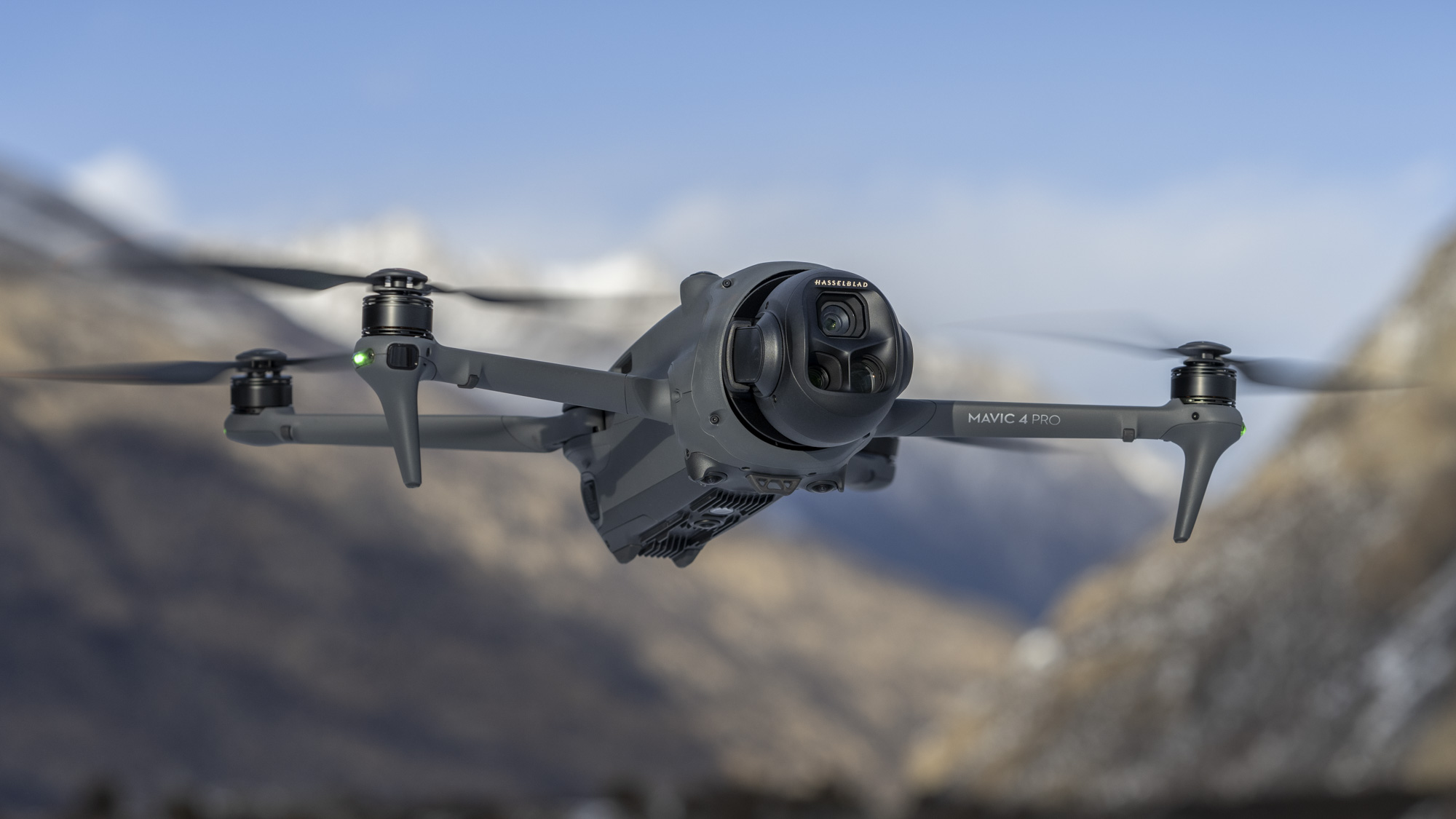
Rank 15077New triple-camera unit has greater range of motion than beforeIt can shoot 100MP stills and 6K 60fps HDR videoDJI also announced the RC Pro 2 controller with a 7-inch rotatable display
DJI has unveiled the Mavic 4 Pro, an upgraded triple-camera drone for advanced pilots seeking a versatile and high-quality aerial photography experience.We've already tested the Mavic 4 Pro with the new RC Pro 2 remote controller that was announced at the same time, and it's quite simply the most impressive prosumer camera drone we've ever used – see our in-depth Mavic 4 Pro review.It updates our previous favorite camera drone, the DJI Mavic 3 Pro, with a new 28mm main camera that packs a Micro Four Thirds-quality sensor and lens with an adjustable aperture, and delivers 100MP / 25MP stills and 6K 60fps HDR video with up to 16EV dynamic range.Then there's the 168mm telephoto camera with updated 1/1.5-inch 50MP / 12.5MP sensor, plus the same 70mm mid-telephoto camera with 1/1.3-inch sensor and 48MP / 12MP stills. Both of those telephoto cameras shoot 4K 60fps HDR video, while all three cameras can shoot 4K slow-motion video up to 4x, complete with D-Log color profiles.
The camera unit of the Mavic 4 Pro has a greater range of motion than any other DJI drone – 70 degrees up and 90 degrees down. (Image credit: DJI)
The cherry on the camera cake is the versatile camera unit and gimbal, which can continuously rotate 360 degrees on the roll axis, plus it offers a 160-degree tilt range with an unmatched 70-degree upward tilt for new perspectives.The camera can also rotate 90 degrees for vertical shooting to make the full use of the image sensor, making it ideal for social content. Previously, users would have to crop the central vertical portion of a horizontal frame for vertical edits, at the cost of pixels.In addition to its aerial photography skills, the Mavic 4 Pro follows the Air 3S with omnidirectional LiDAR object sensing, making it the safest Mavic drone to fly yet, especially at night, dusk and dawn.There's increased power too, for a maximum 51-minute flight time and faster charging speeds, plus return-to-home without the need for GPS, DJI O4+, which provides a 30km 10-bit HDR video transmission range, and a neat ActiveTrack mode with car recognition.All in all, it's a solid upgrade with class-leading camera skills.
DJI annonuced the new RC Pro 2 remote controller alongside the Mavic 4 Pro. It features a rotatable 7-inch mini-LED display with 2000 nits brightness (Image credit: DJI)
US customers set to miss out, for now at least
The Mavic 4 Pro is a seriously impressive flagship drone, with a relatively reasonable list price starting at £1,879 / AU$3.099 for a bundle that includes the RC 2 controller. As always, pricier Fly More Combos are available too. However, it's not good news for all.We asked DJI about pricing and availability for the US, and a DJI spokesperson told us, "The DJI Mavic 4 Pro will not be available for sale in the US upon its global launch on May 13. Like many global companies, we have had to adjust our market strategy as local conditions and the industry environment have evolved. While we do not have a timeline for when we can introduce the product to the U.S. market, we are closely monitoring the situation and actively exploring every possible solution."So DJI isn't completely ruling out the Mavic 4 Pro landing in the US, but clearly the uncertainties around US tariffs hitting Chinese exports, plus a potential DJI drone ban, have combined to create a volatile and unfavorable market for the brand. If the new drone doesn't appear in the US it would be a big deal, as it would be the first time a DJI product hasn't been launched there.Alongside the Mavic 4 Pro, DJI has unveiled the new RC Pro 2 remote controller, an impressive-looking bit of kit that features a rotatable 7-inch touch display and a peak brightness of 2000 nits. The RC Pro 2 costs £879 / AU$1,529; again US pricing and availability is TBC.The drone and controller pairing are as good as it gets for prosumer drone pilots – DJI has once again raised the bar for drone performance.
You might also like
The best drone 2025: top flying cameras for all budgetsRIP the DJI Phantom, the drone that started it all – and got me into aerial photographyDJI Mini 5 beginner drone image leaked – here are 5 potentially major upgrades to expect
-
Picture from cdn.mos.cms.futurecdn.net
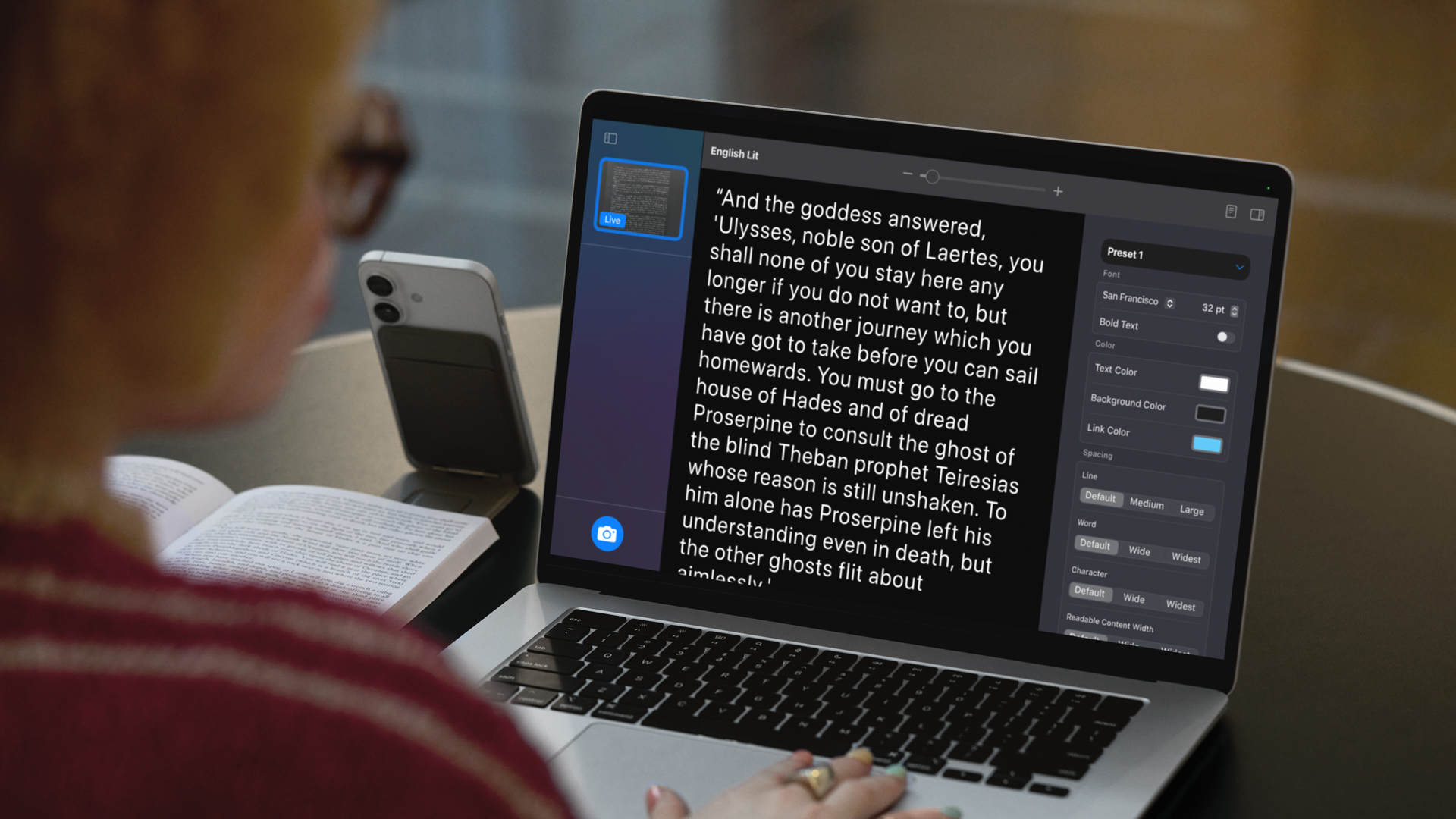
Rank 15078Most of your favorite Apple products offer a raft of useful accessibility features that address everything from sight and hearing loss to mobility issues, but rarely have we seen so many of them updated at once and, in some cases, so significantly. Apple made the announcements to coincide with Global Accessibility Awareness Day (May 13).Perhaps the most notable update is Personal Voice, an accessibility tool designed to capture and recreate the voice of someone who may be losing the ability to speak. It's a potentially powerful communication tool for those with speech difficulties. When I tried it a couple of years ago, the system coached you through speaking 150 phrases and took almost 24 hours to build the voice.It appears that the update that Apple will release later this year can produce an even better voice recreation in a fraction of the time and effort. Personal Voice will soon only need 10 phrases and a few minutes to build a remarkable simulacrum of a voice.This is just one of many updates coming to the Apple ecosystem for the world's roughly 1.3 billion disabled people.
(Image credit: Apple)
For the vision-impaired, there's the new Magnifier for Mac, which lets you attach your iPhone to your Mac and then feed that video through to your desktop. There, you can fix the image if it's skewed, adjust colors, brightness, and contrast, and alter the fonts to make them more readable, even sharpening the text, if necessary. The example given was a woman attending a classroom lecture. She had her phone attached to the side of her MacBook, as it captured the whiteboard notes.Similarly, there's a new assistive reading experience called Accessibility Reader for iPhone, iPad, Mac, and Vision Pro that also uses the iPhone to capture textbook pages and lets you adjust the view on your Mac screen, including the fonts, background colors, font size, and more.Apple iPods will be gaining some new tinnitus amelioration capabilities that mostly involve applying ambient noises, and will include EQ-style adjustments and times for the length of ambient noise playback.There's also an update to Live Listen, which takes the audio around you and funnels it to your AirPods for easier listening. This update adds captions you can read on your Apple Watch.
Braille and Accessibility Nutrition Labels
(Image credit: Apple)
For Braille users, Apple is adding Braille Access, which will let you launch apps, create notes, and make quick math calculations in the Braille style of your choice.Even Vision Pro is getting a few accessibility updates, including the ability to zoom in on any real-world image.Apple is also making it easier for you to quickly use an unfamiliar Apple device by temporarily sharing all your accessibility settings with the new device.Those who use eye tracking to control their iPhone or iPad will now have the option of using switch (usually connected to a physical switch outside the device) or dwell (pausing on the icon or feature for some time) to make selectionsFinally, Apple's App Store is adding Accessibility Nutrition Labels to apps. Each one will cover how the app addresses accessibility features like Voice Over, Voice Control, Larger Text, Dark Interfaces, and Reduce Motion. Labels will link to more details and even to developer accessibility pages outside the App Store.Developers will learn more about how they can add these details to their app descriptions at Apple's Worldwide Developers Conference (WWDC) in June.It's not clear when this year we should expect these updates, though iOS 19 (along with iPadOS 19, the next macOS, and other platform updates), which is expected to arrive later this year, is a reasonable guess.
You might also like
I let iOS 17 Public Beta create my Personal Voice and it was a real journeyBest web accessibility service of 2024Apple's next accessibility features let you control your ...
-
Picture from o.aolcdn.com
Rank 15079This Thursday is Global Accessibility Awareness Day (GAAD), and as has been its custom for the last few years, Apple's accessibility team is taking this time to share some new assistive features that will be coming to its ecosystem of products. In addition to bringing "Accessibility Nutrition Labels" to the App Store, it's announcing the new Magnifier for Mac, an Accessibility Reader, enhanced Braille Access as well as a veritable cornucopia of other updates to existing tools.
According to the company's press release, this year in particular marks "40 years of accessibility innovation at Apple." It's also 20 years since the company first launched its screen reader, and a significant amount of this year's updates are designed to help those with vision impairments.
Magnifier for Mac
One of the most noteworthy is the arrival of Magnifier on Macs. The camera-based assistive feature has been available on iPhones and iPads since 2016, letting people point their phones at things around them and getting auditory readouts of what's in the scene. Magnifier can also make hard-to-read things easier to see, by giving you the option to increase brightness, zoom in, add color filters and adjust the perspective.
With Magnifier for Mac, you can use any USB-connected camera or your iPhone (via Continuity Camera) to get feedback on things around you. In a video, Apple showed how a student in a large lecture hall was able to use their iPhone, attached to the top of their MacBook, to make out what was written on a distant whiteboard. Magnifier for Mac also works with Desk View, so you can use it to more easily read documents in front of you. Multiple live session windows will be available, so you can keep up with a presentation through your webcam while using Desk View to, say, read a textbook at the same time.
Accessibility Reader
Magnifier for Mac also works with another new tool Apple is unveiling today — Accessibility Reader. It's a "new systemwide reading mode designed to make text easier to read for users with a wide range of disabilities, such as dyslexia or low vision." Accessibility Reader will be available on iPhones, iPads, Macs and the Apple Vision Pro, and it's pretty much the part of Magnifier that lets you customize your text, with "extensive options for font, color and spacing." It can help minimize distractions by getting rid of clutter, for instance.
Accessibility Reader also supports Spoken Content, and as it's built into the Magnifier app, can be used to make real-world text like signs or menus easier to read as well. You can also launch it from any app, as it's a mode available at the OS level.
Apple
Braille Access
For people who are most comfortable writing in Braille, Apple has supported Braille input for years, and more recently started working with Braille displays. This year, the company is bringing Braille Access to iPhones, iPads, Macs and Vision Pros, and it's designed to make taking notes in Braille easier. It will come with a dedicated app launcher that allows people to "open any app by typing with Braille Screen Input or a connected braille device." Braille Access also enables users to take notes in braille format and use Nemeth code for their math and science calculations. Braille Access can open files in the Braille Ready Format (BRF), so you can return to your existing documents from other devices. Finally, "an integrated form of Live Captions allows users to transcribe conversations in real time directly on braille displays."
Apple Watch gets Live Captions; Vision Pro gets Live Recognition
Wrapping up the vision-related updates is an expansion of such accessibility features in visionOS. The Zoom function, for instance, is getting enhanced to allow wearers to magnify what they see in both virtual reality and, well, actual reality. This uses the Vision Pro's cameras to see what's in your surroundings, and Apple will make a new API available that will "enable approved apps to access the main camera to provide live, person-to-person assistance for visual interpretation in apps like Be My Eyes." Finally, Live Recognition is coming to VoiceOver in the Vision Pro, using on-device machine learning to identify and describe things in your surroundings. It can also read flyers or invitations, for example, and tell you what's on them.
For those who have hearing loss, the Live Listen feature that's already on iPhones will be complemented by controls on the Apple Watch, plus some bonus features. When you start a Live Listen session on your iPhone, which would stream what its microphone picks up to your connected AirPods, Beats headphones or compatible hearing aids, you'll soon be able to see Live Captions on your paired Apple Watch. You'll also get controls on your wrist, so you can start, stop or rewind a session. This means you can stay on your couch and start Live Listen sessions without having to go all the way over to the kitchen to pick up your iPhone and hear what your partner might be saying while they're cooking. Live Listen also works with the hearing health and hearing aid features introduced on the AirPods Pro 2.
Background Sounds, Personal Voice, Vehicle Motion Cues and Eye Tracking get updates
While we're on the topic of sound, Apple is updating its Background Sounds feature that can help those with tinnitus by playing white noise (or other types of audio) to combat symptoms. Later this year, Background Sounds will offer automatic timers to stop after a set amount of time, automation actions in Shortcuts and a new EQ settings option to personalize the sounds.
Personal Voice, which helps those who are at risk of losing their voice preserve their vocal identity, is also getting a major improvement. When I tested the feature to write a tutorial on how to create your personal voice on your iPhone, I was shocked that it required the user to read out 150 phrases. Not only that, the system needed to percolate overnight to create the personal voice. With the upcoming update, Personal Voices can be generated in under a minute, with only 10 phrases needing to be recorded. The resulting voice also sounds smoother and with less clipping and artifacts. Apple is also adding Spanish language support for the US and Mexico.
Last year, Apple introduced eye-tracking built into iPhones and iPads, as well as vehicle motion cues to alleviate car sickness. This year, it continues to improve those features by bringing the motion cues to Macs, as well as adding new ways to customize the onscreen dots. Meanwhile, eye-tracking is getting an option to allow users to dwell or use a switch to confirm selections, among other keyboard typing updates.
More across Apple TV, CarPlay, Head Tracking and Settings
Apple's ecosystem is so vast that it's almost impossible to list all the individual accessibility-related changes coming to all the products. I'll quickly shout out Head Tracking, which Apple says will enable people to more easily control their iPhones and iPads by moving their heads "similar to Eye Tracking." Not much else was shared about this, though currently head-tracking on iPhones and iPads is supported through connected devices. The idea that it would be "similar to Eye Tracking" seems to imply integrated support, but we don't know if that is true yet. I've asked Apple for more info and will update this piece with what I find out.
Speaking of connected devices, Apple is also adding a new protocol to Switch Control that would enable support for Brain Computer Interfaces (BCIs). Theoretically, that would mean brainwave-based control of your devices, and Apple lists iOS, iPadOS and visionOS as those on deck to support this new protocol. Again, it's uncertain whether we can go as far as to say brainwave-based control is coming, and I've also asked Apple for more information on this.
For those who use Apple TV, Assistive Access is getting a new custom Apple TV app featuring a "simplified media player," while Music Haptics on the iPhone will offer the option to turn on haptics for an entire track or just the vocals, as well as general settings to fine-tune the intensity of taps, textures and vibrations.
The Sound Recognition feature that alerts those who are deaf or hard of hearing to concerning sounds (like alarms or crying babies) will add Name Recognition to let users know when they are being called. Sound Recognition for CarPlay, in particular, will inform users when it identifies crying children (in addition to the existing support for external noises like horns and sirens). CarPlay will also get support for large text, which should make getting glanceable information easier.
Other updates include greater language support in Live Captions and Voice Control, as well as the ability to share accessibility settings quickly and temporarily across iPads and iPhones so you can use a friend's device without having to painstakingly customize it to your needs.
There are plenty more accessibility rollouts from Apple across its retail locations, Music playlists, Books, Podcasts, TV, News, Fitness+ and the App Store, mostly around greater representation and inclusion. There isn't much by way of exact release window for most of the new features and updates I've covered here, though they have usually showed up in the next release of iOS, iPadOS, macOS and visionOS.
We'll probably have to wait until the public rollout of iOS 19, iPadOS 19 and more to try these on our own, but for now, most of these seem potentially very helpful. And as always, it's good to see companies design inclusively and consider a wider range of needs.This article originally appeared on Engadget at https://www.engadget.com/computing/accessories/apple-brings-magnifier-to-macs-and-introduces-a-new-accessibility-reader-mode-120054992.html?src=rss
-
Picture from o.aolcdn.com
Rank 15080Each year, on the same week as Global Accessibility Awareness Day, the accessibility team at Apple shares a slew of upcoming assistive features ahead of their public release. This time around, the company has a huge number of updates as it commemorates "40 years of accessibility innovation at Apple," according to a press release. This year's group of enhancements covers all its platforms and a variety of types of disabilities, and one of them is a new initiative that should make more apps more inclusive.
Later this year, the App Store will get "Accessibility Nutrition Labels," which will be a new section in app pages. These will give a quick preview of the accessible features that each listing offers, including things like support for the VoiceOver screen reader, Larger Text, Sufficient Contrast, Captions, Voice Control, Reduced Motion and more. Tapping on each preview will bring up a page with more details on other accessibility features that are available and explanations on each of them.
The labels will be available worldwide, and Apple will make more guidance available to developers on the criteria their apps should meet before they display the relevant accessibility information on their pages.
With these labels, people can find out if apps will meet their needs without having to first download them. If you are colorblind, for example, you can see if a matching game offers "Differentiate without color alone" before installing it and going into its settings to verify.
By bringing these labels to the App Store, Apple is delivering what the gaming industry is seeking to do with the Accessible Games Initiative (AGI) that was announced in March. While the AGI is a broader effort with promised participation from companies like Microsoft, Nintendo and Electronic Arts, it has yet to share a firm timeline for the implementation of the system. The Entertainment Software Association said in March that timing would depend on each company.
Now, we'll have to wait and see exactly how much later in the year Apple will start displaying these labels, but the company will be sharing more guidance with developers at its Worldwide Developer Conference (WWDC) in June, so it might take till the second half of 2025 for the changes to appear.
Apple also shared plenty more on new assistive features coming to iPhones, iPads, Macs, Apple Watches and the Vision Pro, including a new Magnifier for Mac, an Accessibility Reader and updated Braille Access. This article originally appeared on Engadget at https://www.engadget.com/apps/apple-is-bringing-accessibility-labels-to-the-app-store-later-this-year-120020185.html?src=rss
-
Picture from o.aolcdn.com
Rank 15081DJI’s much-awaited Mavic 4 Pro drone has launched, but there’s bad news. Due to Trump’s tariffs and other market uncertainties (like a potential DJI ban), it’s not yet on sale in America and there’s no word on when it will be, or for what price. That will disappoint US buyers, because the Mavic 4 Pro is the most technologically advanced consumer drone ever.
With a triple-camera system housed in a wild-looking round gimbal, it can shoot up to 6K at 60 fps with 16 stops of dynamic range, beating any drone and even most cameras. DJI also boosted top speed, battery life and range, while improving obstacle avoidance in low light via a new LiDAR system. Plus, the company introduced an all-new RC Pro 2 controller with a useful new foldable design.
I’ve had the Mavic 4 Pro for a couple of weeks now and it performs even better than the specs would suggest. Though a bit expensive, this drone is so polished and capable that nothing else remotely compares to it.
Design
The trademark feature, as we’ve seen from leaks and a teaser last week, is the big round triple-camera “Infinity Gimbal” module at the front. The idea is to allow the gimbal to rotate freely for improved stabilization and interesting camera angles. It boosts the tilt-up angle from 60 to 70 degrees and lets the gimbal rotate at any angle, allowing off-kilter “Dutch” camera angles for more interesting shots. And of course, it can rotate 90 degrees to deliver full-resolution vertical video for social media.
With that new housing and slightly larger batteries, the 2.3 pound Mavic 4 Pro is 0.2 pounds heavier than the Mavic 3 Pro. The propeller arms have been updated so they can be folded and unfolded in any order, unlike the previous model. The body is also more aerodynamic to boost efficiency and speed.
Tucked in the left propeller arm is a forward-facing LiDAR sensor that greatly aids nighttime obstacle detection. The drone also has six omnidirectional fisheye sensors that work in as little as 0.1 lux, which is equivalent to a night sky lit by a full moon.
Where the Mavic 3 Pro had just 8GB of internal memory, the standard Mavic 4 Pro is equipped with 64GB of storage (42GB usable), and the Creator Combo version comes with a generous 512GB of high-speed storage (460GB usable). Both models have a microSD card slot as well.
DJI's new RC2 Pro screen controller folds up and flips sideways.
Steve Dent for Engadget
The Mavic 4 Pro ships with the RC2 screen controller first seen with the Air 3 in the basic and Fly More kits. However, DJI also introduced the RC2 Pro, a controller unlike any I’ve seen before. The bright 7-inch HDR display folds up to provide a multi-angle view and the joysticks now collapse into the body. It has a full complement of controls for flying and camera operations, including a button that flips the camera 90 degrees. The RC2 Pro also has an HDMI and a USB-C port, along with Wi-Fi 6 support for high-speed data transfers.
The new 95Wh batteries are rated to offer up to 51 minutes of flight time, or around 40-45 minutes in typical use. That’s a significant boost from the 30-35 minute real-world battery life on the Mavic 3 Pro. Better still, they charge faster than ever at 51 minutes for one battery (via USB-C) or 90 minutes for three with the Fly More kit charger.
Performance and features
The Mavic 4 Pro can now hit 56 mph (90 km/h) in sport mode without obstacle detection, up from 47 mph before, which will be a big help for filming motor vehicles. Top speed in normal mode with tracking and obstacle detection is also faster at 40 mph. It’s still a big SUV of a drone, though, so it lacks the agility of DJI’s Mini 4 Pro. And with no prop guards, it’s not advisable to maneuver around people or in tight spaces like the Avata 2.
Noise from the Mavic 4 Pro is unchanged from the Mavic 3 Pro at 83 dB. However, the frequency is lower and less bothersome, especially when it’s flying close to people — so, er, props to DJI for that improvement.
With the new O4+ transmission system, the Mavic 4 Pro now offers up to 18.6 miles (30 km) of video transmission range, double that of the Mavic 3 Pro. Though most pilots won’t venture that far away, I found the Mavic 4 Pro less susceptible to interference and dropouts than before. It also supports bright 10-bit HDR 1080p live video transmission for a higher-quality backup capture and better visibility in sunlight.
Steve Dent for Engadget
Subject tracking is available via the ActiveTrack 360 function (first seen on the Mini 4 Pro), which allows you to manually control the camera position while keeping your subject in frame. It’s also designed to keep subjects in focus even if they’re partially obscured.
I tested it with a car, mountain bike and while walking to see how it worked at various speeds. The Mavic 4 Pro stayed locked on a car driving at up to 30 mph with full obstacle avoidance. When filming the bike rider, the Mavic 4 Pro chose interesting and random routes around trees that often yielded cinematic greatness. That behavior also caused a crash into a small tree branch, but luckily, it caused no visible or functional damage. The drone also worked well as a vlogging tool, following me on a preset ActiveTrack 360 path.
Later, I took the Mavic 4 Pro out at night to test the LiDAR and low-light sensors, flying it up around trees and next to buildings. That would have been risky with past models, but it successfully detected and avoided all obstacles in my testing. The low-light capability will also help you bring the drone home safely at night, as long as you remember that the LiDAR only works in the forward direction. Return-to-home now functions without GPS in sufficient light, as the Mavic 4 Pro can memorize flight paths.
Video quality
Steve Dent for Engadget
With its new camera system, the Mavic 4 Pro has the best video quality I’ve seen on any consumer drone. The main Hasselblad-branded 28mm wide camera has a 100-megapixel , dual ISO 4/3 sensor that supports 6K 60 fps or 4K 120 fps capture along with DJI’s professional D-Log and D-LogM modes to max out dynamic range. It also delivers up to 100MP photos. The Mavic 4 Pro is one of few drones with a variable aperture (f/2.0 to f/11) for better depth of field control and more usability in sunlight.
The Infinity Gimbal also houses a 70mm medium telephoto lens with a 1/1.3-inch sensor like the one on the Mini 4 Pro. Plus, there’s a longer 168mm camera with a 1/1.5-inch sensor that should be ideal for things like wildlife tracking. Both feature an f/2.8 aperture, 4K 60p video and D-Log/D-LogM and HDR, along with subject-tracking AF and dual native ISO.
6K and 4K video quality on the Hasselblad camera is incredibly sharp and color-accurate, while providing good dynamic range, particularly with sky and cloud details. Switching over to D-Log mode further boosts dynamic range, but makes color correction a bit trickier. I liked using D-LogM to get a good balance between ease of adjustment and dynamic range.
The base Mavic 4 Pro captures H.265 video up to 180 Mbps, but the Creator Combo version — with its faster internal storage — also supports 1,200 Mbps H.264 All-I for easier editing. However, DJI dropped the ProRes 4:2:2 HQ option that was available on the Cine version of the Mavic 3 Pro.
Steve Dent for Engadget
Where the Mavic 4 Pro really beats other drones is in low light, thanks to the native dual ISO capability. When shooting a cityscape at dusk at ISO 6400 and up, grain was easy to tamp down with a bit of noise reduction. And if shooting at dawn or dusk, the D-Log mode provides enough dynamic range to balance light sky and dark ground areas.
Photo quality is also outstanding in the 100MP mode with so much detail that I could zoom in and clearly see tiny objects. For low-light shooting, though, it’s best to stick with 25MP to reduce noise. DJI’s RAW DNG capture makes it easy to fine-tune photos shot in contrasty lighting conditions.
The 70mm (3x) 1/1.3-inch telephoto camera is great for taking portraits or getting in tighter when shooting landscapes. With support for 4K at up to 120 fps and D-Log or D-LogM, it can easily be mixed and matched with footage from the main camera, though detail and low-light capability isn’t as good. The 168mm 1/1.5-inch camera produces mediocre video quality, but it’s great for capturing wildlife.
Wrap-up
Steve Dent for Engadget
The Mavic 4 Pro is a great example of how DJI stays far ahead of rivals by consistently updating and perfecting its products. It’s an improvement over the Mavic 3 Pro in nearly every area, and as mentioned, it doesn’t really have any competition in the consumer space. The closest alternative in price and capability is Autel’s Evo II Pro 6K, but that drone has a single-camera system with a smaller sensor, less endurance and shorter range.
The lack of US availability is a major issue that’s bound to cause a furor with drone enthusiasts in the States. And there’s still a great risk that sales of DJI drones will be completely banned in America by the end of the year. The company insists that its drones pose no national security risk and says it welcomes any scrutiny.
The Mavic 4 Pro is now on sale in most regions except the United States starting at €2,099 or £1,879 (about $2,360) with the RC2 controller. You can also get it in the Fly More kit with the RC2 controller, a bag, three batteries and a charger for £2,459 and €2,699 ($3,040). The Creator Combo, which includes everything in the Fly More kit plus the RC2 Pro controller, 512GB of storage and All-I video capture, is €3,539 (£3,209) or about $3,980. The RC2 Pro controller by itself is €999 and €879 (about $1,125).This article originally appeared on Engadget at https://www.engadget.com/cameras/dji-mavic-4-pro-review-a-new-standard-for-consumer-drones-120006235.html?src=rss
-

Picture from cdn.mos.cms.futurecdn.net
Rank 15082Chegg saw revenue decline 30% year-over-year in Q1 2025248 workers (22%) will lose their jobs this yearOther cost-cutting measures are confirmed
Online learning platform Chegg has announced plans to lay off around 22% of its workforce – 248 employees – to cut costs and streamline operations.The news was bundled with the announcement of a less-than-ideal 30% drop in quarterly revenue, with the company generating $121.4 million in its first fiscal quarter.Chegg has seen declining web traffic for months, and it's expected that this trend could even worsen in the short term, hence the decision to take drastic measures and lay off more than a fifth of its current workforce.
Chegg blames AI for drop in revenue, layoffs
In its earnings post, Chegg CEO Nathan Schultz blamed Google's implementation and expansion of AI Overviews for its continued dominance in the search market (something that the US Department of Justice has already complained about) and the interest in its Gemini AI chatbot.Schultz also noted that OpenAI has launched free subscriptions to ChatGPT Plus for college students, with Anthropic also following a similar path, putting Chegg's business at risk.Despite announcing two restructurings in 2024, the company is being forced to take things further by closing physical offices across the US and Canada by the end of 2025. The company will also be "limiting [its] upper funnel marketing, reducing new product development efforts, and finally cutting [its] general and administrative expenses."The 248 roles at risk are predominantly "concentrated in the US and Canada," with Chegg Study and corporate services seeing the biggest redundancies of 66%.The company hopes to save an additional $45-55 million in 2025 on top of the $120 million in savings it predicts from its 2024 restructuring efforts. Further savings of $100-110 million, impacted by the most recent cost-cutting events, are expected for 2026.CFO David Longo added: "Looking ahead, industry challenges continue to cause a notable decline in traffic and subscriber acquisitions."
You might also like
IBM orders workers back to the office, or face the consequencesCheck out the best job sites and best recruitment platformsWe've listed the best AI tools
-

Picture from ichef.bbci.co.uk
Rank 15083 -

Picture from techcrunch.com
Rank 15084 -

Picture from ichef.bbci.co.uk
Rank 15085 -

Picture from ichef.bbci.co.uk
Rank 15086 -

Picture from ichef.bbci.co.uk
Rank 15087 -

Picture from techcrunch.com
Rank 15088 -

Picture from ichef.bbci.co.uk
Rank 15089 -

Picture from cdn.mos.cms.futurecdn.net
Rank 15090Researchers from Hunt.io saw a Linux-based ClickFix attackAt the moment, it is still harmlessThe researchers believe a Pakistani threat actor is behind the attacks
ClickFix, a type of attack that tricks people into running console commands to download malware, thinking they’re fixing a problem, is evolving once again.This time, cybersecurity researchers from Hunt.io said they spotted the attack targeting Linux devices, as well.Originally, ClickFix was designed for Windows devices but has, at some point, expanded into macOS, as well. Linux was, for the most part, spared. Until now.
TechRadar Pro readers can get 60% off Premium Plans at RoboForm now!New users can take advantage of RoboForm’s exclusive deal and get 60% off the Premium Plan. With this deal, you can get unlimited password storage, one-click login & autofill, password sharing, two-factor authentication for added protection, cloud backup, and emergency access for trusted contacts. To claim this deal, visit this link and sign up for the Premium Plan to lock in this huge discount.Preferred partner (What does this mean?)View Deal
ClickFix strikes Linux
ClickFix works in a simple way - a website is compromised and used to show a popup. That popup usually tells the visitor that they need to “update” their browser to view the content, or pass a CAPTCHA test to confirm that they’re human.That “update” or “verification” process requires the user to copy a command to the clipboard, bring up the Run program (on Windows), paste and run it. It may sound like a stretch, but it’s relatively successful, since many cybersecurity companies have been warning about new ClickFix campaigns emerging left and right.Hunt.io has attributed this newest string of attacks to a Pakistani threat actor called APT36, or Transparent Tribe. It uses a fake Ministry of Defense of India website, containing a link to a fake press release. When a victim tries to navigate to the press release, the site analyzes their OS, and then redirects them to the corresponding attack flow.For Linux, the victims are redirected to a CAPTCHA page that copies a shell command when they click the “I’m not a robot” button. They are then asked to press ALT+F2 to bring up the Linux run dialog, and paste and run the command.The good news is that the attack was spotted while still in experimental phase, meaning it hasn’t caused any significant damage, yet. Apparently, all the shell command does is download a harmless JPEG file. Things could turn sour at any point, however."No additional activity, such as persistence mechanisms, lateral movement, or outbound communication, was observed during execution," the researchers explained.Via BleepingComputer
You might also like
US deportation airline GlobalX website defaced by hackers, data stolenTake a look at our guide to the best authenticator appWe've rounded up the best password managers
-
Picture from o.aolcdn.com
Rank 15091For decades, the legacy Hollywood studios have made money by slicing and dicing the licenses to their ever-growing vaults of movies and TV shows to as many channels and streamers as possible in as many countries and territories as you can count. That's why shows available on Max in one country might switch to Netflix in another, and disappear altogether in a third. And savvy viewers have long used VPNs — virtual private networks — to expand their streaming options. Change your location from the US to the UK and, voila, you suddenly have access to Friends and The Office on Netflix again.
That’s great if you’re watching on a phone, tablet or PC, where installing and activating a VPN is as generally as simple as visiting the device’s app store. But streaming through a VPN is a bit more challenging on a TV. Thankfully, there are quite a few ways to get that VPN-filtered content on the biggest screen in your home. Below, we’ll walk you through unlocking geo-blocked content on your TV.
If you don’t already have a VPN subscription, we’d suggest choosing a service from our list of best VPNs. And with the notable exception of Proton VPN, we’d strongly recommend avoiding any free VPN options.
How to stream video to your smart TV using a VPN
The easiest way to install a VPN on your smart TV is to download it from the built-in app store — if your preferred VPN is available. Not all smart TV operating systems support VPN apps. Amazon Fire TV has the best selection, but you can also install any VPN's Android app on Android TV or Google TV from the Google Play Store. In this section, we'll explain how to use a VPN on every smart TV model that supports them.
If your smart TV doesn't support native VPNs (for example, if it's a Roku or an older Apple TV model), you can use it with a box or dongle from an OS that does. This also has the benefit of being cheaper than a whole new TV.
Fire TV
Amazon’s Fire TV operating system has a wide range of content to binge-watch, as it comes with access to Prime Video’s expansive catalog. Thankfully, its user interface is easy to navigate, making installing a VPN a breeze.
Amazon's Fire TV Stick line is a very VPN-friendly streaming platform. Amazon
To set up a VPN, navigate to the Fire TV app store and search for the VPN service to which you’re subscribed. Fire TV has multiple options on the app store, including most of the services on our aforementioned best VPNs list.
From there, the process is pretty simple: Download the app, log in, and connect to the VPN. Scroll through the server list and pick a location in the country whose Prime Video library you want to unlock. You can also watch any other streaming service by downloading its app and logging in. Read How to add a VPN on Fire TV for complete instructions.
Google TV
Google TV is a smart TV operating system with a sleek user interface that supports thousands of apps, including VPNs and streaming platforms. As with Fire TV, just download your VPN app of choice, input your credentials and run it before activating the streaming service you’d like to check out. Read How to stream using a VPN on your Google TV or Chromecast for more details.
Apple TV
If you want to install a VPN on your Apple TV directly, you’ll need tvOS 17 or later. If not, you can follow our alternative workarounds with AirPlay or Google Cast.
Apple TV boxes have become more VPN-friendly with recent OS updates.Devindra Hardawar/Engadget
For those with tvOS 17 and later, setting up a VPN on your Apple TV is simple. However, it doesn’t support many services, so you’ll have to double-check that the VPN you subscribe to has Apple TV compatibility. Read How to use a VPN on your Apple TV for more details.
AirPlay or Google Cast from a VPN-enabled device
The simplest way to use a VPN on any TV is to connect your TV to a phone, tablet, or laptop, then use the VPN on that device instead. You've got two ways to do this — screen casting and mirroring.
Screencasting is when you set content on a device to play on your TV, then continue using that device for other purposes while you stream. Mirroring is when you show everything you’re doing on your device on your TV. For example, if you’re streaming a movie and close your browser tab, your smart TV will stop streaming the movie as well.
Apple and Google each have their own flavor of screencasting: AirPlay and Google Cast, respectively. (The latter is basically same digital protocol that works on Chromecast hardware.) In each case, you start by running your VPN of choice on your phone or tablet, then fire up your streaming app and start your movie or TV show. Finally, click the AirPlay or Google Cast icon once you start streaming. If your TV doesn’t have AirPlay or Google Cast built-in, you can buy a set-top box or dongle that supports one or the other.
AirPlay is probably the most well-known casting and mirroring technology, and it currently works on a wide range of smart TVs and set-top boxes. I screencasted from my iPhone XR with a VPN enabled to my Samsung UHD TV and everything worked without a hitch.
On the Google side, click the icon with a TV and Wi-Fi rays to start casting your content to the big screen. Amazon is working on a rival screencasting platform called Matter Casting, but it’s not widely supported yet. Read How to stream via a VPN on Roku for more details on all of this.
HDMI from a VPN-enabled device
If you don’t want to fiddle with wireless protocols, an underrated and lesser-known way to stream video to your TV using a VPN is via an HDMI cable. You’ll need an HDMI cable and (for some devices) an HDMI dongle, such as one that converts a USB-C port to HDMI. Once connected, your laptop, phone or tablet screen should be displayed on your TV’s screen. At that point, just use the source device to fire up your VPN, start your streaming app (or browser) and maximize the window.
Whole-house VPN access: Set up a VPN on your router
The sections above describe ways to get VPN streaming access on a single TV. But if you want a whole-house approach — in which you could, for instance, watch UK Netflix on every device on your home network — you’ll want to investigate accessing the VPN at the router level. Just note this is for advanced users only, and is far and away the most challenging method of the bunch.
Whole-house VPN access requires installing a new router, or making major modifications to your existing one. It generally also requires installing custom firmware on a router, which usually voids the hardware manufacturer’s warranty. Even then, you’ll need an expert user in the household who knows how to engage and disengage the VPN and customize its settings, as leaving it turned on all the time can interfere with non-streaming activities, including simple things like shopping online.
All that said, a more streamlined whole-home option is to try out the AirCove router models from ExpressVPN. (Engadget has not yet tested these routers.) Because they are ExpressVPN’s own hardware, they include warranty coverage and support through the company.This article originally appeared on Engadget at https://www.engadget.com/cybersecurity/vpn/how-to-add-vpn-to-your-tv-143736648.html?src=rss
-

Picture from ichef.bbci.co.uk
Rank 15092 -
Picture from o.aolcdn.com
Rank 15093Google is set to debut a new feature that The Information describes as "Pinterest-like" at its annual I/O developer conference next week. It reportedly shows users image results, based on their queries, that can give them ideas for fashion and interior design. Users can then save the images in different folders of their choice if they want to keep them separated based on certain themes. While The Information has likened it to Pinterest, it could be more similar to Cosmos, which is a more pared-down version of the idea. Cosmos lets users curate anything they saved from the web into clusters, which they can then share with other people.
As the publication has noted, Google might be debuting a Pinterest competitor in order to secure its ads revenue from commercial queries. Google has been losing searches in homework and math from ChatGPT, a company executive told the court during a hearing related to a previous court decision that the company maintains an illegal monopoly in search. While those queries don't typically generate ads revenue, Google knows that it's inevitable for the company lose earnings from ads for commercial inquiries. Giving users a more interesting way to get search results that an AI couldn't provide through a new feature or a new product could help Google retain revenue from advertisements.
In addition to the Pinterest-like competitor, Google could also introduce a "software development lifecycle agent" that could help software engineers identify bugs or flag security vulnerabilities while they're developing programs. It could also demonstrate the voice-powered integration of the Gemini AI chatbot into its Android XR glasses and headset. Previous clues point to Google launching the integration of Gemini Live inside the Chrome desktop browser, as well. This article originally appeared on Engadget at https://www.engadget.com/big-tech/google-is-reportedly-planning-to-unveil-a-pinterest-alternative-at-io-2025-123033887.html?src=rss
-

Picture from ichef.bbci.co.uk
Rank 15094 -

Picture from techcrunch.com
Rank 15095 -

Picture from ichef.bbci.co.uk
Rank 15096 -

Picture from cdn.mos.cms.futurecdn.net
Rank 15097The star of Intergalactic: The Heretic Prophet, Tati Gabrielle, says game director Neil Druckmann has been preparing her for online hateThe actress says she is aware of the hate the The Last of Us: Part 2 cast receivedGabrielle says she received hate after the first Intergalactic trailer was released for "being a woman, me being a woman of color, me having my head shaved..."
Tati Gabrielle, the star of Naughty Dog's Intergalactic: The Heretic Prophet, has revealed that director Neil Druckmann has been "bootcomp-ing me" for online hate.Speaking in a new interview with Entertainment Weekly, Gabrielle shared that she is aware of the hate The Last of Us: Part 2 cast members, like Laura Bailey, Ashley Johnson, and Troy Baker, received back in 2020 for their roles in the game, and that Druckmann has been preparing her for a similar situation."Neil's been bootcamp-ing me," Gabrielle said. "I know Troy's experience, I know Ashley's experience… I know Laura Bailey's experience."When The Last of Us: Part 2 was released, Bailey received online hate and death threats against herself and her newborn son for playing the character Abby, who kills Joel Miller. After Intergalactic was officially announced last year alongside a trailer that revealed Gabrielle's character, Jordan A Mun, the actress said she also received hate, including racist and misogynistic comments, for her role."I got a lot of love," Gabrielle said, "but there was a lot of hate over me being a woman, me being a woman of color, me having my head shaved, all these things that I didn't even actually initially see — I'm out of the social media zeitgeist for that reason — but once I did, Neil was like, 'Ignore it. No matter what, me and you, we're going to make something beautiful. We're going to make something that we're proud of.'"Intergalactic: The Heretic Prophet is Gabrielle's first video game role, and she explained that she is preparing herself for the new venture."This is a world — video games — that I've never stepped into before. So I don't want to put one thing in my mind of expecting it's going to be this way and then it's not, and then I'm unprepared or take it too lightlyEarlier this year, Druckmann revealed that Naughty Dog's new game is "a game about faith and religion". Gabrielle also discussed these themes in her interview with EW, but said it might not be what players expect."The question of faith is not black and white," Gabrielle said. "When you initially think of faith, you think of religion, which is a part of it, but there's also faith in oneself. There's faith in your environment or your community. All that faith means is, 'What are your beliefs? What are the things that you hope for? Faith sounds flowery, but we all experience it day in and day out. What is your reason for waking up?'"Intergalactic: The Heretic Prophet has no release date yet, but we can expect the game to launch on PS5.
You might also like...
Upcoming games 2025 for console and PCBest PS5 games 2025 - top PlayStation 5 titles to play right nowGhost of Yotei pre-orders live: Collector's Edition up in the US, Standard Edition retailers, and where to buy in the UK
-

Picture from ichef.bbci.co.uk
Rank 15098 -
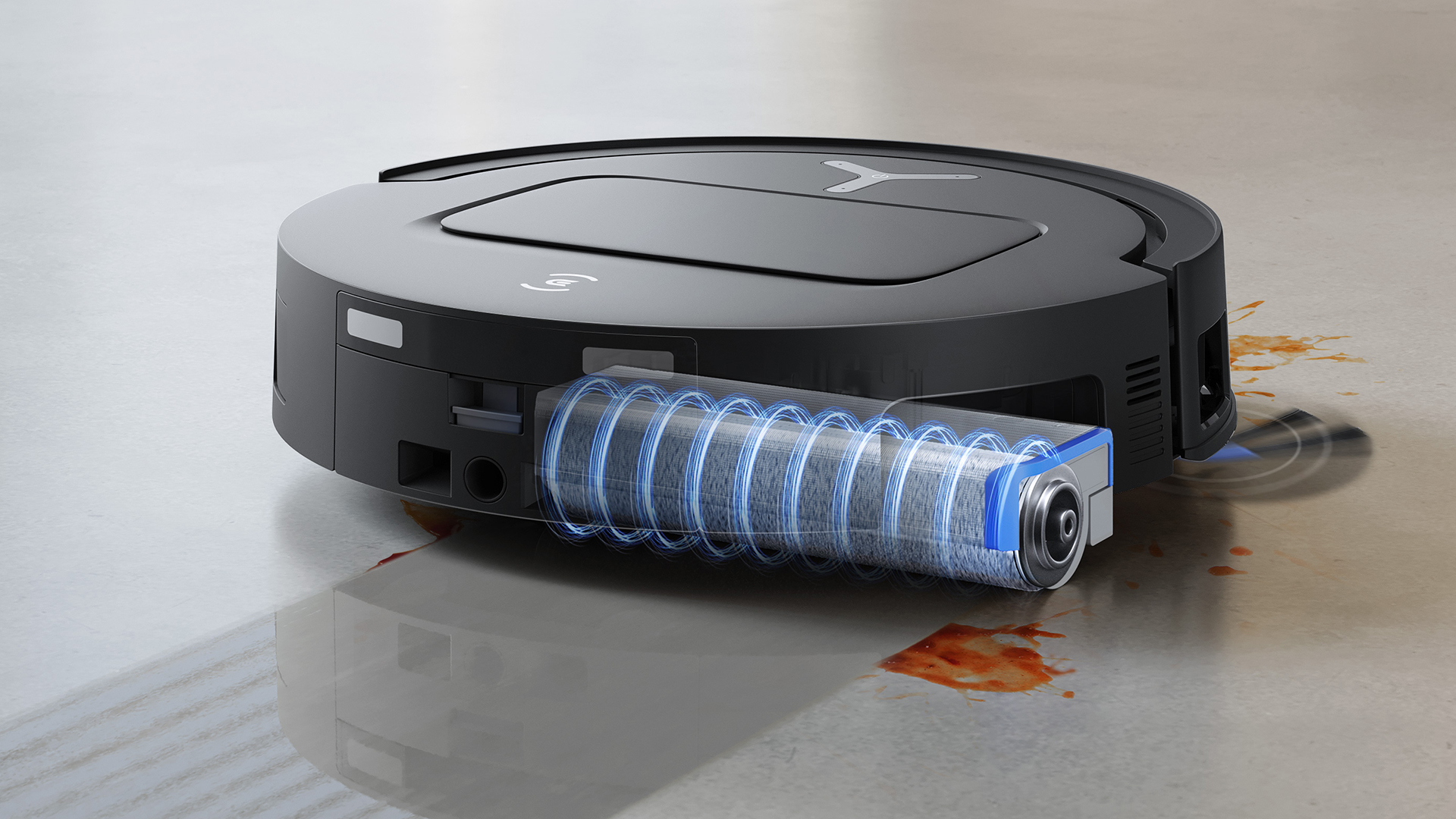
Picture from cdn.mos.cms.futurecdn.net
Rank 15099Ecovacs has unveiled the new Deebot X9 Pro Omni robot vacuumIt features self-cleaning Ozmo roller mop and lifting brush rollsIt also introduces an innovative 'Blast' suction system
Ecovacs' new Deebot X9 Pro Omni is a hybrid robot vacuum and mop that looks like it could solve my hard-floor cleaning woes for good – I regularly test robovacs in my role as Homes Editor at TechRadar, and I've yet to find one that does a good job of scrubbing my hard floors.A big issue with traditional robovac mopping systems is that because the mops are only cleaned at the end of the job (either by the dock or by hand) they tend to spread spillages around the floor rather than clearing them away.Ecovacs' answer is the Ozmo roller mop. Most of today's best robot vacuums have either a fixed, D-shaped mop pad or two spinning discs, but the newest Deebot robovacs use a mop-wrapped roller.The roller applies pressure as it rotates, and is able to extend out to the side to clean close to the edges of rooms. The really ingenious part is that there's a scraper that constantly siphons off the dirty water and any debris as the roller rotates, and the roller is then fed with clean water ready to continue mopping.
(Image credit: Ecovacs)
It's a relatively simple idea – inspired by today's best wet and dry vacuums – but it could make a massive difference to how effectively this robot vacuum can deal with spillages. The system was introduced in the Deebot X8 Pro Omni, which was launched at the start of 2025, and appears in the newly unveiled Deebot X9 Pro Omni and another new sister model, the T80 Omni.
While the idea of roller mops is still very new, Ecovacs isn't the only brand to explore this design – it also appears in the Eureka J20 and Narwal Flow. Where the X9 Pro Omni takes things a step further is that it combines the Ozmo mop with a brush roll that can lift up, solving another of my bug-bears with hybrid robovacs.Having the brush roll down while the bot mops means the bristles quickly get damp and gunked up – dust and grime plus water is not a pleasant combination. Here, the roller is tucked up and out of the way, meaning I won't need to worry about mop mess finding its way onto my carpets next time I set the bot on a vacuuming run.
3, 2, 1, blast off
Another interesting addition with the X9 Pro Omni is a new 'BLAST' ('Boosted Large-Airflow Suction Technology') system, designed to offer better suction with less outright power.“With the BLAST system, we didn’t just boost suction – we redesigned the entire airflow from the ground up," Michelle Jones, US associate brand marketing director at Ecovacs told TechRadar."Most robot vacuums rely on increasing motor wattage alone to improve suction, which can create more noise and drain battery life. BLAST takes a smarter, more efficient approach – starting with our new SuperBoost battery, continuing through a larger air inlet, optimized air ducts, and newly engineered fan blades. This system moves more air with less resistance, delivering consistently strong suction with less noise."She added that BLAST could represent "a major step forward in both performance and everyday usability – especially for homes with pets, rugs, or heavy foot traffic.” The proof will be in the testing, and we'll report back once we've had a chance to review this model properly.
(Image credit: Ecovacs)
The Deebot X9 Pro Omni is available to buy now, at a list price of $1,599 but with an early bird deal that takes it down to $1,299.99. You can purchase it directly from Ecovacs or pick one up via Amazon. Ecovacs hasn't confirmed if or when Deebot X9 Pro Omni will be available outside the US.It has been launched alongside another new robot vacuum – the T80 Omni, which still has the Ozmo roller mop, but doesn't feature lifting brushroll or the new Blast suction system. That model is a little cheaper (although still firmly in the premium price bracket) at $1,199.99 down to $1,079.99 at Ecovacs or Amazon.
You might also like...
Browse the best robot vacuums for pet hair7 things I wish I'd known before getting my first robot vacuumI've seen 2025’s flagship robovacs and things are about to get weird
-
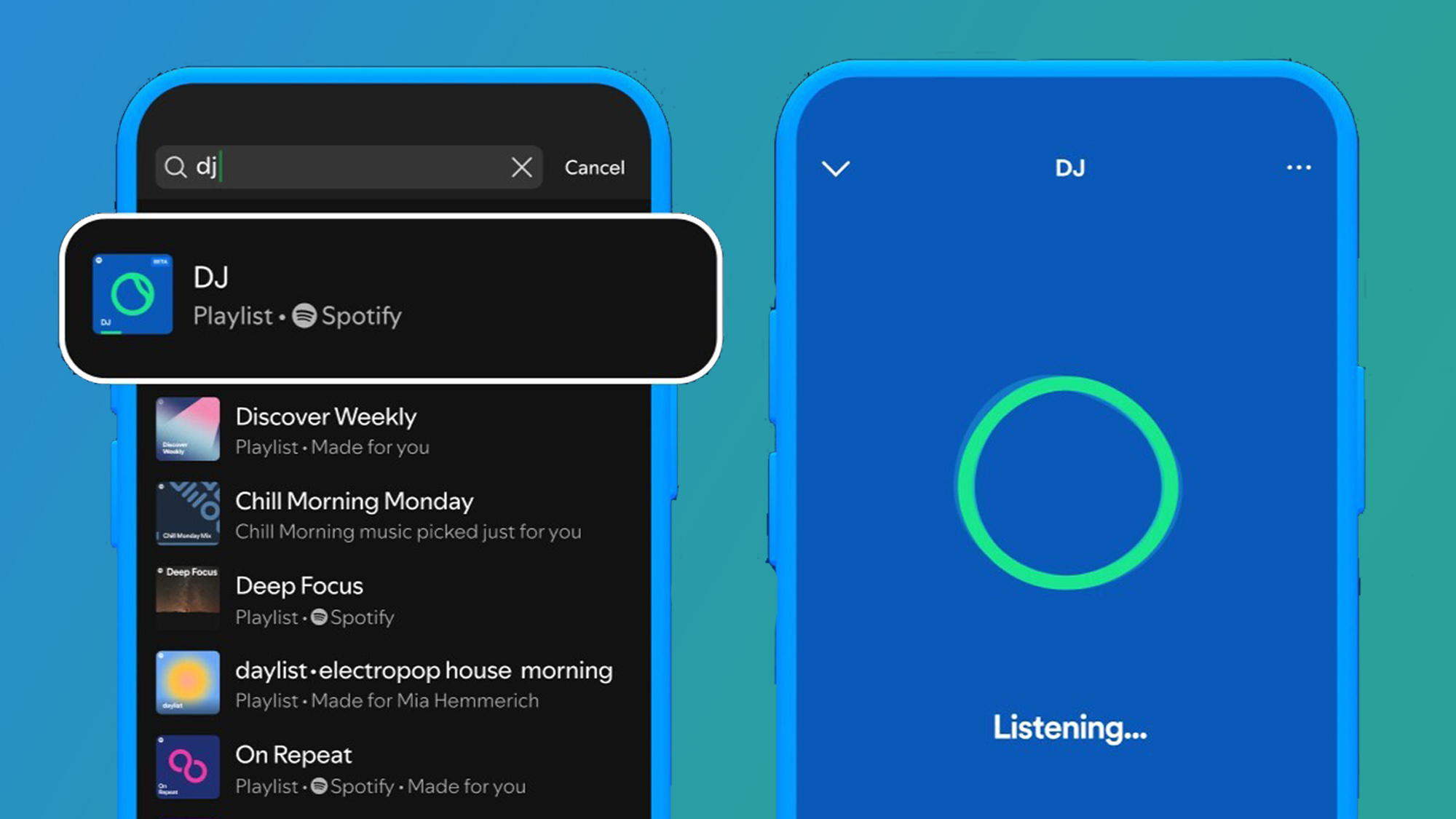
Picture from cdn.mos.cms.futurecdn.net
Rank 15100Spotify AI DJ just got a huge upgrade, and now it can take your requests just by listening to your voice This new feature is designed for users to have more of a say in their listening experiences, while interacting more with their personal AI DJThe feature is being rolled out today in over 60 markets for Premium users
Spotify’s AI DJ tool has divided users since it was introduced in 2023, and now the platform’s resident maestro has just received its first major upgrade. As of today, your AI DJ will be able to take your requests in English, launching in more than 60 markets for Premium users.That’s right, as well as curating a personalized listening experience based on your music habits, you can feed AI DJ voice prompts, and from there, it will use your request to update your listening session based on the music you want to hear at that moment.For example, you can use the prompt 'Surprise me with some indie tracks I’ve never heard before' to discover new indie artists, or even “Play me some electronic beats for a midday run” so that DJ can motivate you during times of hard work.
(Image credit: Spotify)
For a while, Spotify users have been asking for more ways to interact with their AI DJs and have more say in what they play during their listening sessions. The DJ tool’s new ability to take requests from users is definitely a much-needed upgrade for the feature.But despite this big change, Spotify has made it clear that it will continue to honor AI DJ’s original ethos of bringing you closer to new music, as well as reacquainting you with old favorites with "insights from (its) global editorial experts".It’s no secret that Spotify’s AI DJ hasn’t been able to grab my attention, and that’s down to my preference for its Daylist feature, however, its new requests function is really tempting me to dip my toe back into AI DJ. I just hope I can get past its slightly jarring commentary this time.
How to use AI DJ’s request function
(Image credit: Spotify)
As of today AI DJ will be able to take your voice requests and vamp up your listening session in ways it hasn’t before, and one of the greatest things about it is that it’s very simple to use.
1. Go to Spotify's search tab and search for 'DJ'
Press to start a standard AI DJ- curated listening session.
2. Press and hold the DJ button to ask a request
In the right-hand corner, you'll find the DJ button. Press and hold until you hear a beep, and that means DJ is ready to take your request. From there, you can use your voice to ask DJ to play a specific kind of music, for example, 'Play me some music to soundtrack my life as a movie', or 'Play modern country songs for my cowboy era'.
3. Experiment to your heart's content
You can mix things up by holding the DJ button and asking it to switch up the vibe of your listening session and make new requests. If you don’t have a specific request but want to change the vibe, you can tap the DJ button to quickly skip to the next section.
You might also like
Spotify HiFi: release date rumors, price predictions, and everything we know so farSpotify has secretly added a new way to disable one of its most disliked features, and I’m fully on boardSpotify updates iOS app in record time with new pricing options – leaving fans wondering why other fixes are taking so long


