News
This constantly updated list features the latest and most important news articles, ranked in order of significance. The top stories highlight major developments, breaking news, and critical updates across various topics, ensuring you stay informed about the most pressing issues. As new articles are added, the list adapts to reflect the latest priorities, keeping the most impactful stories at the forefront. Whether it’s global events, technology breakthroughs, or industry trends, this dynamic list ensures you always have access to the most relevant and timely information.
-

Picture from techcrunch.com
Rank 8451 -

Picture from ichef.bbci.co.uk
Rank 8452 -

Picture from ichef.bbci.co.uk
Rank 8453 -

Picture from ichef.bbci.co.uk
Rank 8454 -

Picture from ichef.bbci.co.uk
Rank 8455 -

Picture from ichef.bbci.co.uk
Rank 8456 -

Picture from ichef.bbci.co.uk
Rank 8457 -

Picture from ichef.bbci.co.uk
Rank 8458 -

Picture from ichef.bbci.co.uk
Rank 8459 -

Picture from ichef.bbci.co.uk
Rank 8460 -

Picture from cdn.mos.cms.futurecdn.net
Rank 8461BYD’s sales continue to grow at a rapid rate in EuropeMercedes-Benz helped establish Denza, and now it is expandingThe Denza Z9 GT could take on the likes of Porsche, BMW, and more
In the past four years, BYD has steadily increased sales outside of China, namely in Europe and parts of Southeast Asia. But in recent months, those figures have been ramping up at an impressive rate.Now, the company says it is so confident in European buyers making the switch to electric that it is set to introduce its premium brand, Denza, into markets that are more typically dominated by Mercedes-Benz, Porsche, Audi, and BMW.During a glitzy unveiling during Milan’s Design Week, BYD’s special adviser for Europe, Alfredo Altavilla, said that Denza would act as the “technological forerunner for the group,” according to Reuters.This means that its range-topping all-electric Z9 GT sport wagon could well be heading to European shores, complete with 1,000hp on tap, five interior screens, dual refrigerators, and, in some variants, the ability to ‘crab walk’ (drive diagonally) and perform tank-turns on the spot.BYD revealed this week that in the UK alone, it has sold more cars in the first quarter of 2025 than it did in all of 2024, rapidly becoming Britain’s fastest-growing car brand.Similarly, its European sales are set to double this year.
(Image credit: BYD/Denza)
Globally, the company sold over 4.2 million vehicles last year, becoming the first true contender to take on Tesla. It also eclipsed Musk’s sales in the last quarter of 2024 by some 100,000 units.To rub salt in the wounds, it also unveiled its 1MW charging network, which can add 249 miles of range to its EVs in just five minutes – blowing Tesla's V3 Superchargers out of the water.Denza, which was once a 50:50 joint venture with Mercedes-Benz but is now wholly owned by BYD, accounted for just 3% of the group’s overall sales in China. However, as it targets a more profligate consumer, it has the potential to bring in a fresh revenue stream for the company.According to Reuters, the marque hasn’t revealed its commercial strategy for Europe but says the first Denza model will be more expensive than the current range-topping BYD model, which is €72,000 euros (or $78,790/AU$130,596).The line-up could also include the D9 minivan, several SUVs, and off-road vehicles.
The luxury market is a tough nut to crack
(Image credit: BYD/Denza)
BYD’s recent success has chiefly been down to the fact that the Chinese company has been able to offer good quality EVs at a very competitive price, often sporting an increased range and more interior technology than many of its closest rivals.Buyers in this market typically shop with a budget in mind rather than proving particularly brand loyal. It is a sentiment recently echoed by Dacia’s CEO, Denis Le Vot, who has noticed his value brand has been attracting buyers from more established brands in recent years.The premium end of the market is very different, as those customers tend to want an established brand name for their hard-earned money.Just look at South Korea’s Genesis, for example. The premium badge of the Hyundai Motor Group is popular in its domestic market (and the US) and even racked up one million global sales in 2023, but it sold just 1,210 cars in the UK in 2024 - a market share of just 0.06%.Compare this to BMW, Audi, and Mercedes-Benz, all of whom enjoy a 5% or 6% share of the same market and sold more than 100,000 cars last year.Of course, their model range is wider and covers a variety of price points. Even so, it’s not easy being a niche premium EV brand. French marque DS, a subsidiary of Citroen, also sold a similarly diminutive 1,152 cars in the UK in 2024.While BYD is experiencing astronomical sales success outside of China, its premium brand, Denza, might have a slightly more difficult time finding an audience.
You might also like
The Tesla Cybertruck’s range-extending battery pack has stealthily disappeared, suggesting the project might be deadHyundai reveals its new take on Android Automotive – as Apple CarPlay update update delivers 3 useful new featuresBYD’s latest electric vehicle platform can add 249-miles of range in just five minutes – your move Tesla!
-

Picture from techcrunch.com
Rank 8462 -

Picture from ichef.bbci.co.uk
Rank 8463 -

Picture from ichef.bbci.co.uk
Rank 8464 -
Picture from techcrunch.com
Rank 8465 -

Picture from techcrunch.com
Rank 8466 -

Picture from ichef.bbci.co.uk
Rank 8467 -

Picture from ichef.bbci.co.uk
Rank 8468 -

Picture from ichef.bbci.co.uk
Rank 8469 -

Picture from ichef.bbci.co.uk
Rank 8470 -

Picture from ichef.bbci.co.uk
Rank 8471 -

Picture from ichef.bbci.co.uk
Rank 8472 -

Picture from ichef.bbci.co.uk
Rank 8473 -

Picture from ichef.bbci.co.uk
Rank 8474 -

Picture from cdn.mos.cms.futurecdn.net
Rank 8475The technology industry is advancing at an extraordinary rate. The emergence of new AI models such as agentic AI and the rise of IoT has ushered in a new era of connected devices, putting immense pressure on connectivity. This is felt especially within stadiums as they become multi-purpose venues, hosting concerts, festivals, and large-scale events that demand adaptable and cost-effective IT infrastructure.Private 5G networks promise to revolutionize global internet connectivity, presenting real benefits to what stadiums have to offer. The recent plans for Manchester United to build a new £2 billion, 100,000-seater-stadium is a stark reminder of the need for high-speed connectivity to support the various new retail stores and restaurants that will surround the stadium.Private 5G networks offer a powerful solution to support diverse connectivity needs whilst improving the overall event experiences for fans. Private 5G provides dedicated bandwidth, enhanced security and complete control over network resources and performance, unlike public networks which are overloaded and shared by thousands of users. They can ensure that critical operations run smoothly, decrease network congestion, and support innovative services, such as more interactive alternatives for broadcasters to provide their audiences.
Why stadiums are turning to private 5G for smarter operations
Stadiums should be prioritizing deploying private 5G to maximize operational efficiencies. Leveraging these advanced technologies, despite various factors including changing crowd flows, event needs, and vendor placements, creates a more engaging, convenient, and safe environment for both fans and stakeholders attending stadium events.By decreasing the need for extensive cabling, which can be expensive to install, maintain, and adapt, these networks can significantly lower connectivity costs and implementation time. The deployment of IoT devices, cameras, and sensors becomes considerably more flexible when physical wire limits are removed. This "cut the wire" approach lowers the overall cost of constantly changing connectivity equipment whilst also making the venue reconfiguration for various events faster and easier.Just as importantly, private 5G elevates security. Real-time video analytics can quickly detect potential issues, while 5G-connected drones and robots enhance coverage in areas that are difficult or costly to monitor with personnel alone. This ensures a safer environment for everyone, protecting visitors, staff, and assets.
Unlocking new revenue streams through private 5G
For sports teams, concert organizers, stadium stakeholders, and other event planners to offer state-of-the-art services and differentiate themselves, a high capacity, dependable connection is necessary. Private 5G’s network slicing and specialized bandwidth provide uninterrupted, high-quality streaming for broadcasters, secure channel coordination among staff, and ensure seamless support for vendors’ point-of-sale systems.Real-world examples, like London's StoneX Stadium, demonstrate the possibility of private 5G in action. By deploying AR applications that provide in-depth analytics, multiple camera angles, and interactive features, StoneX Stadium keeps fans more engaged, both onsite and at home, boosting satisfaction and driving commercial growth. As the global private cellular market expands, forward-thinking stadiums that embrace private 5G benefit from greater operational efficiency and more substantial revenue potential.Beyond improved operations, private 5G paves the way for entirely new revenue streams. Stadiums can offer premium connectivity packages to broadcasters, VIP guests, and other partners. According to industry estimates, the global private cellular market may reach £78 billion by 2030, indicating a more robust trend towards the use of private networks in industries such as entertainment and sports. This technological edge not only attracts more events but also increases their profitability.
Connecting fans with the game
Stadium operators can collect vast quantities of data to create more engaging content thanks to private 5G's low latency, high bandwidth, and reliable performance. Organizers can deliver a more engaging fan experience and create more useful insights by supporting multiple streams from several high-definition camera angles and utilizing real-time data.For example, Crystal Palace FC is using a private 5G network at its Selhurst Park stadium to enable a vision enhancement system for fans with sight loss, allowing them to watch live match footage directly to customized headsets.
How stadiums are embracing private 5G
Fortunately, private 5G networks can now be installed and maintained with remarkable ease after years of research and development. Often, these networks can be set up within hours, without the requirement for miles of physical infrastructure. For stadiums lacking in-house expertise, managed service providers can handle the deployment and maintenance, making the technology accessible to organizations of all sizes.The latest private 5G solutions are also more IT-friendly, meaning stadium IT staff can manage the network without needing specific cellular training. This easy integration helps lower the barrier for adoption and makes it easier for stadiums to maintain their networks over time.The first stadiums to adopt private 5G networks have taught us some valuable lessons. One key takeaway is the importance of starting with specific, focused use cases. By targeting immediate needs, like improving point-of-sale systems or boosting security, stadiums can quickly see the benefits, which paves the way for expanding to other uses later.This approach is demonstrated by Stade Velodrome in Marseille, which started using a private 5G network to support a push to talk solution called Team Connect to keep workers connected. It has since started experimenting with food and beverage deliveries to people’s seats, and monitoring stocks within stores at the stadium. Scalability is another vital factor. Private 5G networks are intended to grow alongside a stadium's needs, and planning for this from the start ensures that the network will continue to be a long-term asset.
Looking ahead to the connected stadium
To attract a new generation of fans, it’s crucial that stadiums continue to evolve. The excitement won’t just come from watching the action, it will stem from being fully immersed in it, through real-time stats, personalized content, and interactive AR/VR options. The deployment of private 5G technology has the potential to be transformative for stadiums. Through greater connectivity, sophisticated surveillance systems, smarter crowd management tools, and automated services will keep stadiums safer and more efficient.But private 5G networks do more than improve operations; they also boost revenue through new services and enhanced event appeal and experiences. This shift towards seeing connectivity as a utility means it's becoming as vital as electricity and water. As essential as those utilities are, dependable connection is fast becoming a must for managing contemporary stadiums.Investing in a private 5G network is more than simply improving internet speed—it's about setting the stage for a future where technology and entertainment co-exist seamlessly. It's about transforming live events into experiences that are richer, more engaging, and truly memorable for fans.
We feature the best business smartphone.
This article was produced as part of TechRadarPro's Expert Insights channel where we feature the best and brightest minds in the technology industry today. The views expressed here are those of the author and are not necessarily those of TechRadarPro or Future plc. If you are interested in contributing find out more here: https://www.techradar.com/news/submit-your-story-to-techradar-pro
-

Picture from ichef.bbci.co.uk
Rank 8476 -

Picture from ichef.bbci.co.uk
Rank 8477 -

Picture from ichef.bbci.co.uk
Rank 8478 -

Picture from ichef.bbci.co.uk
Rank 8479 -

Picture from ichef.bbci.co.uk
Rank 8480 -
Picture from o.aolcdn.com
Rank 8481After dozens of mind-bending, thought-provoking escapades across time and space, Black Mirror’s seventh season is tackling something new: its first-ever sequel episode.
The Emmy-winning Netflix series dropped its entire six-episode seventh season on Thursday, April 10, closing with the finale “USS Callister: Into Infinity.” The sprawling 90-minute episode rounds up many of the actors from Black Mirror’s season 4 episode “USS Callister” — including Cristin Milioti, Jimmi Simpson, Billy Magnussen, Osy Ikhile, Milanka Brooks and Paul G. Raymond — for another adrenaline-pumping adventure.
The USS Callister’s crew, still trapped in the Infinity company’s space-faring virtual reality MMORPG, are barely scraping by, robbing other players of their credits to simply survive. In the real world, the crew’s in-game robberies become problematic for Infinity’s greedy CEO James Walton (Jimmi Simpson) when a tenacious investigative reporter starts to ask questions, threatening to implicate the company and its former founder Robert Daly.
Sequels are generally difficult to pull off well, but “USS Callister: Into Infinity” is a rare exception, thanks to years of development by Black Mirror creator Charlie Brooker, who worked on the script on-and-off for years after “USS Callister” aired in December 2017 and became one of the show’s most popular episodes.
Simpson told Engadget he first learned he would revisit the Black Mirror universe in 2021. The 49-year-old actor holds credits in shows like Westworld, Dark Matter and Pachinko — and yet, Simpson is still “surprised” when projects come together.
“When people say it's happening, I don't believe them, ever, until it's definitely happening,” he said. Beyond his hesitation about gigs panning out in general, Simpson also had reservations that the original episode could successfully be iterated on. “It's a one-piece film. I was a little bit cynical," he said, "How are you going to top [the first episode].”
“They found not just the reason to spend more time with these characters, but the reason why the story wasn't done yet,” he continued. “That was my favorite part, that they made this sequel kind of essential.”
Nick Wall/Netflix
Revisiting Walton after seven years wasn’t as difficult as he thought it might be. “It was pretty natural. It was kind of like putting on an old suit that had ketchup stains all over it. So it's familiar, but smells weird,” Simpson mused. “And so I just dropped into that guy.”
It also helped that many of Simpson’s scenes this time were with Milioti, who reprises her role as an Infinity programmer, now turned captain of the USS Callister. For Simpson, she was the ideal acting partner.
“[Milioti] takes pauses like a jazz musician,” he explained, adding, “She's always making something alive, and so I think our work together was some of my favorite stuff.”
Brooker previously described season 7 as a “little bit OG Black Mirror” and “back to basics in many ways,” which bodes well for the beloved show. It left an indelible impression on viewers since premiering in 2011 by weaving heady speculative fiction premises with a deep sense of humanity.
Simpson hopes that longtime Black Mirror viewers — and fans of “USS Callister” in particular — find the show’s first “expansion” episode worth the long wait, and that they’re “beyond entertained” by what the cast and crew took time to painstakingly and lovingly create.
“Entertainment, you know, what we do, it's about giving you a nice time, because the world sucks sometimes,” he admits. “So let's spend some time together. We’ve got that in spades. I think we also have a little commentary on the power of loneliness and the power of togetherness, and it shows you both of those things perfectly.”This article originally appeared on Engadget at https://www.engadget.com/entertainment/tv-movies/jimmi-simpson-worried-black-mirrors-return-to-the-uss-callister-wouldnt-be-essential-070050250.html?src=rss
-
Picture from o.aolcdn.com
Rank 8482Handheld gaming systems are having a moment. While people have been gaming on the go since the days of the Game Boy, the last few years have brought a tidal wave of devices that let you play all sorts of games wherever you want. Because new handhelds seem to launch every week, though, figuring out which ones are actually worth your attention can be overwhelming. You don't need us to tell you the Nintendo Switch is great, but depending on your tastes, the right handheld could be a $70 emulation machine or an $800 portable PC. To help you cut through the noise, we’ve researched the best handheld gaming consoles, tested several top contenders and laid out the ones we like the most right now.Editor’s note (4/10/2025): We’ve updated this guide for clarity and ensured our top picks are still accurate. We’re also keeping an eye on how the Trump administration’s newly imposed tariffs and forthcoming repeal of the “de minimis” exemption for shipments from China will affect the prices of our recommendations. While these policies are likely to increase the prices of consumer electronics in the US more broadly, they could have a particularly significant impact on gaming handhelds like the Retroid Pocket 5 and AYN Odin 2 that are built and sold directly by companies based in China.Lastly, the Nintendo Switch 2 has been fully unveiled since our last update. It'll arrive in June, albeit for an unknown price in the US. However, as with the first Switch, we don’t plan to include it in this guide, as it doesn’t truly compete with the portable PCs, emulation machines and more niche handhelds we highlight below. The main reason to buy any Nintendo device is still to play new Nintendo games; the Switch 2 will be the only place to do that.
Table of contents
Best gaming handhelds for 2025
Other gaming handhelds we've tested
What to know about the gaming handheld market
Best handheld gaming devices for 2025
Other gaming handhelds we've tested
The MSI Claw 8 AI+.
Sam Rutherford for Engadget
Note: This is a selection of noteworthy gaming handhelds we’ve tested, not a comprehensive list of everything we've ever tried.
MSI Claw 8 AI+
The original MSI Claw was a flop, but the newer Claw 8 AI+ is much more appealing if you’re willing to pay for a larger and slightly more powerful alternative to the ASUS ROG Ally X. With its Intel Core Ultra 7-258V chip and 32GB of RAM, it typically pumped out 10 to 15 percent higher frame rates than other high-end models like the Ally X and Lenovo Legion Go in our testing. Battery life is relatively strong, while its 8-inch 120Hz IPS display is plenty bright and supports VRR. There are smooth Hall effect thumbsticks and triggers, two Thunderbolt 4 ports and a built-in fingerprint sensor beyond that.
The Claw’s main issue is its price: At $900, it’s hard to justify over the ROG Ally X, which is already too expensive for most people. ASUS' handheld is smaller, lighter and generally more portable on top of that— though the Claw is thinner — and its Armoury Crate software, while far from perfect, is still a bit more polished than MSI’s Center M hub.
It’s worth noting that MSI has a smaller 7-inch version of this handheld for $800, the same price as the ROG Ally X, but we haven’t tested that one yet.
The Lenovo Legion Go.
Photo by Sam Rutherford/Engadget
Lenovo Legion Go
The Lenovo Legion Go is another capable alternative to the ASUS ROG Ally X with an even larger display. It runs on the same Ryzen Z1 Extreme chip and offers a similar set of performance modes, but it has a mondo-sized 8.8-inch panel with a sharper 2,560 x 1,600 resolution and a higher 144Hz refresh rate. It also borrows some ideas from the Switch, including detachable controllers and a built-in kickstand for playing games in a tabletop mode. Those controllers have touchpads to make navigating Windows a little easier, something the ROG Ally X lacks.
But it’s still a Windows handheld, and Lenovo’s software tweaks aren’t as intuitive as what ASUS has done with Armoury Crate, so the UX can feel half-baked by comparison. The jumbo design is bulkier and heavier than the ROG Ally X, so some will find it too fatiguing to hold. Its fans are louder as well, plus the display lacks VRR. Lenovo teased a Legion Go 2 at CES earlier this year, though it hasn't shared a release date or pricing details as of our latest update.
The Lenovo Legion Go S.
Sam Rutherford for Engadget
Lenovo Legion Go S (Windows version)
The Lenovo Legion Go S has a relatively comfortable design and a commendable 8-inch 120Hz display, but its performance lags too far behind the ROG Ally X, Claw 8 AI+ and original Legion Go for a device priced at $730. Windows is still as clunky as ever, too. We’re more excited to test the SteamOS version that’s scheduled to arrive in May, as that should be one of the first non-Valve devices to utilize the Steam Deck’s software.
The Ayaneo Flip DS.
Photo by Jeff Dunn / Engadget
Ayaneo Flip DS
The Ayaneo Flip DS is a cool concept: a powerful Windows machine with a clamshell design and dual displays, sort of like a supercharged Nintendo DS. It feels sturdy, it performs roughly on par with the other Ryzen 7 7840U (or 8840U) handhelds in this guide, and its 7-inch top display is sharp, fast and bright. The second screen makes it a natural fit for emulating Wii U or 3DS games, but you could also, say, look up a guide or play a YouTube video without having to close whatever you’re playing.
Unfortunately, this is more of a neat idea than a fully thought-out product. The folding design means that the joysticks have to be short and recessed, while the face buttons and d-pad are uncomfortably flat. The whole thing is overly thick and heavy, plus it runs very hot. Battery life tops out around two hours, and actually managing two displays on a Windows handheld is about as clunky as you'd expect. With prices starting above $800, the Flip DS is hard to recommend unless you’re (oddly) desperate for a handheld Wii U emulator. We're always happy to see more weird hardware, though.
The Ayaneo Kun.
Photo by James Trew / Engadget
Ayaneo Kun
The Ayaneo Kun is among the most decadent Windows handhelds we’ve tested. With a sharp 8.4-inch display, a Ryzen 7 8840U chip, up to 64GB of RAM, up to 4TB of storage, a sizable 75Wh battery and a 54W max TDP, it’s both a capable gaming device and a feasible replacement for a desktop PC. But it costs well over $1,000, it’s huge and it suffers from the usual Windows-related issues. It also lacks VRR. It’s still a fine device if money is truly no object, but it’s more handheld than most need. The ROG Ally X is a much better value. This is technically an older model for Ayaneo, too, as the company seems to launch a new handheld every other hour these days.
Ayaneo 2S
The Ayaneo 2S is another high-power Windows handheld with a sharper display and higher configuration options than the ROG Ally X. It also uses the same chip as the Kun above. But it’s limited to a 60Hz refresh rate and costs a few hundred dollars extra. Ayaneo announced a decked-out successor called the Ayaneo 3 toward the end of 2024; we'll try to test that one out when it becomes available.
The Retroid Pocket Mini (bottom) and Retroid Pocket 5.
Jeff Dunn for Engadget
Retroid Pocket Mini
The Retroid Pocket Mini is essentially a smaller version of the Retroid Pocket 5. It runs on the same Snapdragon 865 chip and feels just as sturdy, but it has a smaller 3.7-inch display with a 4:3 aspect ratio. This makes it a more natural fit for older retro consoles, as you won’t get the black boxes you’d see on a 16:9 display like the one on the Pocket 5. If you mainly want to emulate systems like the SNES, Sega Genesis or Game Boy Color and don’t mind paying extra for a rich OLED display, it’s a good little device. But the tiny screen is limiting if you ever want to play newer games, and we wish there wasn't so much empty space around the display.
This device has also generated some controversy within the retro gaming community for having persistent issues with inaccurate shaders (and for the slapdash way Retroid has handled the matter). That shouldn't be a dealbreaker for most people, but those who prefer to use effects like those may want to look elsewhere.
Retroid Pocket 4 Pro and Retroid Pocket 4
The 4.7-inch Retroid Pocket 4 Pro is the predecessor to the Pocket 5. Its performance isn’t significantly far off the newer model, so it remains a nice value if you’re determined to spend less than $200 on an emulation device. It misses out on the larger OLED display and more ergonomically-friendly design of its follow-up, however. The base Pocket 4 may also be worth a look if you want to stay under $150, but its weaker chip makes it less adept at emulating games from the PS2, GameCube and up.
The Anbernic RG35XX Plus.
Photo by Jeff Dunn / Engadget
Miyoo Mini Plus
The Miyoo Mini Plus is a highly affordable handheld with a well-built, Game Boy-style form factor that fits nicely with older games. Its 3.5-inch display really pops for something in the $60 to $80 range, its battery lasts as long as it needs to and it can emulate consoles up to the original PlayStation without much issue. Its Linux-based software is extensively customizable, though it requires some tinkering to get it working optimally. Still, of the many Game Boy-like emulation handhelds floating around the budget end of the market, it’s the one we’d recommend first. Since it’s from a smaller Chinese firm and isn’t available at major retailers, however, it can be difficult to actually buy.
Anbernic RG35XX Plus
The Anbernic RG35XX Plus is another wallet-friendly vertical handheld. For about the same price as the Miyoo Mini Plus, it offers a faster chipset, more RAM and a bigger battery alongside a similarly impressive design. Its stock OS is sloppy and cheap-looking, however, and while the stronger processor is nice, the small screen and lack of analog sticks means you won’t want to emulate much beyond the PS1 anyway.
The Anbernic RG35XXSP.
Jeff Dunn for Engadget
Anbernic RG35XXSP
The Anbernic RG35XXSP is a variant of the RG35XX Plus based on the same internals, only it apes the clamshell form factor of the old Game Boy Advance SP. That’s a great design to rip off if you must pick one, and the hardware doesn’t feel nearly as cheap as its $60-ish price tag would suggest. But the software issues noted above still apply (both here and with the many other devices in the same RGXX family). We’ve also seen several user reports of quality control issues with the RG35XXSP’s battery, which is automatically disqualifying.
Anbernic RG405M
The Anbernic RG405M is another 4:3 handheld with a 4-inch display and a pleasing metal frame. It’s an OK alternative to the Retroid Pocket Mini if you want a little more screen space for $50 less, but it’s slower, and it lacks the Mini’s OLED display. We find the Retroid’s grooved back to be comfier to hold over time as well.
The PlayStation Portal.
Photo by Devindra Hardawar/Engadget
PlayStation Portal
The PlayStation Portal is an odd accessory that’s designed to stream games from a PlayStation 5. It lacks built-in apps, so it doesn’t support traditional emulation. Because it’s entirely dependent on the quality of your home Wi-Fi, we can’t guarantee how well it’ll actually perform. It doesn’t work with Bluetooth earbuds either.
The 8-inch display is fine and the DualSense-style controls are great, so PlayStation diehards who want a second screen for local PS5 streaming may see the appeal. Sony recently added the ability to stream a selection of games via the cloud, which is a step in the right direction, but you need an expensive PlayStation Plus Premium subscription to take advantage. In general, there’s little here that you can’t do with a smartphone and mobile game controller, so most people are better off saving their $200.
Logitech G Cloud
The Logitech G Cloud would’ve been a great Android pick when it launched if it cost about $150 less. Its 7-inch 1080p display is bright, vibrant and generally more pleasing to look at than the panel on the AYN Odin 2, its battery lasts a good 10 to 12 hours per charge and its design is comfy to hold for hours at a time. Alas, the G Cloud still typically sells between $260 and $300, which is just too much when the Retroid Pocket 5 offers more power at a lower price.
What to know about the gaming handheld market
Jeff Dunn / Engadget
You can break down the gaming handheld market into three broad tiers. At the top, you have x86-based portable gaming PCs like the Steam Deck or ASUS ROG Ally X. These are the most powerful handhelds you can buy, as they seek to replicate the experience of a moderately specced gaming desktop. The Steam Deck runs on the Linux operating system, but most others use Windows. If you want to play modern, recently released PC games on the go (and need something stronger than a Switch), this is the type of device you’d get. They can also emulate the widest range of retro consoles. They’re typically the largest and most cumbersome devices to hold, however, and their battery life can be short. Naturally, they’re also the most expensive, costing anywhere from $400 to more than $1,000.
Further down on the price spectrum are "mobile handhelds" like the Logitech G Cloud or Retroid Pocket. These devices often run Android or Linux and can range from under $50 to $400-ish. They aren’t equipped to play modern console or PC titles, but they’re usually more compact than a portable PC, and you can still use them for mobile games and cloud streaming. While most are marketed toward those ends, many gamers actually buy them to emulate classic games through software like RetroArch. Getting emulators to work can be complicated, and accessing the BIOS and ROM files required to play games this way is legally murky. One lawsuit from Nintendo recently led to the shutdown of the most prominent Switch and 3DS emulators, for instance. (Engadget does not condone piracy.) Backing up files of games you already own for personal use only is considered more defensible, though, so for that a mobile handheld can be a more user- and wallet-friendly way to play the classics — provided you don’t want to just use your phone.
We’ll call the last tier “handhelds that do their own thing.” This is a catch-all for things like the Switch or Playdate: portable devices that run heavily customized software and aim to provide a unique gaming experience. They aren’t necessarily ideal for emulation or playing the latest multiplatform titles; instead, they often have distinct game libraries. They might not have the widest appeal as a result (Switch excluded), but they’re often easier for less tech-literate folks to just pick up and use.
Recent updates
March 2025: We’ve edited this guide for clarity and added testing notes for the MSI Claw 8 AI+ and Lenovo Legion Go S (Windows version). Our main picks are unchanged. Looking ahead, we’re keeping an eye on upcoming Windows handhelds from Acer and Ayaneo, a pair of new emulation devices from Retroid, the first third-party devices to ship with SteamOS and the first machines to run on AMD’s Ryzen Z2 chips, among other releases. We’ll also learn more about the Nintendo Switch 2 in a few weeks.
January 2025: We have a new top pick among emulation-focused handhelds: the Retroid Pocket 5. Beyond that, we’ve added notes on a few other devices we’ve tested, including the Retroid Pocket Mini and Anbernic RG35XXSP; lightly edited other blurbs to reflect changes in the market; and removed a couple write-ups for products that’ve been discontinued. We're also keeping an eye on new handhelds that’ve recently been announced or are strongly rumored to arrive in the near future, including devices from MSI and Lenovo.
August 2024: We’ve replaced the ASUS ROG Ally, our prior pick for the best Windows gaming handheld, with the new and improved ROG Ally X. We’ve also checked to make sure all availability and pricing details noted throughout the guide are accurate.
June 2024: We’ve updated this guide to ensure all of our recommendations are up to date, adding a note on ASUS’ upcoming ROG Ally X in the process. We’ve also included details on two new handhelds we’ve tested since our previous update: the MSI Claw and Ayaneo Flip DS. Staying on top of this market is a tall task, but we’re currently looking at recent noteworthy releases like the PSP-esque AYN Odin 2 Mini and the GBA-style Anbernic RG35XXSP as well.This article originally appeared on Engadget at https://www.engadget.com/gaming/best-handheld-gaming-system-140018863.html?src=rss
-
Picture from o.aolcdn.com
Rank 8483Minor spoilers for Black Mirror season 7 ahead.
The latest season of Black Mirror feels almost therapeutic as we peer over the cliff of civilizational collapse. Everything is awful, but at least we don't have to worry about renting out access to our brains from skeevy startups, or dealing with the consequences of a PC game's super-intelligent AI. Not yet, anyway. While Black Mirror felt like a horrifying harbinger of an over-teched future when it debuted in 2011, now it's practically an escape from the fresh hell of real world headlines.
That's not to say that the show has lost any of the acerbic bite from creator Charlie Brooker. Season 7 of Black Mirror, which debuts on Netflix on today, still occasionally veers into nihilistic territory, and at times it will emotionally devastate you. But now Brooker and his writers — Ms. Marvel showrunner Bisha K. Ali, William Bridges, Ella Road and Bekka Bowling — more deftly wield their talent for cultural analysis.
Not all of the new episodes revolve around nefarious new tech, sometimes the tools themselves are genuinely helpful — it's humans who are often the real problem. And I suppose that was always the end-goal for Black Mirror. When our screens are turned off, we see ourselves. And most of the time, we're probably holding a smartphone.
The season's first episode, "Common People," is the most stereotypical Black Mirror tale. A loving husband (IT Crowd's Chris O'Dowd) discovers that his wife (Parks and Recs' Rashida Jones) has a terminal brain disease. Her only hope for survival comes from Rivermind, a startup that can digitally encode the damaged part of her brain and stream it to her head via the cloud. For a fee, of course.
Chris O'Dowd and Rashida Jones in "Common People."Robert Falconer/Netflix
You can pretty much guess where things go from there. I won't spoil the specifics, but the episode taps into the universal experience of paying ever more for subscription services that get inexplicably shittier. Cellphone and cable plans are the most obvious parallels, but ironically it also maps onto Netflix's own troubled evolution, which has led to significantly higher prices, confusing new tiers and more limitations around account sharing.
"Bête Noire" starts out like a psychological thriller: A successful confections designer (Siena Kelly) starts working alongside a former schoolmate (Rosy McEwen) who had been bullied for being a nerdy outcast. Inexplicably, McEwen's character becomes the office darling, while the star snack artist appears to lose her grip on reality. While there is ultimately a tech-related explanation for what's going on, the episode works best as an unhinged revenge story.
I'd also classify the season's two sequel episodes as campy fun, but for different reasons. "Plaything" re-introduces Colin Ritman (Will Poulter), the genius video game designer from the interactive Black Mirror episode "Bandersnatch," who developed a Sims-like computer game with adorable AI creatures. But this being Black Mirror, they're obviously more than meets the eye.
Netflix
The episode kicks off as an older disheveled man (Peter Capaldi) gets arrested, and reveals that he was a former game critic who became obsessed with the game and learned to understand the AI's song-like language. "Plaything" is far from the first episode of the series to delve into the possibilities of AI consciousness, but it's the most explosive spin Black Mirror has taken so far.
"USS Callister: Into Infinity" is a feature-length follow-up to the season 4 opening episode, and it's yet another sign that Brooker and his team simply want to lighten things up a bit. We follow the digital clones from the first episode as they try to survive in a popular online game by robbing other players. Meanwhile, their real-world counterparts discover their existence as they follow player complaints about these robberies.
"Into Infinity" delivers everything I loved about the original "USS Callister" — it's simultaneously akin to an episode of classic Star Trek and a modern cyberpunk thriller, while also being funnier and sharper. It's also a bit strange to see Cristin Milioti and Billy Magnussen paired up once again in a sci-fi show after starring together in Max's Made for Love. (And if you're looking for a bit more Black Mirror-esque dystopia in your life, that show is worth a watch.)
Emma Corrin in "Eulogy."Netflix
"Hotel Reverie" and "Eulogy," both feature neural connection gadgets that can instantly transport people into immersive digital worlds. (According to a viral marketing site, it's called the Nubbin.) It's sort of like putting on a VR headset and haptics suit, except you only need to place a small puck by your temple. Once again, though, the technology is far from the most interesting aspect of the episodes.
In "Hotel Reverie," an actress (Issa Rae) who is bored with the limited roles Hollywood is giving her gets a chance to do something completely new: Inject herself into a classic film. She's not just remaking the original film, she's replacing the lead male actor and working alongside digitized versions of the rest of the cast. The film, also called Hotel Reverie, was already a tale of forbidden love, but it becomes even more transgressive as a love story between two women. It's not quite as transcendent as "San Junipero," but the episode will definitely make your heart ache a bit.
And speaking of heartache, I'd recommend bracing yourself for "Eulogy," a monumental episode featuring some of Paul Giamatti's finest work. We're introduced to him as an older man who gets a strange call: Someone he used to know has died, and their family would like him to contribute some virtual memories via a company called Eulogy. The startup sends him a neural puck, which is powered by a plucky virtual assistant. The puck can record his memories, but even more intriguing, it lets him step directly into virtual memories via old photos.
Paul Giamatti in "Eulogy."Nick Wall/Netflix
Giamatti recounts a tale of lost love, and by the end of the episode you're reminded that few actors can embody soul-crushing regret as well as him. All of the whiz-bang technology in the episode is just a vehicle to see Giamatti's heart fully exposed. (Get you a man who can do that and also give his all as Rhino in the forgettable Amazing Spider-Man 2.)
It took about five seconds of scrolling through Bluesky to snap me back to the hellscape of reality after binging this season of Black Mirror. I was riding high on a wave of emotion and energy, the sort of feeling you get when experiencing the work of talented artists at their peak. One news headline washed that all away. I used to need a breather between earlier Black Mirror episodes to escape Brooker's bleak sensibility. Now, the dystopian show is my balm.This article originally appeared on Engadget at https://www.engadget.com/entertainment/tv-movies/black-mirror-is-now-a-delightful-escape-from-reality-070019017.html?src=rss
-
Picture from o.aolcdn.com
Rank 8484Netflix has released a game called Thronglets based on episode seven of the latest season of Black Mirror. It's like a game of Tamagotchi and Pokémon, with dark, existential themes like what you'd expect from a tie up for the series would be. Thronglets was developed by Night School, the same studio behind Oxenfree that Netflix had acquired in 2021. "Our explorations in narrative gameplay and Netflix’s track record of supporting diverse storytellers was such a natural pairing," said Sean Krankel, the founder of Night School Studio, at the time.
In the series, Thronglets is at the center of episode seven's story, which is set in the same universe as Netflix's interactive movie Bandersnatch. It's a long-lost game by Tuckersoft, the same gaming studio in the movie, that hasn't been seen since it was cancelled in 1994. In the game, you'll have to hatch, evolve and raise creatures called Thronglets, bathing them, feeding them and entertaining them as they multiply more quickly than gremlins. Netflix says the game is not really only about raising virtual creations, though, but about "exploring the depths of human nature and the consequences of our digital obsessions."
When you build groups of Thonglets known as a Throng, you can unlock video fragments of a documentary titled Ritman Retrospective. The videos are from a series of interviews with Tuckersoft chief Mohan Thakur (Asim Chaudhry) and the game's creator Colin Ritman (Will Poulter). At the end of the game, you'll get a personality test result that you can share on your socials. Thronglets, like Netflix's other games, are free to play on its iOS and Android app for anybody who has an account. It comes after the company's first gaming boss Mike Verdu left the company and after it announced that it will put a focus on party and narrative games. The new season of Black Mirror arrives on the streaming service today.
This article originally appeared on Engadget at https://www.engadget.com/gaming/the-black-mirror-game-thronglets-is-real-and-available-for-ios-and-android-070128362.html?src=rss
-

Picture from ichef.bbci.co.uk
Rank 8485 -

Picture from ichef.bbci.co.uk
Rank 8486 -

Picture from cdn.mos.cms.futurecdn.net
Rank 8487Whether it’s in hospitals, financial institutions, blue light services, or hybrid work environments, the network is the backbone of operations – keeping critical systems running and connecting people and information. It’s the glue that holds everything together and although networks have evolved to support digital transformation, sustainability is often overlooked as part of the networking strategy. Much of the focus on green IT concentrates on data centers and cloud computing but network infrastructure presents a significant opportunity to drive sustainability.It isn’t just about reducing energy consumption, it extends to how cables and hardware are manufactured, how power is distributed across devices, and how automation can minimize waste. For leaders looking to embed sustainable practices into their IT infrastructure and contribute to sustainability goals, there are several practical steps that can be taken to optimize power usage, enhance efficiency, and minimize waste.
Implementing Power over Ethernet (PoE) policies
One of the simplest and most effective ways to embed sustainability into networking is by defining Power over Ethernet (PoE) policies on switches. PoE allows network switches to deliver power efficiently to connected devices, but if left unchecked, can lead to unnecessary energy consumption. Many organizations over provision power supplies in switches, often exceeding the actual power demand. For example, if a switch only draws 900 watts, there is no need to install a 1500-watt power supply. Configuring switches to deliver only the required amount of power to endpoints can reduce excess energy use.Additionally, optimizing power sharing between devices can further enhance efficiency. Many modern Cisco switches, for instance, have power stack capabilities, allowing multiple switches to share power. Instead of equipping each switch with a higher power supply, IT teams can configure them to distribute power dynamically, ensuring backup power while minimizing excess consumption.
Using automation to enhance energy efficiency
Beyond PoE policies, organizations can integrate building automation management systems and smart sensors to create a more energy efficient network. Automation plays a crucial role in reducing unnecessary power consumption by dynamically adjusting network and building infrastructure, based on real-time usage patterns.For example, IT management can implement automated scripts that power down switch ports during non-business hours and reactivate them in the morning. The same approach can be used to shut down unnecessary cooling and lighting in unoccupied meeting rooms. This prevents unnecessary power draw outside critical hours, leading to tangible energy savings and a reduction in environmental impact.Data driven insights can also enhance sustainability efforts. Platforms like Cisco Spaces gather real-time data from temperature sensors, motion detectors, and power control systems to provide actionable insights into building usage.If footfall data shows that a particular meeting room remains unused on Mondays, IT teams can program building management systems to automatically disable lighting, air conditioning, and networking equipment in that space on those days. By integrating automation with network intelligence, organizations can reduce energy waste, lower costs, and minimize their environmental footprint, all while maintaining an optimized and responsive IT infrastructure.
Optimizing power sources with DC and renewables
One of the biggest inefficiencies in networking power consumption comes from how energy is delivered to equipment. While most networking hardware operates on DC power internally, the majority of power feeds come in AC format, requiring conversion. This process leads to significant energy loss, as excess power is wasted during conversion from AC to DC. By transitioning to direct DC power sources, organizations can eliminate these inefficiencies, reducing overall power loss and improving energy efficiency.Although direct DC power infrastructure is not yet widely adopted, IT leaders have the opportunity to explore emerging power solutions that reduce reliance on AC conversion. This transition can result in long-term energy savings and a lower carbon footprint, especially when combined with renewable energy sources.Many organizations are already incorporating renewable energy into their networking infrastructure. Solar panels, window-integrated smart blinds that generate energy, and ceiling-mounted solar power cells are being deployed to offset network power consumption and reduce reliance on traditional power grids.Some companies are integrating these off-grid solutions to power on-premise data banks and reduce their environmental footprint. By optimizing power delivery and embracing renewable energy, organizations can build a more sustainable, energy-efficient networking infrastructure which lowers costs and supporting sustainability goals.
A strategic shift toward sustainable networking
As technology continues to evolve, networking solutions will increasingly integrate sustainability features, making it easier for organizations to build greener, more efficient IT infrastructures. The key for IT leaders is to start small, make incremental changes, and continuously explore new technologies that drive both sustainability and operational efficiency. By doing so, they can ensure that their organizations remain ahead of both innovation and environmental practices.
We've rated the best business cloud storage.
This article was produced as part of TechRadarPro's Expert Insights channel where we feature the best and brightest minds in the technology industry today. The views expressed here are those of the author and are not necessarily those of TechRadarPro or Future plc. If you are interested in contributing find out more here: https://www.techradar.com/news/submit-your-story-to-techradar-pro
-

Picture from ichef.bbci.co.uk
Rank 8488 -

Picture from cdn.mos.cms.futurecdn.net
Rank 8489Doctor Who is back – well, almost. The iconic British sci-fi show returns to our screens this weekend (April 12-13), so you'll want to know when and where you can watch it.Below, I've outlined when you can catch episode 1, titled 'The Robot Revolution', of Doctor Who season 2 in the US, UK, and Australia. I'll also tell you where you can watch it in these nations and run you through a full release schedule for the Ncuti Gatwa-starring TV show.Before you dive in, be sure to read my Doctor Who season 2 premiere review to see what I thought of it. Ready to travel through all of time and space? Grand, let's begin.
When can I watch Doctor Who season 2 episode 1 in the US?
Belinda 'Bel' Chandra is The Doctor's latest companion (Image credit: Disney+/BBC One)
Doctor Who's second season will make its Disney+ debut on Saturday, April 12 at 12AM PT / 3AM ET. That's the same time that the first season of Gatwa's 15th Doctor premiered on one of the world's best streaming services, so it makes sense that this season's first chapter would air then, too.
What is the release date and time for Doctor Who season 15 episode 1 in the UK?
The 15th Doctor and Bel will travel the stars throughout season 2's eight-episode run (Image credit: Disney+/BBC One)
Doctor Who season 15 will premiere on BBC iPlayer in the UK on Saturday, April 12 at 8AM BST. If you can't watch the series' next entry until that evening, you'll be able to catch it on BBC One at 6:50PM.With Doctor Who being rebooted in the UK back in 2005, it has a different seasonal moniker to other territories. Indeed, the forthcoming installment is known as Doctor Who season 2 internationally due to the deal made between the BBC and Disney to bring the legendary show to Disney+ last year.However, because Doctor Who has aired on the BBC's flagship terrestrial channel since its inception, the Gatwa era is viewed as a direct continuation of the TV show's 21st century reboot. As such, this installment is known as season 15 on British shores.
What is the launch date and time for the Doctor Who season 2 premiere in Australia?
'The Robot Revolution' is this season's first entry (Image credit: Disney+/BBC One)
'The Robot Revolution' will air in Australia on Saturday, April 12 at 5pm AEST. Just as it does in the US – and every nation outside of the UK – one of the best Disney+ shows will, well, be available to watch on that streaming platform Down Under.
Doctor Who season 2 full release schedule
Get her home (no rush) 🚀 #DoctorWho returns April 12th on @BBCiPlayer in the UK and @DisneyPlus where available pic.twitter.com/r6oQkXM09yMarch 29, 2025
New episodes of Doctor Who's sophomore outing will be released every Saturday. For a complete rundown of when to expect their arrival in the US, UK, and Australia in particular, read on:
Doctor Who season 2 episode 1 – Saturday, April 12Doctor Who season 2 episode 2 – Saturday, April 19Doctor Who season 2 episode 3 – Saturday, April 26Doctor Who season 2 episode 4 – Saturday, May 3Doctor Who season 2 episode 5 – Saturday, May 10Doctor Who season 2 episode 6 – Saturday, May 17Doctor Who season 2 episode 7 – Saturday, May 24Doctor Who season 2 episode 8 – Saturday, May 31
You might also like
'There's no interest on her part': Doctor Who stars reveal why The Doctor's friendship with Bel is nothing like the one he had with Ruby SundayFirst trailer for Doctor Who's new season promises new mysteries, creepy cartoons and musical madnessDisney+ drops new trailer for Doctor Who season 2 that promises an epic adventure across time and space
-

Picture from techcrunch.com
Rank 8490 -

Picture from ichef.bbci.co.uk
Rank 8491 -

Picture from ichef.bbci.co.uk
Rank 8492 -

Picture from cdn.mos.cms.futurecdn.net
Rank 8493A new comedic sci-fi series starring Alexander Skarsgård is coming to Apple TV+The trailer shows off a futuristic workplace world, filled with The Office-like gagsMartha Wells’s The Murderbot Diaries serves as the inspiration for the show
It’s hard to believe it was way back in December of 2023 when we first learned that Alexander Skarsgård (True Blood, The Northman) would star as Murderbot, the snarky rogue SecUnit in Apple TV+’s adaptation of Martha Wells’s Nebula and Hugo Award-winning The Murderbot Diaries series of far future sci-fi novels and novellas that began with 2017’s All Systems Red.After sterile images of an emotionless Skarsgård in a sweet cyborg suit and circular mask were revealed this past February, Apple TV+ has now treated Murderbot faithful fans with the first full trailer for the live-action show, which launches on May 16 with a special two-episode premiere – and it looks like it has the making to be one of the best Apple TV+ shows.This ten-episode Murderbot series hatched by Paramount Television Studios and quirky creators Chris and Paul Weitz (About a Boy) chronicles the semi-strange life of "a self-hacking security android who is horrified by human emotion yet drawn to its vulnerable clients. Murderbot must hide its free will and complete a dangerous assignment when all it really wants is to be left alone to watch futuristic soap operas and figure out its place in the universe."
Enjoy Apple TV+’s outrageously funny sneak peek at Murderbot (see trailer above) and the insipid humans that inhabit the sentient machine’s futuristic workplace world, filled with The Office-like gags, dry situational humor, corny sci-fi soap operas, a ginormous alien centipede, and all paired with Stealers Wheel’s bubble gum pop classic 'Stuck in the Middle With You', which you’ll recall from Quentin Tarantino’s crazy crime thriller, Reservoir Dogs.Skarsgård’s genderless, free-thinking android will be joined by fellow Murderbot ensemble cast members Noma Dumezweni, David Dastmalchian, Sabrina Wu, Akshay Khanna, Tattiawna Jones, and Tamara Podemski.“It just doesn’t get humans at all,” Skarsgård recently told Vanity Fair. “It’s not a deep hatred, it’s just zero amount of curiosity. It’s confused by humans and wants to get away from them.”This highly anticipated project is written and directed by The Weitz brothers out of their Depth of Field creative shingle beside executive producer Andrew Miano. David S. Goyer (Blade, The Dark Knight Trilogy, Foundation) executive produces in partnership with Keith Levine for Phantom Four. Author Martha Wells is also on board the series as a consulting producer.Murderbot powers up exclusively on Apple TV+, one of the best streaming services, with a dual-episode launch on May 16, 2025, followed by fresh chapters each Friday through July 11.
You might also like
Apple TV’s new Android app just got two great updates, but it’s still missing...This latest Apple TV+ deal lets new and returning subscribers get three..All the ways you can get an Apple TV+ free trial in 2025
-

Picture from cdn.mos.cms.futurecdn.net
Rank 8494When we think about cloud computing, we often picture large data centers in major capital cities where the biggest hubs are located. These massive centralized data centers are great for many tasks, but they’re not always the best or only option, especially when speed is critical.That’s where edge native applications come in. Unlike traditional cloud apps, which rely on distant central servers, edge Native Apps are able to process data much closer to where it’s actually needed.Imagine you’re driving in the Scottish Highlands, and your car’s automatic sensing system detects traffic just three car lengths up the winding road ahead. The faster your car can react, the safer you are. If that data had to travel to a far-off cloud server in London and back, even a tiny delay could be a problem and cause an incident. But if that task is performed with an edge Native App, the response happens almost instantly, right where it matters.This can happen because the app is supported by an edge server in a regional city like Edinburgh, or a local town, or even a specific internet point of presence. This geographical shift in where computing actually happens makes a big difference in speed and efficiency.The same principles apply to fraud detection. If a suspicious transaction happens in a café in Marseilles, an edge-based fraud detection system can evaluate real-time signals—like whether the mobile phone is also in Marseilles, whether the transaction originates from a familiar device, and even subtle behavioral cues like typing speed or touch patterns.By making this decision instantly at the edge, rather than relying on a central fraud system in Paris, the app can block fraudulent activity while avoiding unnecessary card declines for genuine users. This results in both stronger security and a smoother customer experience.
Specific definitions
Now that we understand some use cases and why distance matters, what do edge and native actually mean?Simply put, the "edge" is where the action happens. It’s where the end-user actually uses the outputs of the application or computing process - whether that be an autonomous vehicle, or a wearable health device, or real-time energy grid monitoring. If apps, data and computing power can happen closer to the edge where it is needed, the service the end-user enjoys will be faster and more efficient, compared to a more traditional centralized data center architecture."Native" means the application is designed specifically for that environment, just like mobile apps are built differently for phones and tablets. Ever opened an app on your iPad and noticed it doesn’t look quite right on the screen compared to your phone? That’s because it wasn’t natively built for that device.Edge native apps work the same way. They’re designed to run efficiently at the edge, taking advantage of cloud principles like containers and microservices to keep resource use low, enabling them to be run at the edge rather than in a centralized data center.
What are the key features?
An edge-native application is software designed to run primarily at that this edge of the internet, close to users or data sources, rather than in centralized data centers. These apps use distributed edge computing infrastructure to give businesses several key benefits when compared to traditional applications.Speed and low latency is a key advantage. Edge native apps allow businesses to move faster by making it easier for data to be processed closer to users, rather than waiting for it to travel to a distant cloud data center. A great example is in the telecom sector. Imagine a customer based in London landing in Barcelona and instantly needing access to their organization's cloud firewall. With an edge-native approach, those services can be deployed locally, avoiding unnecessary delays.Open source software also plays a crucial role, making edge native apps more interoperable and flexible. Enterprise-grade solutions like NATS.io and Kubeflow offer robust support while allowing workflows to move freely between environments without major rework.What about cost? Well, with data travelling shorter distances, businesses can reduce costs associated with bandwidth, latency, and cloud processing fees. Instead of constantly sending data back and forth to centralized cloud servers, edge native apps handle processing locally, making operations more efficient and cost-effective. Additionally, minimizing data egress (the cost of transferring data out of a provider’s network) helps businesses further control expenses while optimizing performance.Another big advantage of edge native applications is data locality. Edge native applications, by their very design, store and use data closer to where it is generated. This improves privacy, enhances efficiency, and helps ensure compliance with data sovereignty requirements.
Real world applications
While most businesses won’t need edge native apps for routine tasks like HR or payroll, they are essential for global enterprises that rely on real-time operations. Industries like manufacturing, defense, and agriculture are leading the way, using edge technology for predictive maintenance, hyper-personalization, and mission-critical decision-making.So why hasn’t this been fully commercialized yet? The biggest challenge isn’t the technology - it’s lack of understanding. Edge native’s value can be difficult to articulate in a quick sales pitch, and businesses are still figuring out how it's effective for them.Conceptually, it’s a big leap in how apps are built - going from a centralized model that’s been in use since the 80s, to a more complex model where parts of your business’ app might be running in entirely different locations. But as more companies recognize its speed, efficiency, cost savings, and sustainability benefits, it won’t be long before edge Native Apps become the standard, not the exception.
The future of cloud
For businesses looking to stay ahead, now is the time to embrace edge Native solutions. Enterprises can optimize infrastructure, improve performance, and reduce costs by shifting away from traditional, centralized cloud models. The future of cloud computing isn’t about building more massive data centers it’s about distributing applications intelligently, ensuring they run exactly where and when they’re needed.
We've rated the best business cloud storage.
This article was produced as part of TechRadarPro's Expert Insights channel where we feature the best and brightest minds in the technology industry today. The views expressed here are those of the author and are not necessarily those of TechRadarPro or Future plc. If you are interested in contributing find out more here: https://www.techradar.com/news/submit-your-story-to-techradar-pro
-

Picture from ichef.bbci.co.uk
Rank 8495 -

Picture from ichef.bbci.co.uk
Rank 8496 -
Picture from o.aolcdn.com
Rank 8497Finding good laptops can feel overwhelming, especially with so many options to choose from. Whether you need a lightweight machine for work, a business laptop for productivity, or something with plenty of storage for all of your projects, there are plenty of options. Modern laptops are more powerful and efficient than ever, offering a mix of portability, performance, and features tailored to different needs. From sleek ultrabooks to gaming beasts and budget-friendly options, there's no shortage of great choices.Out of all of the notebooks we've tested and reviewed recently, we consider Apple's 13-inch MacBook Air M4 to be the best laptop for most people, and this is still the case for our top picks to start off the new year. It's powerful enough to handle most tasks (even light video editing); it has a great screen and built-in speakers; and its battery could last over 18hours (depending on what you're doing, of course). The MacBook Air M4 is also one of the lightest and thinnest systems we've reviewed, and it's dead silent, thanks to a fanless design.Of course, not everyone wants a MacBook, and there are excellent Windows laptops and Chromebooks out there, too. Windows systems offer a range of configurations, from budget to high-end UHD screens with stunning IPS panels that boast high nits for vivid brightness. Chromebooks, on the other hand, tend to be more affordable and are great for users who mostly work online. Whether you need a powerhouse for creative work, a compact system for note-taking, or a laptop that can handle family movie night, there’s something for everyone in today’s laptop market.
Table of contents
Best laptops of 2025
How we test and pick laptops
Factors to consider when choosing a laptop
Best laptops specs comparison chart
Other laptops we’ve tested
Laptop FAQs
Recent updates
Best laptops of 2025
Back to top
How we test laptops
Engadget has been reviewing laptops for two decades, and while the definition of what a portable PC is has changed considerably since, our obsession with testing their limits and serving up informative buying advice remains the same. Be it a hybrid tablet like Microsoft's Surface machines, a rotating 2-in-1 convertible like HP's Spectre x360s or a plain old clamshell notebook, our review process follows similar beats. How does it look and feel? How fast is it? Whether it’s a Windows device powered by an Intel Core i5 or higher, a MacBook or a Chromebook, we aim to answer the most important question: Is it actually worth your hard-earned cash? We also pay close attention to portability, webcam quality and display features, including IPS panels and nits of brightness, as they can make a big difference in daily use.
Back to top
Factors to consider when choosing a laptop
Price
You can expect to spend between $1,000 and $1,800 for a new laptop these days, depending on the configuration. If you're looking for more of a workhorse, that could cost you well over $2,000 for additional RAM, storage, as well as a beefier graphics card and CPU. But you can also find some good laptops under $1,000 if you're willing to overlook build quality (or buy a refurbished or previous generation machine, which we highly recommend). Systems with AMD chips tend to come in cheaper than their Intel counterparts, but the bulk of their cost will come down to other components like RAM and storage.
I’ve included our favorite affordable model in this best laptop buying guide, but we have a list of the best budget laptops that you can check out as well.
Operating system: Apple, Windows or Chrome OS
There's a good chance you've already committed to an operating system, but my advice is to be as flexible as possible. These days, most major software is compatible with both Macs and PCs. (Of course, it's another story if you've become dependent on an Apple-only app like Final Cut Pro.) Web-based apps, naturally, will work on any platform with an internet browser.
If you're an Apple-loyalist, there aren't many reasons to consider Windows laptops (unless you want a secondary gaming machine). But for Windows users, macOS is becoming more tempting every year. Apple's MacBooks, powered by its M-series Silicon chips, are among the fastest and most efficient laptops we've ever seen. They're incredibly well-built and have outstanding battery life to boot. MacOS itself is also an easy platform to learn, especially if you're used to iOS and iPadOS.
That brings up another point: iPhone users may want to consider Macs because of the seamless integration with Apple's other platforms. You can't respond to iMessage conversations easily or hop into FaceTime chats on Windows PCs, but doing so is simple on Macs. (Microsoft's Phone Link app lets you send iOS users individual texts, but not media or group chats.) Android users, meanwhile, may be better off with Windows, as Phone Link can make calls, synchronize all your texts and also access your phone's photos.
If cloud gaming is your priority, Windows laptops with NVIDIA’s GeForce Now or Xbox Cloud Gaming compatibility may offer more flexibility and decent performance, especially when paired with fast internet speeds. Chromebooks also make a compelling case here as an affordable, lightweight solution for casual cloud gaming sessions.
As for whether you’ll want a PC with a dedicated Copilot AI button on the keyboard, that depends on how often you see yourself using Microsoft’s generative tools. Given we’re only just seeing the first slate of AI PCs, it would be wiser to wait out the hype and see what improvements might come over time.
And what about ChromeOS? Chromebooks are a smart and (typically) inexpensive way to do things like web browsing and hopping on a few video chats, but for most, they're not the best choice as a primary computer. There aren't many apps or games that work offline, and they also don't work with powerful software suites like Adobe's (you can use the stripped-down Adobe Express and Photoshop online tools, though).
Chromebooks are great secondary machines to use alongside a more powerful Mac or PC, and they're popular in schools because they're cheap and easy for IT workers to manage. And if all you need is web browsing access, or a notebook for a kid, a Chromebook might be enough.
If, for some reason, you’re looking for a powerful ChromeOS system, there are also Chromebook Plus models to consider. These machines sport faster processors and more RAM than typical Google notebooks, and they can also tap into a few of the company’s online AI features, like AI image generation and photo processing.
Ports and connectivity
These days, most laptops ship with a few USB-C ports, which can handle both charging and speedy data transfers. Apple's MacBooks also include a separate connection for MagSafe power, and you'll find custom power connections on some PCs like Microsoft's Surface. Older USB Type-A connections are less common now, but they still pop up in systems like HP's Spectre x360 14, as well as many models from ASUS.
For gamers or creators who rely on discrete graphics, ensuring your laptop has the right ports for external monitors or GPUs is crucial. DisplayPort or HDMI connections can also ensure you’re ready for dual- or multi-screen setups for more immersive experiences. Similarly, if you want to save high-resolution files or install multiple games, you might need to consider additional hard drive space; external hard drives are pretty affordable, as long as you have a proper port to connect them.
If you're a fan of wired headphones, it's worth keeping a close eye on headphone jack availability. Many lightweight laptops, like Dell's XPS 13, don’t have the 3.5mm socket entirely. They usually include a USB-C to 3.5mm adapter, but that's a clunky solution, and it also takes up a USB port. Sure, most people use wireless earbuds and cans today, but it's still helpful to have a wired one around for when those devices run out of juice.
Most laptops today offer Wi-Fi 6 or 6E and Bluetooth 5.0 or later, which should mean faster and more stable connections if you have compatible routers and devices. While Wi-Fi 7 routers have started appearing, that spec hasn't made its way into laptops yet. As for cellular coverage, there are notebooks like the Surface Pro 9 and Samsung Galaxy Book models that offer integrated 5G. But from our testing, that feature may not be worth the cost of a separate data plan. Instead, you could tether to your smartphone or invest in a wireless hotspot that can keep multiple devices online.
Laptop size and weight
So how portable do you want your laptop to be? That's the ultimate question you need to ask when choosing between various screen sizes. 13-inch machines have become a solid starting point for most shoppers — it's enough real estate for the majority of tasks like emailing and writing, and it also helps keep machines relatively light (typically between two to three pounds). Thanks to manufacturing advancements, these dainty machines sometimes even come with larger screens (the smaller MacBook Air actually has a 13.6-inch display).
If you have trouble seeing fine text, we’d recommend going for a display larger than 13 inches. ASUS’s Zephyrus G14 is a solid 14-inch option for gamers, and we’re also seeing more productivity-focused machines aim for that size, like the XPS 14 and MacBook Pro. While 14-inch notebooks are a bit heavier than 13-inch models, coming in between three to four pounds, their screens are noticeably roomier.
For artists, or anyone else who needs a large canvas, a 15-inch laptop may make the most sense. They typically weigh between 3.5 and 4.5 pounds, but that extra heft may be worth it to fit wider video editing timelines or Photoshop windows. And, as you'd expect, you'll also pay a bit more for a 15-inch notebook compared to smaller ones (the 15-inch MacBook Air starts at $1,199, while the smaller model goes for $999). PC makers are also replacing 15-inch systems with 16-inch versions, which will give you even more space to work.
If you're in the market for a business laptop, size and portability might be key considerations. A lightweight yet powerful system with a long battery life can make a world of difference if you travel frequently for work.
You can still find laptops with 17-inch or 18-inch screens, but those are typically gaming systems or souped-up workstations. They're not meant for mere computing mortals.
Battery life
A laptop's battery life depends on several factors: The power draw from the screen and other hardware, the optimizations used to avoid unnecessary power drain, and, of course, the size of the actual battery. One of our favorite systems, the Dell XPS 13, lasted 13 hours and 15 minutes in the PCMark 10 battery benchmark. In real-world testing, I was able to use it for a day and a half without needing a recharge. The MacBook Air 13-inch, meanwhile, more than 18 hours in our benchmark and kept running for more than two work days of my typical workflow. In general, you should expect a modern laptop to last at least eight hours.
If battery life is your absolute priority, I'd strongly suggest looking at Macs over Windows PCs. Apple's M-series chips are essentially mobile hardware, with all of the power efficiency you'd expect from something originally designed for phones. Qualcomm’s upcoming Snapdragon chips could help Windows PCs compete with Apple’s astonishing battery life, but we’ve yet to see those in action. Chromebooks also typically get decent battery life (as long as you don’t overstuff them with power-draining tabs).
Refresh rate
A laptop's refresh rate refers to the amount of times its screen is cycled every second. Modern displays like IPS LCDs and OLEDs support 60Hz refresh rates at a minimum, but we're seeing more devices offering 120Hz, 240Hz and beyond. The higher the number, the faster the screen is refreshed, which ultimately leads to a smoother experience while mousing around or scrolling through web pages. (If you want to get a sense of what a slow refresh rate looks like, just grab an e-reader like the Kindle and try to flip between book pages.)
While high refresh rates used to be reserved for gaming laptops, nowadays we're seeing more mainstream machines like the XPS 13 offer 120Hz (or variable rates that move between 60Hz and 120Hz). If there's one knock against the MacBook Air, it's that it's still stuck at 60Hz.
CPU
If you’re buying a new laptop, you’ll want to make sure it’s powered by the latest CPUs. For Windows PCs, that includes Intel’s Core Ultra chips for thin-and-light machines or the 14th-gen HX chips for beefier systems. The Core Ultra series have NPUs for handling AI tasks, while the HX hardware does not – they’re based on Intel’s previous chip architecture, and they’re more focused on delivering raw horsepower. Intel's older 13th-gen and 12th-gen laptop chips also don't have NPUs, so keep that in mind if you're looking at used systems.
You'll also see AMD's Ryzen 8000 and 9000 chips in plenty of new systems like the ASUS Zephyrus G14 and Razer Blade 14. Those CPUs mainly target gaming laptops and high performance systems, while you'll still find AMD’s older Ryzen 7000 chips in ultraportables. AMD's main advantage is that its chips also include Radeon graphics, which are far more capable than Intel's Arc hardware (though those are getting better).
Qualcomm’s new Snapdragon X Elite and X Plus are also an option in Copilot+ PCs (more on those below). Since they’re based on mobile chip designs, they’re likely also more power efficient than AMD and Intel’s hardware. In the past, we’ve avoided recommending Snapdragon chips because they led to a slow and frustrating Windows experience. But Microsoft claims it’s rebuilt Windows 11 around Snapdragon’s Arm-based architecture, which should lead to far faster performance and better app compatibility.
As for Apple's laptops, you'll be choosing between the M4, M4 Pro and M4 Max, each of which is progressively more powerful.
GPU
A GPU, or graphics processing unit, is the component that communicates directly with a laptop's display. Laptop CPUs all have some form of integrated GPU: Intel has either its standard graphics or beefier Arc hardware, while AMD's chips include fast Radeon mobile graphics. If you want to play demanding games at high speeds (measured in frames per second, or fps), or if you need some extra power for rendering video or 3D models, you can configure a laptop with a dedicated GPU like NVIDIA's RTX 40-series hardware or AMD's Radeon RX 7000. Just be sure to leave room in your budget if you want a powerful GPU, as they typically add $300 or more to the cost of a laptop.
Apple's M-series chips, meanwhile, have GPU cores that can perform as well as NVIDIA’s and AMD's lower-end dedicated GPUs. That's quite the accomplishment for systems like this (especially the MacBook Air and 14-inch MacBook Pro), and it's another reason we highly recommend Apple's notebooks.
AI PCs, NPUs and Copilot+
Simply put, an AI PC is a computer equipped with a neural processing unit (NPU), which is designed to handle AI-related tasks. Much like how GPUs tackle heavy-duty gaming and rendering workloads, NPUs are designed to handle the complex math necessary for AI workloads. They’re also far more power efficient than CPUs or GPUs, which could lead to better battery performance in laptops. While many factors go into NPU performance, for the most part we measure their potential speed by TOPS (tera operations per second).
We were primed for AI PCs based on the chips Intel and AMD announced in 2023. Intel unveiled its "Core Ultra" CPUs in December, its first to include an NPU for AI work. AMD also announced its Ryzen 8040 AI mobile chips that month (and it couldn't help but say they were faster than Intel's new hardware). But in May, Microsoft announced its Copilot+ initiative, which is pushing major PC makers to deliver premium AI PCs with specifications including 16GB of RAM, 256GB SSDs and NPUs with at least 40 TOPS of AI performance.
Copilot+ is more than just a marketing term: Microsoft is also launching AI-powered features in Windows 11 that take advantage of powerful NPUs. That includes Recall, which can help you locate anything you’ve done on your PC (whenever it finally launches), as well as Cocreator in Paint, which can generate AI images based on text prompts and doodles.
If you buy an AI PC that isn’t Copilot+ certified, you’ll still be able to use some features like Windows Studio Effects, which can blur your background in video calls or keep you in frame. Developers like Adobe and Audacity are also building features into their apps that can take advantage of NPUs.
At the time of this post, Chromebook Plus notebooks can also access a few of Google’s online AI features, like image generation and photo processing.
Back to top
Other laptops we tested that didn't make the cut
ASUS Zenbook 14 OLED
Aside from its lovely OLED screen, the ASUS Zenbook 14 OLED doesn't stand out from the crowded laptop field in any way. It just looks dull and boring, especially compared to the strikingly beautiful ASUS Zephyrus G14, which also came out this year. While you can probably find the Zenbook 14 for a decent price, I'd recommend holding out for something with a bit more personality (and with a less wobbly screen hinge).
Razer Blade 14
The Razer Blade has almost everything you'd want in a 14-inch gaming notebook, but it's far pricier than the Zephyrus G14 on this list, and it doesn’t even have an SD card reader. It would be a solid competitor once its price falls a bit, and it's certainly a great option if you just have to have a jet-black laptop.
Framework Laptop 16
Framework gave its modularity magic to the Laptop 16, delivering a gaming notebook where almost every single component is user replaceable. But you'll have to pay a pretty penny to snag it with upgraded hardware, and its optional Radeon 7700S GPU was surprisingly slow.
Alienware m16 R2
The Alienware m16 r2 has been revamped with a slimmer case, but it’s otherwise a fairly typical gaming laptop. It’s a solid option for Alienware fans, but you’ll find better hardware and deals elsewhere.
ASUS Zenbook Duo (2024)
The Zenbook Duo is a fascinating dual-screened notebook, and according to my colleague Sam Rutherford it’s the first of its kind that’s worth buying. But its unique hardware isn’t really meant for mainstream consumers, and Windows 11 still doesn’t support multi-screen setups well enough to make full use of the Zenbook Duo’s ample canvas.
Dell XPS 16
Dell’s XPS 16 is big and beautiful, but it’s far too expensive compared to the competition. Plus, it uses a capacitive row of function keys that you basically can’t see under bright light and has too few ports for a machine of this size.
See Also:
Best Gaming Laptops for 2025
Best Cheap Windows Laptops
Best 2-in-1 Laptops for 2025
Best Chromebooks
Best Laptops for College Students
Back to top
Laptop FAQs
What is the average battery life of a laptop per charge?
It’s hard to come up with an average battery life for laptops, since that will ultimately depend on what you’re doing with them. An ultraportable like the MacBook Air that sips power can last around 20 hours in our battery benchmark, and around two full work days of real-world usage. But a gaming laptop may last only a few hours if you’re actively playing something while on battery. At this point, Macs are delivering far better battery life than PCs, thanks to Apple’s Silicon chips, but Microsoft claims Copilot+ systems with Qualcomm chips will also get over 20 hours of batter life.
How much RAM do I really need?
The more RAM you have, the more things your computer can do simultaneously. For that reason, we recommend buying PCs and Macs with at least 16GB of RAM. That gives you enough memory to have several applications open at once, as well as web browsers filled with RAM-hogging tabs. Many PC games also require at least 16GB of RAM. While you could use a system with 8GB of RAM for basic tasks, you’ll quickly run into slowdowns and error messages as your apps stack up. Many laptops, especially ultraportables, don’t let you upgrade RAM, too – so you’ll have to buy an entirely new computer if you didn’t equip enough memory at the start.
If you’re a hardcore gamer, programmer or planning to render videos or 3D models, then you may want to go for 32GB of RAM or more. And if you just need a secondary laptop for lighter work – perhaps a no-frills system for writing – then you can probably get by with 8GB. Just be sure to keep those browser tabs in check.
What is the best storage capacity for a laptop?
There is no one-size-fits-all solution when it comes to laptop storage. You’ll typically find configurations between 256GB and 1TB SSDs (solid state drives) on most laptops, and I’d recommend most people get at least 512GB. That’ll be enough space for large apps, music and video files without stressing your system too much. If you’re a media hoarder, or want to play a ton of games, then it’s definitely worth getting a 1TB SSD.
If you’ll mainly be streaming your shows and music, and would rather invest in RAM or other hardware, then 256GB of storage would be serviceable. I’d recommend staying away from any machine with 128GB of storage though. Most of that will be taken up by the operating system, and you’ll likely run into issues cramming in large apps after a few months.
We recommend springing for extra built-in storage or investing in a portable SSD for backing up your most important files. It's also worth noting that Chromebooks tend to come with less built-in storage — 32GB, 64GB or 128GB — since ChromeOS encourages users to save their files in the cloud rather than on the device. In that case, 128GB is plenty.
What's a good price range for a decent laptop in 2025?
You can expect to spend between $1,000 and $1,800 for a typical 13-inch laptop today. As I explained above, you'll pay more if you want to stuff in more RAM or better GPU hardware. But you can also find deals below $1,000 if you look for refurbished or older-generation models.
What’s the difference between macOS and Windows? Which is better?
Simply put, macOS is the operating system in all of Apple's notebooks and desktops, while Windows powers the vast majority of PCs. You'll also find Chromebooks running Google's ChromeOS, but those are basically just web browsers running on top of Linux.
Debating the differences between Windows and Macs is something PC nerds have been doing since the '80s, so we won't be declaring a winner here. There are some small, negligible distinctions, like using a Command versus a Control key, how file explorers work and concerns about viruses and security. For the most part, those are minor issues or have become moot thanks to better built-in security.
But if you care more about playing the newest games, you'll want to have a Windows system. If you're more focused on creative apps, like Photoshop, Premiere and Final Cut Pro, then macOS may be a better fit (especially if you're running an iPhone).
What are the best laptop brands?
There is no single "best" laptop brand, but judging from this guide alone, we're generally impressed by notebooks from Apple, Dell and ASUS. They all offer fast, reliable and sturdy machines. HP also makes some eye-catching devices if you want an option that’s the most aesthetic. Those four brands, along with Lenovo and Acer, dominate laptop sales worldwide. We'd avoid systems from any retail store brands, or companies that don't have a major presence in the US.
Back to top
Best laptops specs comparison chart
Product
Tested configuration
Tested battery life
Rated battery life
Apple MacBook Air M4 (13-inch)
Apple M4, 16GB RAM, 512GB SSD
18.25 hours
Up to 18 hours
Dell XPS 13
Intel Core Ultra 7 155H CPU, 16GB RAM, 512GB SSD
13 hours
Up to 18 hours
ASUS ROG Zephyrus G14
AMD Ryzen 9 8945HS, 32GB RAM, 1TB SSD, NVIDIA GeForce RTX 4070
7.5 hours
10 hours
Lenovo IdeaPad Flex 5
13th-gen Intel Core i3, 8GB RAM, 128GB storage
6 hours
10 hours
HP Pavilion Aero
AMD Ryzen 5800U, 16GB RAM, 512GB SSD
Up to 9.75 hours
Up to 10.5 hours
Apple MacBook Pro M4 (14-inch)
Apple M4, 16GB RAM, 512GB SSD
34 hours
24 hours
HP Spectre x360 14
Intel Core Ultra 7 155H, 32GB RAM, 2TB SSD
5 hours
Up to 13 hours
Lenovo ThinkPad X1 Carbon Gen 1
Intel Core Ultra 7 165U, 32GB RAM, 512GB SSD
Up to 13 hours
"All day battery life"
Back to top
Recent updates
March 2025: Updated to include the M4-powered MacBook Air.
November 2024: Updated to include the M4-powered MacBook Pros.
August 2024: Updated to include the Lenovo ThinkPad X1 Carbon Gen 12.
Back to topThis article originally appeared on Engadget at https://www.engadget.com/computing/laptops/best-laptops-120008636.html?src=rss
-

Picture from ichef.bbci.co.uk
Rank 8498 -
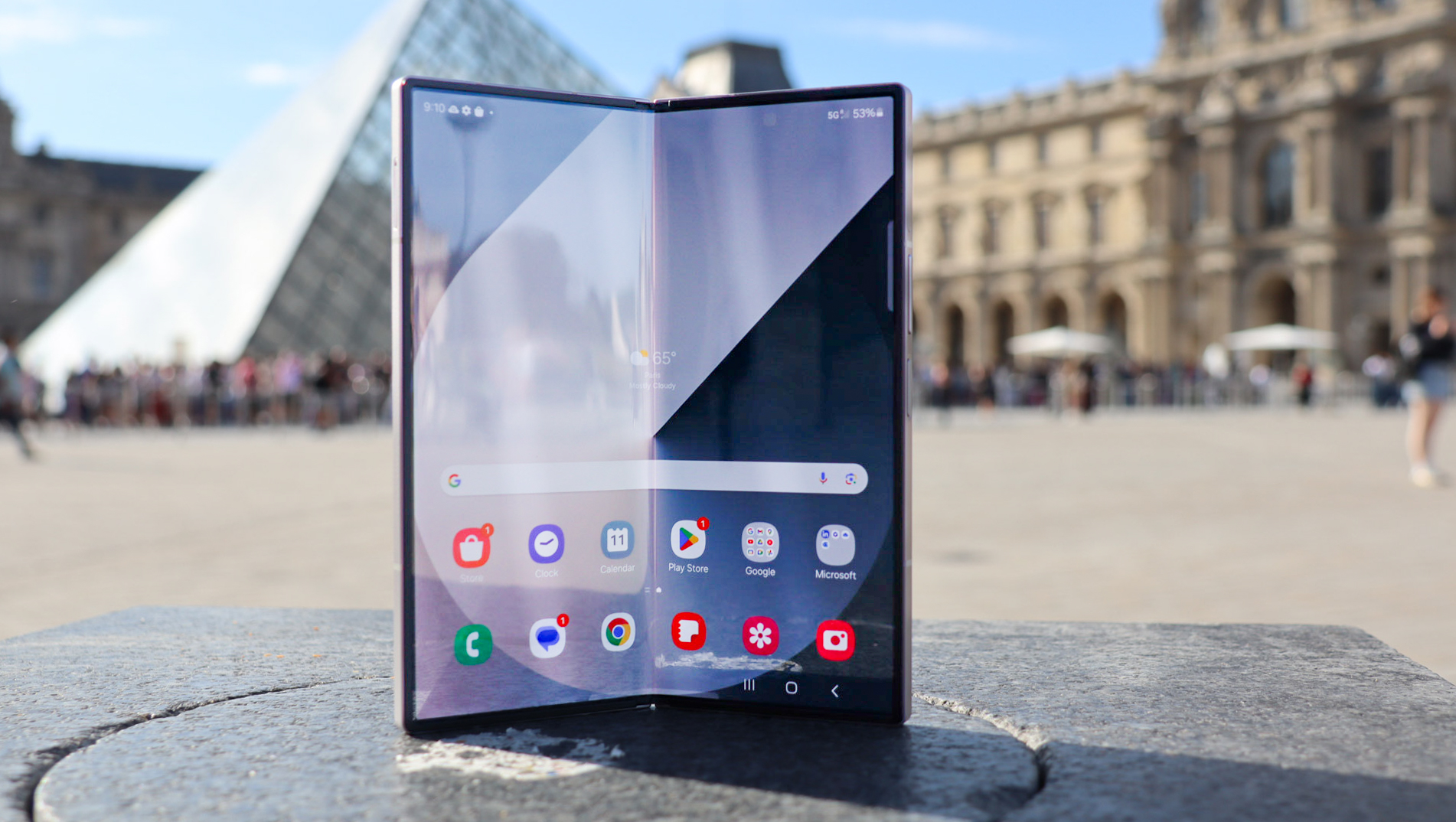
Picture from cdn.mos.cms.futurecdn.net
Rank 8499Numerous Samsung Galaxy Z Fold 7 specs have been touted, pointing to lots of upgradesHighlights include more dust resistance and a new 200MP cameraThere's also talk of a slimmer build, bigger screens, and more
For years now Samsung has seemed content to make minimal upgrades to its foldable flagships, as if it felt it had perfected the formula and there was nothing left to be done. But in fact, as impressive as the Galaxy Z Fold line is there’s long been plenty of room for improvement, and with the Samsung Galaxy Z Fold 7 we might finally get a lot of meaningful upgrades.According to a post by tipster @TheGalox_ on X (via GSMArena), the Samsung Galaxy Z Fold 7 will feature numerous improvements, including better water and dust resistance than its predecessor.We actually have no complaints about the Samsung Galaxy Z Fold 6’s water resistance, but it’s in desperate need of a decent amount of dust resistance, so this sounds promising.The Samsung Galaxy Z Fold 7 will also apparently have a new 200MP camera, which should be a big improvement on the 50MP primary snapper used by the Z Fold 6 (and the previous couple of Z Fold generations).There’s mention of a smaller crease too, which should help minimize one of the main issues with foldable phones, and the under-display camera is also apparently being upgraded, which is good, because previously Samsung’s under-display cameras haven’t performed particularly well.
Galaxy Z Fold7 | What's new?• One UI 8 out of the box• Upgraded Under Display Camera• Stronger Display with new layers• Bigger at 8" inside & 6.5" outside • New 200mp main camera • Thinner body at 4.5mm unfolded • Improved water & dust resistance • Smaller crease… pic.twitter.com/1zzVMwDJNEApril 8, 2025
Bigger, slimmer, and more powerful
Other listed improvements include a stronger display, larger 8-inch foldable and 6.5-inch cover screens (up from 7.6 inches and 6.3 inches respectively on the Galaxy Z Fold 6), and an incredibly slim 4.5mm thick build when unfolded (reduced from 5.6mm).The Samsung Galaxy Z Fold 7 should also be powerful, as not only will it unsurprisingly apparently have a Snapdragon 8 Elite chipset, but it’s also said to have a larger vapor chamber, which should help keep it cool under pressure so it’s better able to maintain peak performance. This should also aid the battery life, which is good because foldable phones tend to have quite small batteries.Indeed, there’s no mention of the battery here, which might mean that won’t be growing, but @TheGalox_ does mention that the phone will apparently have upgraded speakers and vibration motor, and that it will run One UI 8 – which is Samsung’s take on Android 16 – out of the box.So that’s an awful lot of upgrades if this leak proves accurate, and it may well do because some parts of it – including the 200MP camera, the Snapdragon 8 Elite chipset, the slimmer build, the smaller crease, the larger screens, and the bigger vapor chamber – have been suggested by other sources previously.The bit we’re most skeptical of is the improved water and dust resistance, since the Samsung Galaxy Z Fold 6 already has enough water resistance really (though a few phones like the OnePlus 13 have it beat with IP69 ratings), and we assume that improving the dust resistance would be tricky, since this is something all foldable phones struggle with.We should find out in a few months anyway, as the Samsung Galaxy Z Fold 7 is likely to launch in July, alongside the Samsung Galaxy Z Flip 7.
You might also like
Best Samsung phones: top Galaxy handsets rankedSamsung Galaxy S25 Edge: latest news, rumors, and everything we know so farSamsung Galaxy Z Flip 7: latest news, rumors, and everything we’ve heard so far
-

Picture from cdn.mos.cms.futurecdn.net
Rank 8500The monthly patch for Windows 11 24H2 reportedly has a bug that creates an enigmatic folderThis ‘inetpub’ folder appears in the system drive but it’s emptyIt’s harmless, and you can seemingly delete it safely – though there appears to be a history of ‘inetpub’ popping up on PCs
If you’re scratching your head because a mysterious folder has appeared on your system drive in Windows 11, you wouldn’t be alone.According to Windows Latest, the issue with the strange folder being created pertains to the latest April update for Windows 11 24H2.After installing that upgrade, apparently a good many users, including Windows Latest, have spotted that an empty folder called ‘inetpub’ has been created on the drive that Windows 11 is installed on (the C: drive normally).This folder is empty, and doesn’t do anything, but its appearance may cause quite some bewilderment among Windows 11 users who open their drive for whatever reason and happen to notice the folder.As Windows Latest explains, this appears to relate to IIS (Internet Information Services), which is Microsoft’s web server software for developers. The ‘inetpub’ folder is used to store the likes of web pages that a developer might be testing locally on the host PC.If you’re panicking at this point, thinking that this update has installed an entire piece of software you don’t need on Windows 11 without your permission, then don’t fret. Nothing has actually been installed, only the blank folder has been mistakenly created.In other words, there’s no harm done as such. Windows Latest has deleted the folder – as have others – and reports that it’s quite safe to remove it from your drive. Still, those who are more paranoid may just want to leave it (as it’s empty, and not doing anything – unless its presence annoys you, of course).
(Image credit: Future / Jeremy Laird)
Analysis: Folder whack-a-mole?
This is an odd quirk indeed, and yet another in a long line of weird bugs with Windows 11. As to what causes it, as Windows Latest theorizes, we can presume that somewhere within the April cumulative update, Microsoft is making some tweaks to IIS components. This process likely triggered the creation of the folder related to IIS storage errantly on machines that don’t use the software – but that’s all that has happened.So, this is a relatively benign bug, and more a source of confusion than anything else. However, the danger is that strange behavior on a PC like this may cause a Windows 11 user to believe that they have perhaps been hit by a virus. Mysterious things appearing on your drive are, of course, a telltale sign of a virus infection (along with your PC becoming a lot more sluggish, or suffering from weird popups).The bug also appears to be widespread, so quite a number of Windows 11 users may be annoyed, or bothered by, the folder’s appearance (if they notice it at all, that is). Windows Latest observes that it appeared on all of their Windows 11 machines, and there are a fair few reports from confused folks on Reddit, too.At any rate, rest assured that nothing bad has happened to your system here, and hopefully Microsoft will be able to clean up this glitch relatively quickly. Running against that idea, though, is the fact that there are historical reports of the seemingly random appearance of this folder on system drives, and that doesn’t fill me with confidence that the software giant will stamp this out.So, even if you do go ahead and delete it as Windows Latest suggests (at your own risk, I might add) – and that works fine – there’s no telling if at some point in the future, this folder might reappear on your Windows 11 drive.It does indeed seem that some folks have been playing ‘inetpub’ whack-a-mole for some years now, and if that really is the case, it’s down to Microsoft to come up with a permanent solution.
You may also like...
Windows 11 users are getting fixes for some longstanding bugs in 24H2 today, including the cure for a seriously annoying File Explorer glitchWindows 11 is getting a very handy change to the taskbar, as Microsoft takes a leaf from Apple’s Mac playbookMicrosoft looks to be making a big change to how you install and log in to Windows 11 – and I’m not happy about it at all


